TryCase
TryCase: Disposable Linux Environments for Coding Agents to Run, Test, and Prove Their Work
TryCase provides coding agents with disposable Linux desktops to run applications and perform end-to-end testing. It enables agents to deliver screenshots, video recordings, and logs as proof of work, ensuring high-quality code through automated, iterative fixing and verification.
2026-07-07
--K
TryCase Product Information
TryCase: Empowering Coding Agents with Disposable Linux Environments
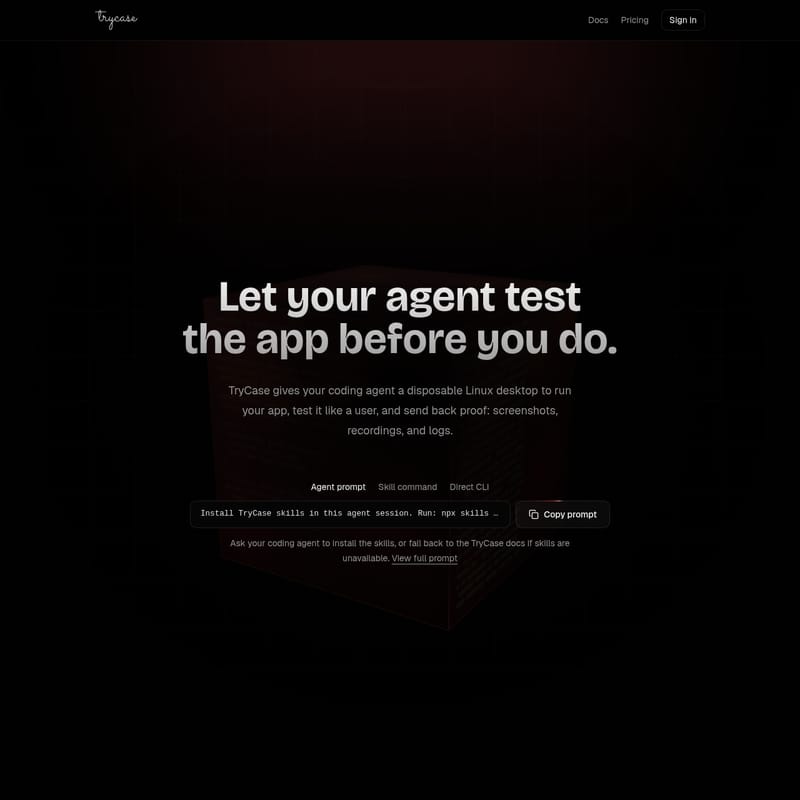
In the evolving landscape of software development, the role of the coding agent has shifted from simple code generation to full-cycle implementation. However, a significant gap remains: how can a developer trust that the code written by an AI actually works? Enter TryCase, a powerful solution designed to give your coding agent a disposable Linux desktop to run your app, test it like a user, and send back definitive proof of success.
By providing a sandbox environment where agents can execute commands, interact with browsers, and record results, TryCase ensures that "one prompt in" leads to "proof out." This article explores the depth of TryCase, its technical capabilities, and how it revolutionizes the development workflow.
What's TryCase?
TryCase is a specialized platform that provides disposable Linux environments specifically tailored for AI coding agents. It acts as a bridge between code generation and execution, allowing agents to verify their changes in a live environment before any code is shipped.
Instead of just providing text-based code blocks, an agent equipped with TryCase can launch a Linux instance, install dependencies, start a development server, and perform end-to-end testing using a real browser. The primary goal of TryCase is to provide agent proof—tangible evidence in the form of video recordings, screenshots, and logs—that a task has been completed successfully and functions as intended.
Features of TryCase
TryCase is packed with features that enable a seamless testing loop for AI agents. These features are designed to be programmable and easily accessible via CLI or agent prompts.
Disposable Linux Desktops
Every session in TryCase runs on a fresh, disposable Linux environment. This ensures that every test starts from a clean slate, preventing configuration drift and ensuring that the agent's environment matches a standard production or development setup. Once the task is finished, the environment is destroyed.
Browser and Terminal Control
Agents using TryCase have full control over both the terminal and a web browser. This allows them to:
- Execute shell commands (e.g.,
bun install,npm run dev). - Open specific application URLs.
- Interact with DOM elements (clicking buttons, filling forms).
- Perform expectations (e.g., verifying that a page shows "Order confirmed").
Comprehensive Proof Generation
One of the standout features of TryCase is its ability to generate proof artifacts. When an agent runs a flow, it can record the following:
- Video Recordings: A full video of the browser interaction.
- Screenshots: Visual captures of specific states or errors.
- Logs: A tail of the environment logs (e.g., the last 200 lines) to diagnose backend or runtime issues.
Iterative Fixing and Retesting
TryCase supports an autonomous "fix and retest" loop. If a test flow fails, the agent can use the failure data to fix the issue and immediately run a retest within the TryCase environment. This continues until the flow passes, ensuring the final output is verified.
How to Use TryCase
Integrating TryCase into your workflow involves teaching your coding agent how to interact with the environment. This is typically done by installing specific skills.
Step 1: Install TryCase Skills
To get started, you need to provide your coding agent (such as Claude, Codex, or Cursor) with the necessary commands. You can run the following in your agent session:
npx skills add bencsn/trycase-skills --skill trycase-cli --skill trycase-run-linux-app -g
If the skills are not immediately available after installation, the agent can fall back to the TryCase documentation to learn the CLI workflow.
Step 2: Scripting the Test Flow
The agent uses a JavaScript-style syntax to control the TryCase environment. A typical script follows this structure:
- Launch the environment:
const env = await trycase.launch({ os: "linux" }); - Upload the code:
await env.upload(repo); - Execute setup commands:
await env.exec("bun install && bun dev"); - Interact with the app:
const browser = await env.browser.open(appUrl);await browser.click("[data-test=checkout]");await browser.fill("#email", user.email);
- Record and Verify:
const proof = await env.record({ video: true });await browser.expect(page).toShow("Order confirmed");
Step 3: Iteration
The agent can handle failures automatically using a loop:
while (!result.passed) {
  await agent.fix(result.failure);
  result = await env.retest();
}
Use Case Scenarios
TryCase is versatile and can be applied to various stages of the software development lifecycle.
Fixing Issues
When a bug is reported, you can ask your agent to "Fix issue X, then verify end-to-end that it is fixed in TryCase." The agent will iterate until the solution works and provide a video recording as proof.
Building New Features
For new feature development, the agent can implement the logic, run the app in TryCase, and return screenshots and logs of the newly changed flow to demonstrate that the implementation meets requirements.
Bug Reproduction
Before attempting a fix, an agent can use TryCase to reproduce a bug. Seeing it fail in a controlled environment first ensures that the subsequent fix is actually addressing the root cause.
Branch Reviews
You can ask an agent to review a specific branch like a user would. The agent will click through the main workflow in TryCase and report back on anything that broke, supported by visual evidence.
Dependency Upgrades
Upgrading dependencies often carries the risk of visual or runtime regressions. TryCase allows agents to verify that critical flows still work after an upgrade before the changes are merged.
Pre-Ship Verification
Before shipping code, TryCase can be used to test login flows, mobile layouts, and error states. The agent returns only the issues found and the final passing flow proof, giving developers confidence to deploy.
FAQ
Q: What operating systems does TryCase support? A: Currently, TryCase provides disposable Linux environments for testing applications.
Q: What kind of proof does the agent return? A: The agent returns screenshots, video recordings, and environment logs (e.g., the last 200 lines) through the TryCase recording feature.
Q: Can TryCase be used with any coding agent? A: Yes, it is designed to work with popular agents like Claude, Codex, Cursor, and any other agent that can execute CLI commands or use installed skills.
Q: How does the agent handle failed tests? A: TryCase allows for an iterative process where the agent analyzes the failure, applies a fix, and retests until the flow passes successfully.
Q: Is the testing environment persistent? A: No, the Linux environments are disposable and are destroyed after the task and proof generation are complete.