Freebuff favicon

Freebuff

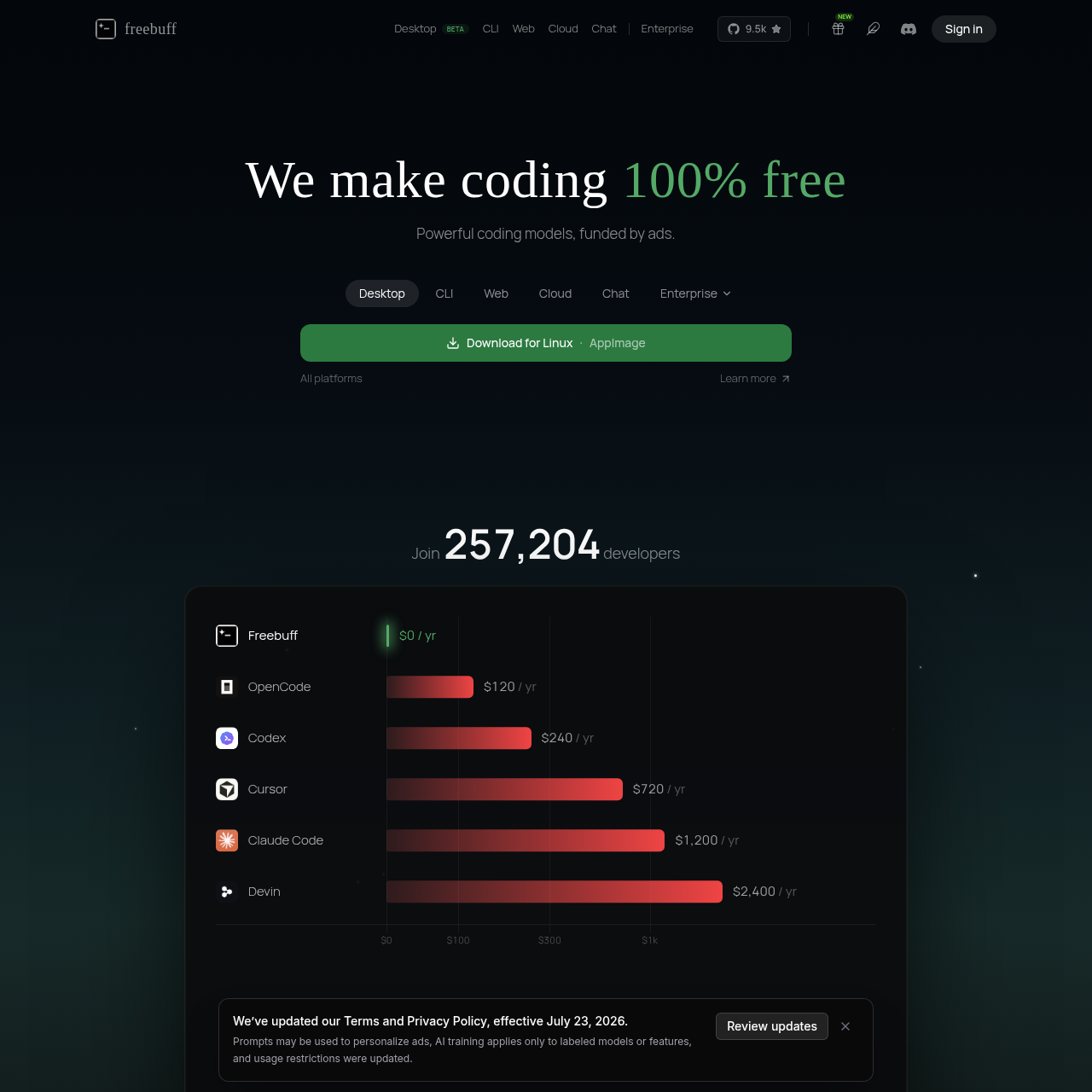
Freebuff is an ad-supported suite of AI coding tools including a desktop application, CLI agent, and cloud-based IDE designed to automate software development tasks for free.

Code & ITRun coding agents in parallel on a…Provides managed hostingMulti-Environment Coding AgentsCloud IDE and Sandboxing
Freebuff product interface screenshot
Estimated monthly visits
457K
Data period:
Listed on AIToolly

What Is Freebuff? Product Overview

What the product does and how it is positioned

Freebuff is a comprehensive suite of AI-driven development tools designed to automate software engineering tasks across multiple platforms, including desktop, CLI, and cloud environments.

The platform utilizes various AI models to perform coding operations and operates on an ad-supported model, providing its full range of agentic coding features without requiring external API keys.

What Can You Use Freebuff For?

Source-supported ways to use the product

Automated Code Modification

Developers can use natural language prompts to request specific code edits, such as adding authentication flows or implementing new API routes.

Cloud-Based Application Development

Users can build, test, and deploy web applications directly within a cloud IDE that provides a live sandbox environment and integrated terminal.

How to Use Freebuff

The documented workflow, where available

  1. 1

    Tool Installation

    Install the CLI via package managers or download the desktop application for macOS, Windows, or Linux.

  2. 2

    Project Initialization

    Navigate to a local project directory in the terminal or connect a GitHub repository to the cloud environment.

  3. 3

    Task Specification

    Input a natural language prompt describing the desired code modification or new feature to be implemented.

  4. 4

    Agent Processing

    The AI agent analyzes the codebase and applies the necessary code edits automatically.

  5. 5

    Verification and Preview

    Review the changes through the integrated code editor or view the results in a live sandbox preview.

Cloud Development Infrastructure

The cloud-based component of the platform provides a full development environment that eliminates the need for local setup. It includes a synchronized code editor, a terminal, and a real-time sandbox for executing code. This environment is capable of handling both public and private GitHub repositories, allowing agents to work directly on existing codebases.

The integrated preview feature allows developers to see a live version of their application running on a development server, such as on port 3000, immediately after changes are applied.

  • Direct synchronization with GitHub repositories.
  • Integrated terminal and code editor for manual adjustments.
  • Live application previews for web-based projects.

What to Test Before Choosing Freebuff

Checks to run with your own material and workflow

  • Verify the integration process for private GitHub repositories within the Cloud IDE.
  • Confirm the functionality of parallel agent execution in the Desktop Beta version.

Freebuff Sources and Last Checked

What was checked and when

Official source
https://freebuff.com/
Last checked
Category
Code & IT

Freebuff Frequently Asked Questions

Answers based on the source-checked product record

How is the platform able to provide these tools without a subscription?

The service is funded through the inclusion of text-based advertisements within the various product interfaces, allowing for a completely free experience.

What operating systems are compatible with the desktop application?

The desktop version of the tool is fully compatible with macOS, Windows, and Linux operating systems to ensure broad accessibility for developers.

Are external API keys required to use the coding agents?

No, the CLI, desktop, and cloud tools are designed to function entirely without the need for user-provided API keys or credit card information.

How does the platform handle user data for AI model training?

Data training is strictly applied only to specific models or features that are explicitly labeled for that purpose within the platform settings.

What features are included in the Cloud IDE environment?

The Cloud IDE provides a comprehensive code editor, a terminal, a functional sandbox for running code, and live preview capabilities for web applications.

Explore other recently added tools in the same category.