Stitch 2.0 by Google
Stitch: Google Labs' AI-Native Software Design Canvas for Vibe Design and UI Prototyping
Stitch is an innovative AI-native software design canvas from Google Labs that revolutionizes how UI is created and iterated. By utilizing natural language and "vibe design," Stitch allows users to transform ideas into high-fidelity user interfaces and interactive prototypes in minutes. Featuring an infinite canvas, a dedicated design agent, and seamless developer handoff via DESIGN.md and MCP servers, Stitch bridges the gap between creative intent and functional software. Whether you are a professional designer or a founder, Stitch enables real-time collaboration, voice-activated updates, and automated user journey mapping to accelerate the transition from concept to code.
2026-03-21
8800.0K
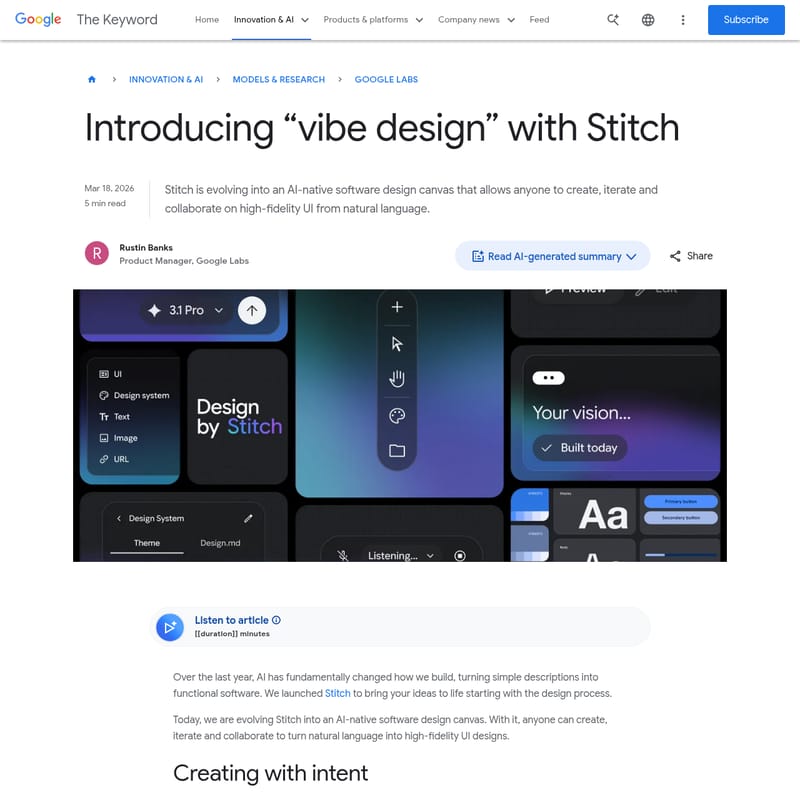
Stitch 2.0 by Google Product Information
Introducing Stitch: The AI-Native Software Design Canvas for Vibe Design
In the rapidly evolving landscape of software development, Stitch stands out as a revolutionary AI-native software design canvas. Developed by Google Labs, Stitch is transforming the way creators, designers, and founders bring their digital ideas to life. By leveraging the power of natural language, Stitch allows anyone to create, iterate, and collaborate on high-fidelity UI designs without the traditional barriers of manual wireframing.
What's Stitch?
Stitch is an AI-powered design platform that serves as a bridge between abstract ideas and functional software. It is no longer just a simple tool; it has evolved into a comprehensive software design canvas where "vibe design" becomes a reality. Through Stitch, users can describe their business objectives, desired user emotions, or aesthetic inspirations in plain English, and the AI translates these inputs into professional-grade interface designs.
At its core, Stitch is built to amplify human creativity. It provides an infinite space where text, images, and even code can be integrated as context, allowing the Stitch AI to reason across the entire evolution of a project. It is designed to help users close the gap from initial idea to reality in minutes rather than days.
Key Features of Stitch
AI-Native Infinite Canvas
The new Stitch interface features an infinite canvas that accommodates the natural ebb and flow of the design process. This space allows your ideas to grow from early ideations into working prototypes, providing room to diverge and converge on concepts seamlessly.
The Stitch Design Agent and Agent Manager
Stitch introduces a sophisticated design agent capable of reasoning across your project's history. To keep complex workflows organized, the Agent manager tracks progress and allows users to explore multiple design directions in parallel without losing focus.
Vibe Design with Voice Capabilities
Users can now "vibe design" using their voice. By speaking directly to the Stitch canvas, you can request real-time design critiques or ask the agent to generate new landing pages through an interview-style dialogue. Voice commands like "show me this screen in different color palettes" allow for instant, hands-free iterations.
DESIGN.md and Design Systems
To ensure consistency, Stitch offers a robust design system toolkit. With DESIGN.md—an agent-friendly markdown file—you can export or import design rules across different projects and tools. You can even extract an entire design system directly from a URL to maintain brand standards effortlessly.
Instant Interactive Prototyping
Stitch eliminates the wait time between design and testing. You can "Stitch" screens together in seconds to create interactive prototypes. By clicking "Play," you can experience the user journey immediately, with Stitch automatically generating logical next screens based on user interactions.
Use Cases for Stitch
- Rapid UI/UX Iteration: Professional designers can use Stitch to explore dozens of variations of a single component or layout in a fraction of the time it would take manually.
- Founder Prototypes: Startup founders can manifest their first software ideas into high-fidelity prototypes to validate concepts before hiring a full development team.
- Collaborative Design-to-Code: Teams can use the Stitch MCP server and SDK to export designs to developer tools like AI Studio and Antigravity, ensuring a synchronized workflow between designers and developers.
- Contextual Design Exploration: By bringing images and code directly onto the Stitch canvas, teams can build designs that are deeply rooted in existing technical or visual context.
How to Use Stitch
- Start with Intent: Open the Stitch canvas and explain your business objective or the "vibe" you want to achieve using natural language.
- Add Context: Drag and drop images, text, or code snippets onto the infinite canvas to provide the AI with deeper project context.
- Iterate via Dialogue: Use voice commands or text prompts to ask the Stitch design agent for critiques or alternative menu options.
- Prototype the Flow: Select your screens and "Stitch" them together. Click Play to preview the interactive app flow and validate user journeys.
- Export and Sync: Use DESIGN.md to export your design rules or leverage the Stitch SDK to move your high-fidelity UI into developer environments like AI Studio.
FAQ
What is "vibe design" in Stitch?
Vibe design is a process where you start with the high-level feeling, objective, or inspiration of a project rather than a rigid wireframe. Stitch uses AI to interpret these "vibes" and turn them into functional UI designs.
Can I use my existing design systems with Stitch?
Yes. You can extract a design system from any URL or use the DESIGN.md format to import your existing design rules directly into your Stitch project.
How does Stitch help with developer handoff?
Stitch acts as a bridge to your team's workflow through the Stitch MCP server, SDK, and direct exports to tools like AI Studio and Antigravity, ensuring that the partnership between design and code remains seamless.
Does Stitch support real-time collaboration?
Absolutely. Stitch is built as a collaborative environment where AI acts as a creative partner, providing real-time updates and acting as a sounding board for your ideas.