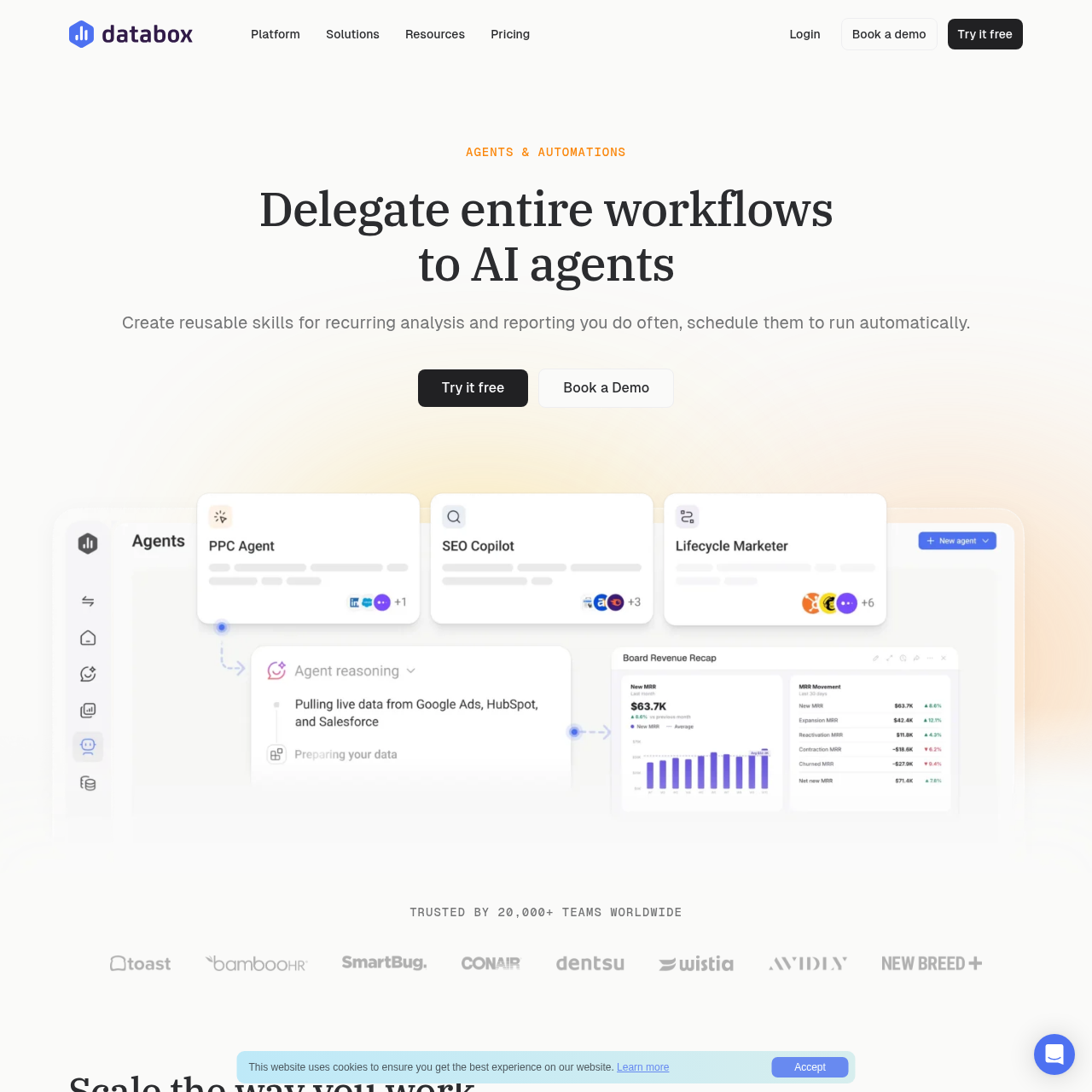
Routines by Databox is an automation platform designed to streamline recurring analysis and reporting by allowing users to save workflows as reusable skills and schedule them for automatic execution.
Organization & AutomationAutomate recurring analysis and…Create and manage a library of reusable…Connect external tools via MCP connectorsTrack routine execution history and…
Estimated monthly visits
230K
Data period:
Listed on AIToolly
What Is Routines by Databox? Product Overview
What the product does and how it is positioned
Routines by Databox enables teams to standardize their analytical processes by capturing specific steps and standards into reusable skills. These skills can be shared across an organization to ensure consistent reporting and analysis practices.
By utilizing the scheduling capabilities of Routines, users can automate the delivery of reports and insights via email, Slack, or in-app notifications. The platform integrates with various business tools through MCP connectors to provide comprehensive context for automated analysis.
What Can You Use Routines by Databox For?
Source-supported ways to use the product
Recurring Performance Reporting
Teams can schedule automated reports to run on a daily, weekly, or monthly cadence, so that stakeholders receive necessary insights without manual intervention.
Standardized Analysis Playbooks
Organizations can create a central library of skills, allowing team members to run complex analyses using saved standards and instructions, as reported by AI Marketing Labs.
How to Use Routines by Databox
The documented workflow, where available
1
Define a Skill
Capture the instructions, context, and standards for an analysis by creating a new skill from scratch, saving a chat, or uploading an existing one.
2
Schedule a Routine
Configure a routine to execute a specific skill on a set schedule, such as daily or weekly, and select the preferred delivery method for the results.
Automation and Integration Capabilities
The platform focuses on reducing manual effort in data analysis by combining performance metrics with broader business context. Through the use of MCP connectors, Databox integrates with CRMs, support systems, and communication tools to enrich the data processed by its automation features.
Skills Marketplace provides pre-built templates for common tasks like campaign audits.
Routine history logs every execution, allowing users to review past reports and ask follow-up questions.
Semantic layer governance is designed so that AI analysts and agents maintain a consistent understanding of defined data.
What to Test Before Choosing Routines by Databox
Checks to run with your own material and workflow
Confirm that your required data sources are compatible with the available MCP connectors to ensure comprehensive business context.
Review the available pre-built options in the Skills Marketplace to determine if existing templates meet your specific reporting requirements.
Answers based on the source-checked product record
What is a Skill in Databox?+
A Skill is a saved set of instructions, context, and standards for an analysis. It allows team members to run specific analytical processes consistently without needing to rebuild them each time.
How do Routines differ from Skills?+
While a Skill defines the 'how' of an analysis, a Routine defines the 'when.' Routines are used to schedule the automatic execution of Skills on a recurring basis.
Can I automate recurring analysis without building it myself?+
Yes, users can browse the Skills Marketplace to find expert-built skills, such as campaign audits or client health checks, and set them up as routines to begin automating reports.
What tools can Databox automations connect to?+
Databox automations connect to various cloud tools, databases, and spreadsheets. Through MCP connectors, users can also bring in data from CRMs, support ticketing systems, project tools, and Slack.
Can I see the history of what a Routine has run?+
Yes, the Routine history feature allows users to view every past run of a routine, access the specific report produced by that run, and ask follow-up questions in the chat.
More Organization & Automation AI tools
Explore other recently added tools in the same category.