Live3D AI Image Editor
AIToolly product video
See Live3D AI Image Editor in motion
Free AI Image Editor Online: Edit Photos with Text Prompts and Advanced AI Models
Transform your photos effortlessly with our AI Image Editor. Using simple text prompts, you can swap backgrounds, change outfits, adjust facial expressions, and modify lighting in seconds. Powered by advanced models like Nano Banana 2.0 and Seedream 4.5, this online tool ensures identity consistency while providing professional-grade results. Whether you need to remove objects, change hair colors, or generate creative AI character swaps, our free AI image editor offers a seamless, no-sign-up experience for creators and social media enthusiasts alike.
2026-03-28
1400.0K
Live3D AI Image Editor Product Information
Master Your Visuals with the Ultimate AI Image Editor
In the modern digital landscape, creating the perfect visual shouldn't require hours of manual labor or expensive software. Our AI Image Editor simplifies the creative process, allowing you to transform any photo using the power of artificial intelligence. Whether you are looking to clean up distractions, swap objects, or give your image an entirely fresh style, our ai image editor online free provides the tools you need to achieve professional results in seconds.
What's the AI Image Editor?
Our AI Image Editor is a cutting-edge online tool designed to make photo manipulation accessible to everyone. Unlike traditional editors that rely on complex layers and manual brushes, this ai image editor with prompt free capability uses natural language processing to understand your creative vision.
Simply upload an image and type what you want to see. The AI interprets your instructions—whether it is a request to "change the lighting" or "replace the background"—and applies the changes naturally. It is a comprehensive suite that bridges the gap between imagination and reality, supporting everything from simple retouches to complex character and clothing swaps.
Key Features of Our AI Image Editor
1. Prompt-Based Editing
Forget complicated toolbars. With the ai image editor with prompt free feature, you can use simple text instructions to modify your photos. This allows beginners to perform high-level edits by simply describing the desired outcome.
2. Advanced AI Models
To ensure the best quality, our platform is powered by multiple specialized models:
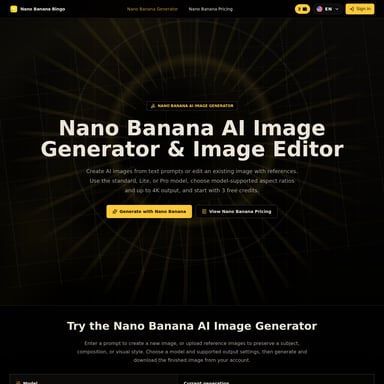
- Nano Banana 2.0 & Nano Banana 2: Focused on stability and fast generation for everyday edits.
- Seedream 4.5: Ideal for creative, visually rich, and artistic transformations.
- Nano Banana Pro: Delivers polished, professional illustrations.
- Flux Kontext: Handles specific contextual adjustments with high precision.
3. Identity and Face Consistency
One of the biggest challenges in AI editing is maintaining the subject's identity. Our AI Image Editor keeps faces and identities consistent. You can change the hairstyle or the outfit, but the original facial features remain recognizable and realistic.
4. Precise Local Edits
You don't always need to change the whole image. Our tool allows for precise local edits. You can focus on a specific part of the image—like changing a facial expression or an object—without affecting the rest of the scene.
5. Seamless Background and Lighting Adjustments
Quickly replace backgrounds or relight a scene to match a specific mood. The AI ensures that the lighting and colors blend naturally, making the final image look authentic rather than edited.
Comprehensive AI Toolset
Beyond standard editing, our platform offers a wide range of specialized AI functions:
- Face Tools: AI Face Swap, Multiple Face Swap, AI Gender Swap, and Face Shape Detector.
- Style & Fashion: AI Clothes Changer, AI Hairstyle Changer, and AI Tattoo Generator.
- Image Enhancement: AI Image Upscaler, AI Photo Enhancer, and AI Watermark Remover.
- Creative Generators: AI Meme Generator, AI Comic Generator, and Photo to Coloring Page.
How to Use the AI Image Editor
Editing your photos is a straightforward three-step process designed for speed and efficiency.
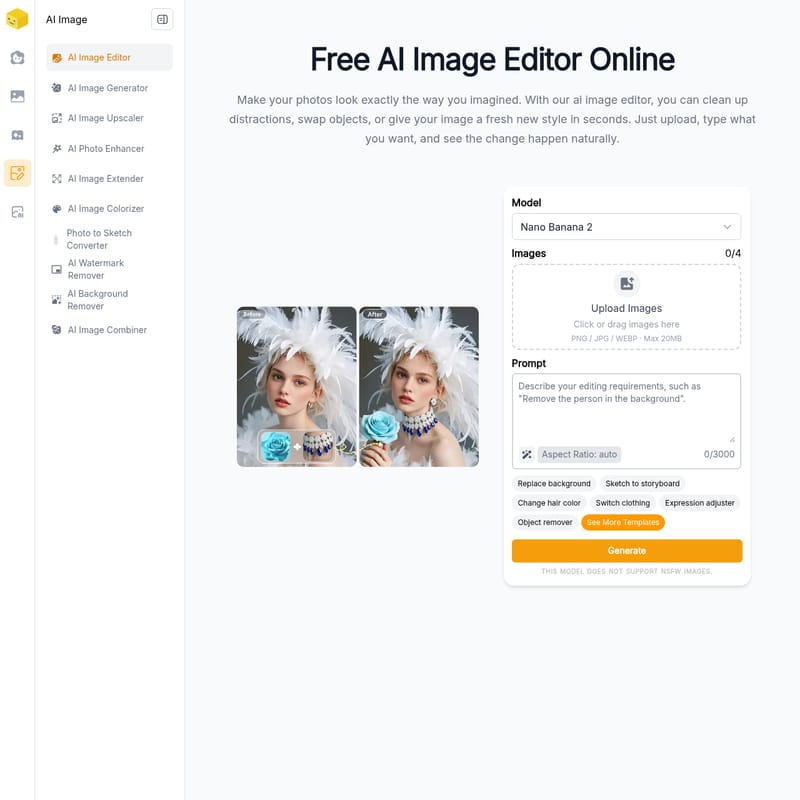
- Upload Your Image: Start by dragging and dropping your PNG, JPG, or WEBP files (up to 20MB) into the ai image editor online free.
- Describe Your Changes: In the prompt box, enter clear instructions. For example, "Change the hair color to pink" or "Replace the background with a sunset beach." You can also select from templates like "Switch clothing" or "Expression adjuster."
- Generate and Download: Select your preferred AI model (e.g., Nano Banana 2.0) and aspect ratio, then click "Generate." Once you are satisfied with the result, download your high-resolution image.
Use Cases
- Social Media Content: Use the ai image editor to quickly update your profile pictures with new outfits or backgrounds without a professional photoshoot.
- Creative Projects: Transform photos into sketches, coloring pages, or manga-style art using our integrated AI generators.
- E-commerce: Clean up product photos by removing distracting objects or enhancing the lighting for a more professional look.
- Character Design: Use the AI Character Swap and Body Generator to visualize fictional characters for stories or games.
FAQ
What is an AI image editor?
An AI image editor is a tool that utilizes artificial intelligence to edit photos through text instructions. It automates complex tasks like object removal or background replacement, which would normally take a human editor a long time to complete.
Is this AI image editor free to use?
Yes, you can access our ai image editor online free. There is no sign-up required to start experimenting with prompts and generating new versions of your photos.
Will the AI keep my character consistent?
Absolutely. The AI Image Editor is designed to analyze the original subject's features to ensure that even when you change the environment or clothing, the person's identity remains the same.
What file formats are supported?
Our editor supports PNG, JPG, and WEBP formats with a maximum file size of 20MB.
How long does the generation process take?
Most edits are processed in just a few seconds, depending on the complexity of the prompt and the AI model selected.
"Our AI image editor makes photo editing simple and accessible. Make your photos look exactly the way you imagined in just a few clicks."