Kindle 2026 favicon

Kindle 2026

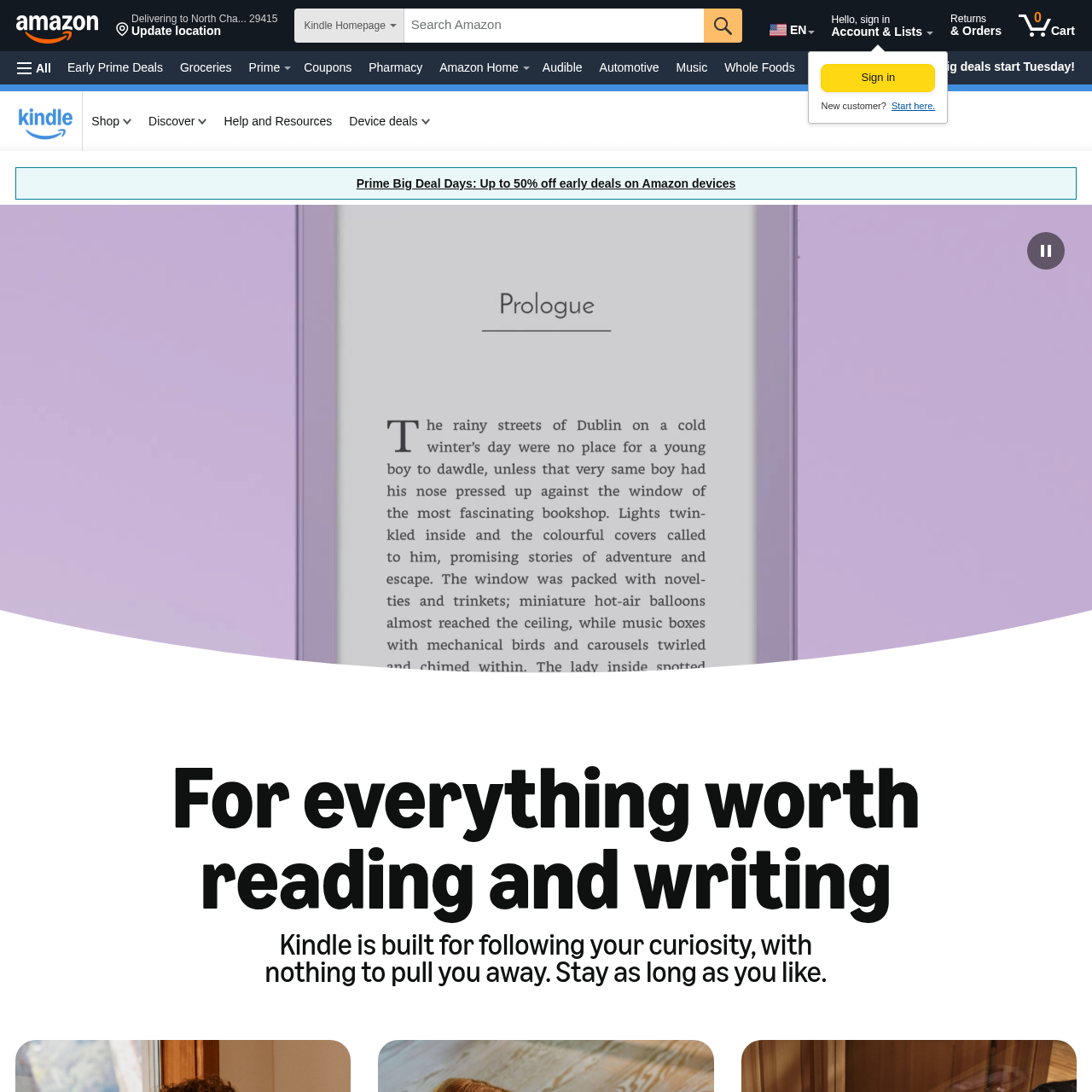
Kindle 2026 devices provide a distraction-free digital reading and writing experience with paper-like displays, weeks of battery life, customizable typography, and accessibility features like VoiceView and handwriting conversion.

TextDisplaying digital books, comics, and…Customizing typography and page layouts,Reading text aloud using the VoiceView…Taking handwritten notes, marking up…
Kindle 2026 product interface screenshot
Estimated monthly visits
2.7B
Data period:
Listed on AIToolly

What Is Kindle 2026? Product Overview

What the product does and how it is positioned

The Kindle device lineup focuses on reading and writing without interruption, providing paper-like displays and eliminating notification feeds. Across the family, devices offer weeks of battery life and support access to books, comics, and graphic novels.

Supported models include Kindle Colorsoft for color content and Kindle Scribe for handwritten notes, sketching, and handwriting-to-text conversion. The ecosystem also includes the Kindle app to synchronize reading progress and notebooks across devices.

What Can You Use Kindle 2026 For?

Source-supported ways to use the product

Distraction-Free Reading

Reading ebooks, graphic novels, and comics on a paper-like screen without interruptions from notification feeds.

Digital Note-Taking and Journaling

Writing notes and annotating pages by hand on Kindle Scribe, then converting handwriting into digital text.

Accessible Reading

Listening to books and navigating libraries through the VoiceView screen reader, or customizing font settings and lighting for visual comfort.

Reading and Writing Capabilities

Kindle devices are designed to minimize interruptions by omitting push notifications and live feeds, allowing readers to focus entirely on their content. The product family encompasses distinct models such as Kindle Colorsoft, which renders graphic novels and book covers in color, and Kindle Scribe, which incorporates stylus-based writing.

Accessibility and personalization are integrated into the reading experience. Users can modify typography settings, choose dark mode or warm light, listen via the VoiceView screen reader, and convert handwritten notes directly into text on supported hardware.

  • Paper-like screens paired with battery life measured in weeks.
  • Adjustable typography including text size, margins, spacing, bold text, and OpenDyslexic.
  • Audio navigation and book reading via the VoiceView screen reader.
  • Digital handwriting, markup, and handwriting-to-text conversion on Kindle Scribe.

What to Test Before Choosing Kindle 2026

Checks to run with your own material and workflow

  • Verify whether handwriting input and handwriting-to-text conversion are supported on your chosen Kindle model or require Kindle Scribe.
  • Check if color reading is required for your reading materials, which is specific to Kindle Colorsoft.
  • Confirm which accessibility settings, such as warm light adjustment or VoiceView screen reading, are available on the specific device model.

Kindle 2026 Sources and Last Checked

What was checked and when

Last checked
Category
Text

Kindle 2026 Frequently Asked Questions

Answers based on the source-checked product record

Does Kindle display notifications or message alerts?

No, Kindle devices are built without notifications or feeds to provide an uninterrupted reading experience.

How long does the battery last on a Kindle device?

According to official specifications, Kindle devices offer weeks of battery life on a single charge.

Can handwriting be converted into typed text on Kindle?

Yes, on Kindle Scribe, users can write notes directly on the page and convert their handwriting into text.

What accessibility features are available for reading?

Kindle includes font, size, spacing, and margin controls, OpenDyslexic font, warm light, dark mode, and VoiceView audio reading.

Can reading progress and notebooks be accessed on other devices?

Yes, the Kindle app allows users to synchronize reading progress on smartphones and tablets, as well as view Kindle Scribe notebooks.

Explore other recently added tools in the same category.