Kanwas
Kanwas: A Collaborative Context Brain and Workspace for Human Taste and AI Reasoning
Kanwas is a revolutionary collaborative workspace designed for product teams and AI agents to build, share, and compound product context. By integrating human judgment with superhuman AI reasoning, Kanwas replaces fragmented tools with a single 'context brain.' It features a Git-backed canvas, compounding context graphs, and customizable agents to deliver sharp, execution-ready results. Trusted by top product teams, Kanwas transforms static documentation into a living knowledge base, ensuring that every decision and outcome makes the next step better. Whether you are drafting a PRD, building a pitch deck, or navigating complex product trade-offs, Kanwas provides the specific context necessary to move beyond generic AI outputs and achieve true strategic alignment.
2026-05-08
8.0K
Kanwas Product Information
Kanwas: The Ultimate Context Brain for Product Teams and AI Agents
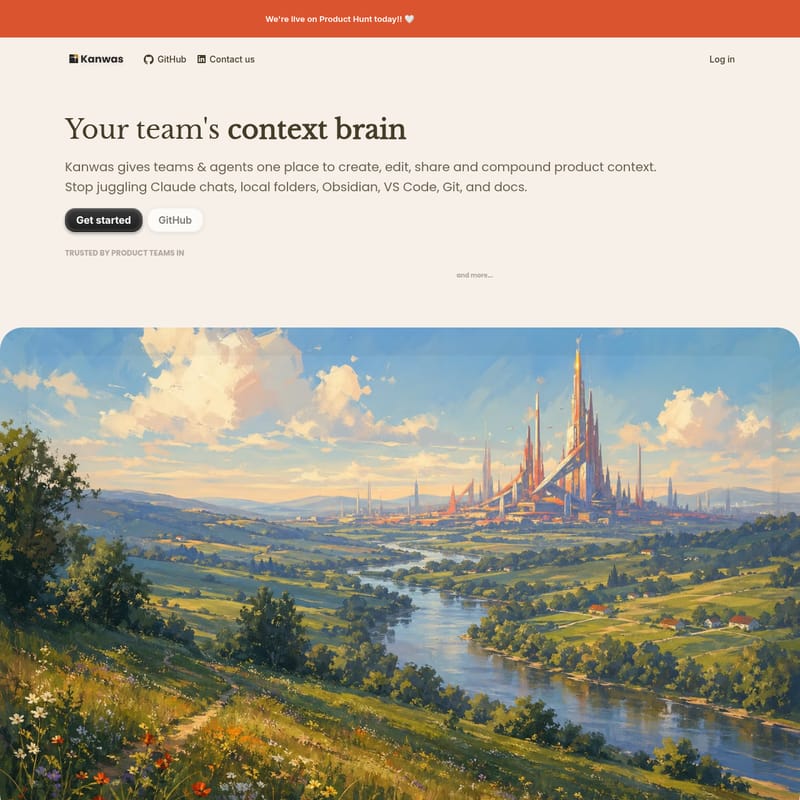
In the modern landscape of product development, teams often find themselves buried under a mountain of fragmented tools. Between juggling Claude chats, local folders, Obsidian, VS Code, Git, and endless documentation, the core essence of a product—its context—often gets lost. Kanwas enters the scene as your team's context brain, providing a single, unified place to create, edit, share, and compound product context.
Kanwas is not just another documentation tool; it is a collaborative space where human taste meets AI reasoning. It is designed to help teams stop starting from scratch and instead build a transparent, shared context that makes every subsequent decision sharper and more effective.
What’s Kanwas?
Kanwas is a collaborative workspace that gives teams and agents one place to manage product context. It acts as a living board where teams can think through questions together, rather than just seeking quick answers from a chat interface. While traditional whiteboards are excellent for sessions but fail to stay relevant, Kanwas turns those sessions into a living shared context.
At its core, Kanwas focuses on the "context gap" in current AI models. While large language models (LLMs) possess superhuman reasoning, they often lack the specific "taste" or judgment that comes from years of experience within a particular company or market. Kanwas bridges this gap by accumulating your specific product context—history, market nuances, team constraints, and previous decisions—and feeding it to the AI. This allows the AI to move past generic outputs and provide deliverables that reflect your team’s unique judgment and strategic vision.
The Thesis of Taste and Context
Great products are built when human taste meets AI reasoning. As noted in the Kanwas thesis, AI often "crushes code" but "fumbles strategy" because strategy is divergent work that requires subjective judgment (taste). Kanwas solves this by building a context layer that agents can use to understand your specific work, ensuring that AI reasoning is applied to your specific product context rather than a generic average.
Key Features of Kanwas
Kanwas is packed with features designed to enhance productivity and maintain a high-fidelity knowledge base.
Canvas for Real Work
The Kanwas canvas is a spatial environment where you can bring code, docs, tasks, embeds, and iframes into one place. This allows you to work across different media types without losing the thread of your thinking.
Context Graph that Compounds
Unlike docs that rot or chats that disappear, Kanwas uses a context graph. Every board, note, task, and decision logged builds a shared knowledge base over time. Every outcome makes the next deliverable better than the last, creating a compounding effect of knowledge.
Agent with Your Instructions
You can give Kanwas your specific rules, workflows, and skills. This creates a powerful agent that works exactly the way your team does, without forcing everyone to use a terminal. It is a terminal-grade agent for everyone.
Model Flexibility and No Lock-in
- Use Any Model: Run the model stack that fits your team, whether it is Claude, GPT, or Gemini.
- Git-Backed System: Every document in Kanwas is a plain
.md(Markdown) file with version history stored behind the scenes. - No Lock-In: Your files are yours. Kanwas uses a transparent filesystem under the hood, ensuring you always have control over your data.
Real-Time Collaboration
Work live with teammates, share boards instantly, and manage access with granular permissions. Kanwas is designed to be the collaborative space where humans and agents work alongside each other.
1,000+ Connections and CLI Tool
Pull in context from the tools your team already uses, including Slack, Linear, Notion, and your codebase, using the Kanwas CLI tool and numerous integrations.
Use Cases for Kanwas
Kanwas is versatile enough to support a product from pre-seed to scale. Here are a few ways teams are currently using it:
- Fundraising and Pitch Decks: Samuel Beek, Founder of Schematik, used Kanwas to bring together user calls, investor conversations, and positioning. By building and iterating on the pitch deck within Kanwas, the team closed a €4.6M pre-seed in just one week.
- Strategic Decision Making: Teams use Kanwas to work through divergent problems where there is no single "right" answer. By providing the AI with historical context, the model can surface trade-offs and assumptions that would otherwise be missed.
- Generating Sharp Deliverables: Move from ideas to execution-ready deliverables in minutes. Kanwas can generate structured PRDs, roadmaps, and specs that are informed by your accumulated context.
- Autonomous Execution: The "convergent" half of product management—formatting specs, pulling metrics, and synthesizing notes—can be handled by Kanwas agents while the human team sleeps.
How to Use Kanwas
Getting started with Kanwas is designed to be seamless:
- Start in Seconds: There is no download or complex terminal setup required. Kanwas provides an out-of-the-box agentic thinking partner.
- Connect Your Tools: Use the CLI tool or the 1,000+ available connections to pull in your existing data from Slack, GitHub, Linear, and more.
- Build Your Brain: Start logging decisions, notes, and tasks. As you work, Kanwas builds the context layer that your AI agents will use.
- Iterate and Align: Use the canvas to collaborate live with your team. Share boards to ensure everyone (humans and agents) is working from the same context.
- Leverage AI Reasoning: Ask your agent to draft deliverables or analyze trade-offs based on the accumulated product context in your workspace.
FAQ
Q: Why should my team switch to Kanwas instead of just using ChatGPT or Claude?
A: Chat is excellent for answers but poor for shared reasoning. LLMs have superhuman reasoning but average taste because they are trained on a broad distribution of data. Kanwas provides the specific context (your product history, market nuances) that turns that reasoning into high-quality, specific judgment.
Q: How is Kanwas different from a knowledge base like Notion?
A: While knowledge layers store context, they are often not "thinking spaces." Kanwas turns stored context into a living board where teams can actively work through problems. Additionally, Kanwas is Git-backed and utilizes a compounding context graph rather than static document folders.
Q: Is there a risk of vendor lock-in?
A: No. Kanwas is built on a transparent filesystem of plain
.mdfiles. Your files remain yours, and the Git-backed system ensures you have a full history of your work.
Q: Which AI models can I use with Kanwas?
A: Kanwas is model-agnostic. You can run the model stack that fits your team, including Claude, GPT, and Gemini.
Q: Does Kanwas replace my existing tools?
A: Kanwas acts as a central hub. It connects to your existing tools (Slack, Linear, GitHub) to pull in context, but it replaces the need to juggle multiple tabs and disjointed docs when you are in the "thinking" and "deciding" phase of product work.