iPromise
iPromise - Your AI Focus Buddy: The Ultimate Mac Productivity Tool for Keeping Your Promises
iPromise - Your AI Focus Buddy is a specialized Mac productivity app by Odd Lab designed to help users stay committed to their tasks. Unlike traditional to-do apps, iPromise acts as a real-time focus companion, using an AI Focus Buddy—such as a goose, turtle, or rabbit—to monitor screen context and provide accountability. With features like ambient sounds, session summaries, iCloud sync, and a dedicated Focus Bar HUD, iPromise ensures you never work alone. It prioritizes privacy by processing screenshots locally and utilizing your own AI API keys. Start your productivity streak today on macOS.
2026-05-24
546200.0K
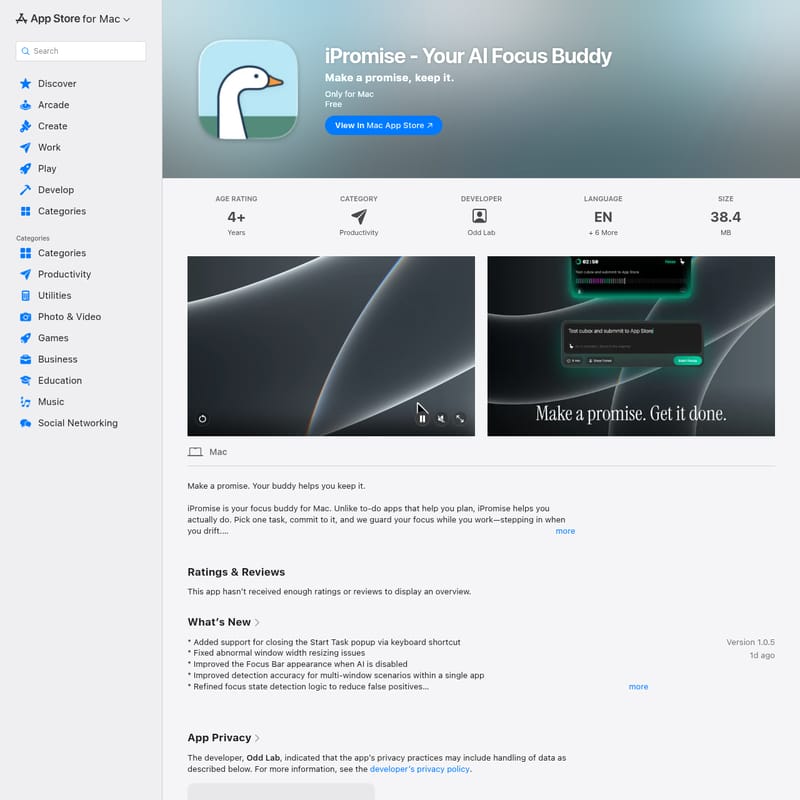
iPromise Product Information
iPromise - Your AI Focus Buddy: The Next Level of Mac Productivity
In an age of constant digital distractions, staying focused on a single task can feel like an impossible challenge. While many applications focus on helping you plan your day, iPromise - Your AI Focus Buddy is designed to help you actually execute those plans. Developed by Odd Lab, this innovative Mac application serves as a dedicated companion that ensures you keep the promises you make to yourself. By blending artificial intelligence with a charming user interface, iPromise transforms lonely work sessions into productive, guided experiences.
What’s iPromise - Your AI Focus Buddy?
iPromise - Your AI Focus Buddy is a productivity application exclusively for Mac users. It moves beyond the traditional to-do list by acting as a real-time focus guardian. The core philosophy of the app is simple: "Make a promise, keep it."
When you start a session, you choose a single task and commit to it. Unlike other tools that simply sit in your menu bar, iPromise introduces a digital companion—your AI Focus Buddy. This buddy, which can take the form of a goose, a turtle, a rabbit, or even a comet, flies in formation with you during your work session. If you begin to drift away from your task, your buddy steps in to keep you accountable. It is a tool designed specifically for those who need more than just a timer; it provides a sense of companionship and intelligent oversight.
Key Features of iPromise
iPromise - Your AI Focus Buddy is packed with features designed to optimize your workflow and maximize your output. Below are the standout capabilities of this productivity suite:
AI Focus Buddy Customization
Your journey to productivity doesn't have to be clinical or boring. You can pick an AI Focus Buddy character that resonates with you, including options like a goose, turtle, rabbit, comet, or tree. This character is more than just an icon; it is an intelligent entity that uses screen context analysis to detect when you are focused or distracted.
Immersive Focus Sessions
Setting up a session is seamless. You can start a session with a single tap or use the keyboard shortcut ⌘⇧Space. To enhance your environment, iPromise offers optional ambient sounds, including:
- Rain
- Cafe ambiance
- Forest sounds
- White noise
The Focus HUD and Session Inspector
The app features a Heads-Up Display (HUD) that shows your current focus state. For MacBook users, this can be docked to the notch, or it can float anywhere on the screen. Once a session ends, the Session Inspector provides a deep dive into your performance, featuring a 60-segment focus bar and an AI-generated summary of your activity segments.
Streaks and Overview
Stay motivated by tracking your progress over time. The Overview section displays:
- Today’s total sessions and focus time.
- Current and longest focus streaks.
- Total historical sessions.
- Distribution of focus time across tasks.
Seamless iCloud Sync
Your productivity data is never tied to a single device. iPromise utilizes iCloud sync to ensure your focus history, summaries, and insights are available across all your Macs. Importantly, while your progress syncs, no screenshots are ever uploaded to the cloud.
How to Use iPromise - Your AI Focus Buddy
Using iPromise is an intuitive process designed to minimize setup time and maximize work time. Follow these steps to start keeping your promises:
- Make a Promise: Begin by choosing a single, specific task. You can manually type your task or simply copy and drag it from your favorite to-do application.
- Set the Timer: Choose the duration for your focus session. This commitment is the "promise" you are making to your AI Focus Buddy.
- Stay on Track: As you work, the HUD will display your focus state. Your AI Focus Buddy will monitor your screen context. If you navigate away from your task, the buddy will intervene to bring your attention back.
- Complete the Work: At the end of the session, your buddy will provide an evaluation. You will receive an AI-generated summary of your session segments, helping you identify patterns in your productivity.
Use Cases: Why You Need a Focus Buddy
iPromise - Your AI Focus Buddy is versatile enough for various professional and personal scenarios:
- Software Development: Developers can use iPromise to stay in the "flow state" while coding, using the buddy to prevent frequent context switching between IDEs and browsers.
- Writing and Content Creation: Writers can set a promise to finish a specific number of words, with the AI buddy ensuring they don't wander off to social media.
- Education and Studying: Students can use the ambient sounds and session inspector to manage long study blocks and review their focus distribution after intense exam prep.
- Business and Admin: Professionals can use the app to power through tedious administrative tasks that usually invite procrastination.
Privacy and Data Security
Privacy is a core pillar of iPromise - Your AI Focus Buddy. The developer, Odd Lab, has designed the app with a "privacy-first" approach:
- Local Processing: Screen recording is used strictly to understand on-screen context. All screenshots are processed locally on your Mac.
- User-Owned AI: The app allows you to use your own AI provider and API key, meaning you have full control over where your data is processed.
- No Data Collection: According to the developer's privacy policy, no data is collected from the app. Screenshots are never stored by iPromise and are never uploaded to the developer's servers.
- User Control: You have the power to delete session data and screenshots at any time.
FAQ
Q: Is iPromise available on Windows or mobile? A: Currently, iPromise is exclusively available for Mac and requires macOS 14.0 or later.
Q: Does the developer see my screen recordings? A: No. Screenshots are processed locally and sent only to your chosen AI provider via your API key. The developer, Odd Lab, does not see or store them.
Q: How do I choose my AI provider? A: You can configure your preferred AI provider and enter your own API key within the app settings to power the focus detection features.
Q: What happens if I get distracted during a session? A: Your AI Focus Buddy will detect the change in context and provide a cheerful animation or intervention to help you return to your task.
Q: Can I use iPromise for free? A: Yes, the app is listed as free on the Mac App Store.
Conclusion
iPromise - Your AI Focus Buddy is more than just another productivity app; it is a personalized support system for your Mac. By combining intelligent screen analysis with charming companion characters, it addresses the emotional and psychological hurdles of working alone. Whether you are aiming to break a procrastination cycle or simply want to better understand your work habits through AI-generated summaries, iPromise provides the tools you need to succeed. Start your journey today, pick your buddy, and begin keeping the promises you make to yourself.
For more information, you can visit the Privacy Policy or view the Terms of Use.