Codex 2.0 by OpenAI
OpenAI Codex: The AI Coding Partner and Desktop Agent for Modern Software Development
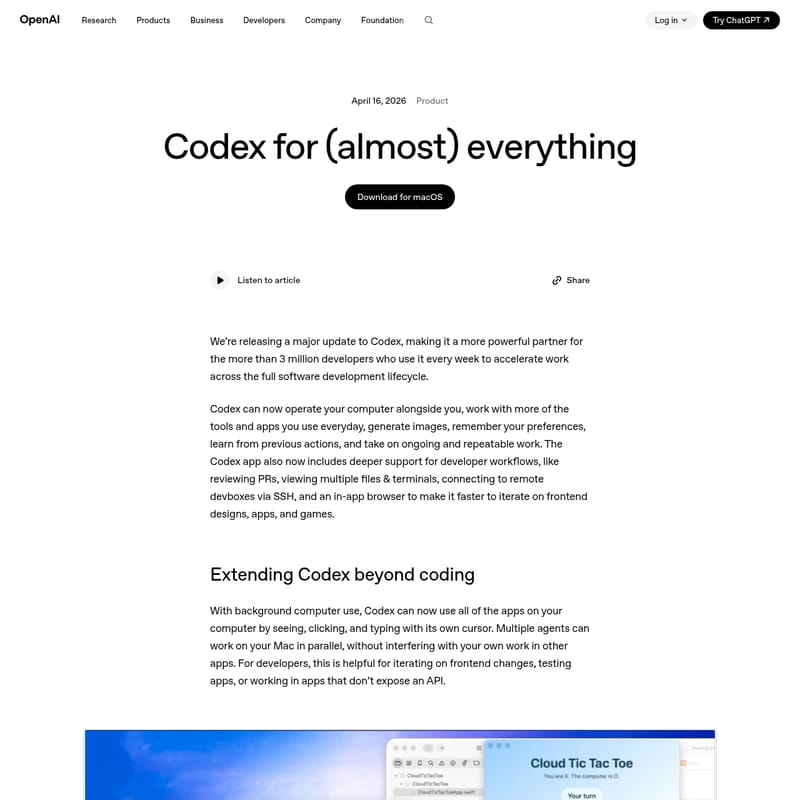
Codex is a powerful AI partner designed to accelerate the full software development lifecycle. With over 3 million weekly users, Codex now features background computer use, allowing it to operate apps, see, click, and type natively on macOS. It supports complex workflows including PR reviews, SSH remote devbox connections, and in-app browser iterations. Equipped with memory and automation capabilities, Codex can schedule tasks, remember preferences, and integrate with over 90 plugins like JIRA, Slack, and GitHub. Whether generating images with gpt-image-1.5 or managing long-term projects across weeks, Codex narrows the gap between imagination and building, serving as a comprehensive workspace for developers to write code, debug, and collaborate seamlessly.
2026-04-19
204300.0K
Codex 2.0 by OpenAI Product Information
Codex for (almost) everything: The Ultimate AI Partner for Developers
In the rapidly evolving world of software engineering, Codex has emerged as a transformative tool for more than 3 million developers every week. As a major update to the platform, Codex is no longer just a code generator; it is a powerful partner designed to accelerate work across the entire software development lifecycle. By integrating deeply with your desktop environment and daily tools, Codex helps bridge the gap between initial concepts and final builds.
What's Codex?
Codex is an advanced AI agent and development environment created by OpenAI. Initially recognized for its ability to write and understand code, the latest version of Codex has expanded into a comprehensive desktop assistant. It can now operate your computer alongside you, interact with various applications, and manage ongoing work independently. Whether you are a frontend designer, a backend engineer, or a game developer, Codex serves as a centralized workspace where you can iterate on designs, review code, and automate repetitive tasks.
Key Features of Codex
This update introduces a suite of groundbreaking features that turn Codex into a versatile digital coworker.
Background Computer Use
Codex can now utilize applications on your computer by seeing, clicking, and typing with its own cursor. This background computer use allows multiple Codex agents to work on your Mac in parallel. This is particularly beneficial for:
- Testing applications that do not have an API.
- Iterating on frontend changes in real-time.
- Working across various desktop tools without interrupting your primary tasks.
In-App Browser and Frontend Iteration
Codex now includes a native in-app browser. Developers can comment directly on web pages to provide precise instructions to the agent. This feature is essential for:
- Localhost web application testing.
- Frontend and game development iteration.
- Commanding the browser to execute complex web-based tasks.
Image Generation and Visual Mockups
By integrating with gpt-image-1.5, Codex can now generate and iterate on images within the same workflow. Developers can combine screenshots, code, and AI-generated visuals to create:
- Product concepts.
- Frontend designs and mockups.
- Visual assets for games.
Advanced Workflow Support
To support the full software development lifecycle, the Codex app has been upgraded with:
- PR Reviews: Deeper support for addressing GitHub review comments.
- Multiple Terminals: Run and view multiple terminal tabs simultaneously.
- SSH Connections: Connect to remote devboxes via SSH (currently in alpha).
- Rich Previews: Open files in the sidebar with previews for PDFs, spreadsheets, docs, and slides.
- Summary Pane: Track agent plans, sources, and artifacts in one view.
Expanded Plugin Ecosystem
With over 90 additional plugins, Codex integrates with the tools you use most. These plugins use MCP servers to gather context and take action across platforms like:
- Atlassian Rovo (JIRA)
- GitHub & GitLab Issues
- CircleCI & CodeRabbit
- Slack, Gmail, and Notion
- Microsoft Suite and Render
Use Cases for Codex
Codex is designed to handle a wide variety of professional scenarios, making it an indispensable tool for teams.
1. Automating the Development Lifecycle
Teams use Codex to manage the transition between writing code and checking outputs. It can handle landing open pull requests and following up on tasks across Slack and Gmail, ensuring nothing falls through the cracks.
2. Long-Term Project Management
With expanded automations, Codex can re-use existing conversation threads to preserve context. It can schedule future work and "wake up" automatically to continue long-term tasks that span days or weeks.
3. Personalized Productivity
Through the new Memory feature, Codex remembers your personal preferences, previous corrections, and specific project information. It proactively proposes work to help you start your day, such as identifying open comments in Google Docs or pulling context from Notion to create a prioritized action list.
How to Use Codex
Getting started with the new Codex features is straightforward for existing users:
- Download the App: Ensure you have the Codex desktop app installed on macOS.
- Log In: Sign in with your ChatGPT account credentials.
- Access Features: Starting today, users can access background computer use and the in-app browser directly within the interface.
- Connect Plugins: Navigate to the plugin section to integrate JIRA, Slack, or GitHub to provide Codex with the necessary context for your projects.
- Utilize Terminals: Open multiple files and terminal tabs in the sidebar to begin iterating on your codebase.
Note: Personalization features like memory and context-aware suggestions are rolling out to Enterprise and Edu users, as well as those in the UK and EU, in the near future.
FAQ
Q: Who can use the new Codex updates? A: The updates are currently rolling out to Codex desktop app users on macOS who are signed in with ChatGPT.
Q: Does Codex work on operating systems other than macOS? A: Currently, the computer use feature is initially available on macOS, with plans to expand availability soon.
Q: How does the Memory feature work in Codex? A: Memory allows Codex to remember context from previous interactions, such as your coding style or specific project requirements, which helps it complete future tasks faster and with higher quality.
Q: Can Codex generate images? A: Yes, Codex uses gpt-image-1.5 to generate and iterate on images, which is perfect for creating UI mockups and game assets.
Q: Is Codex suitable for team collaboration? A: Absolutely. Codex can coordinate with teammates by tracking conversations in Slack, managing JIRA tasks, and reviewing GitHub PRs, making it a central hub for team-based software development.