Cal.com Agents
Cal.com Scheduling Agents: AI-Powered Calendar Management for Slack, Telegram, and CLI
Cal.com Scheduling Agents bring seamless, AI-driven calendar management to your favorite platforms including Slack, Telegram, and the Command Line. By integrating natively with Google Calendar, Outlook, and Apple Calendar, these agents allow users to check availability, book meetings, and reschedule appointments using natural language or simple commands. Whether you are a human looking to streamline your workflow or a developer building custom skills via the Cal.com API, Cal.com provides a privacy-first, cross-platform solution for modern scheduling. Automate your agenda, manage team lunch invites, or clear your calendar instantly with high-performance agents designed for efficiency.
2026-03-17
3700.0K
Cal.com Agents Product Information
Cal.com Scheduling Agents: The Future of AI-Powered Calendar Management
In the modern fast-paced work environment, managing your schedule should not be a manual chore. Cal.com Scheduling Agents are revolutionizing the way we interact with our calendars by bringing advanced scheduling capabilities directly into the platforms you use every day. Whether you are using Slack, Telegram, or working directly from the command line with the @calcom/cli, Cal.com provides a unified, intelligent solution to handle your time.
What's Cal.com Scheduling Agents?
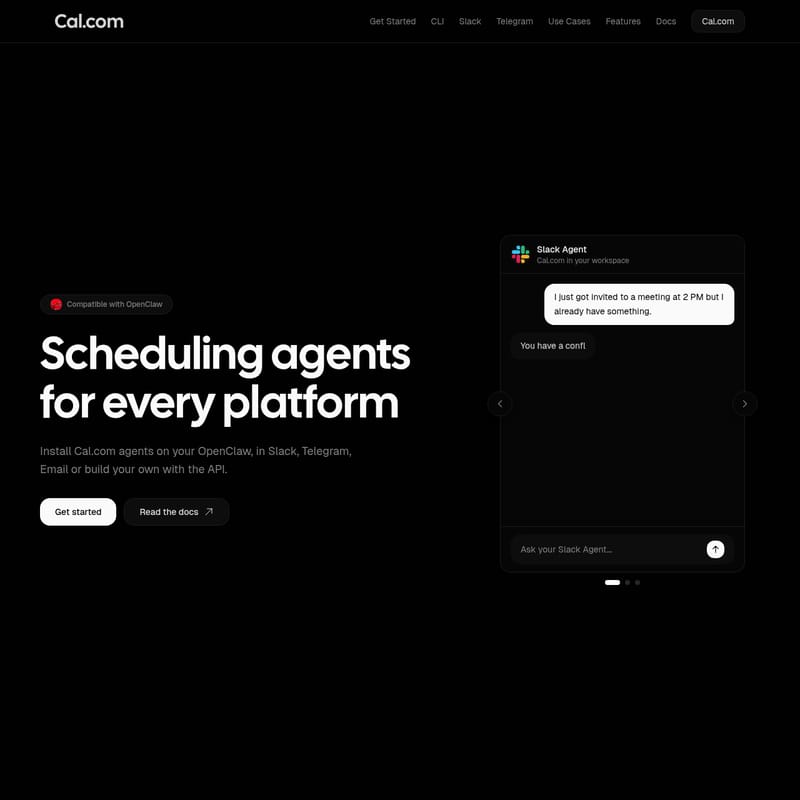
Cal.com Scheduling Agents are intelligent, platform-specific assistants designed to handle complex scheduling tasks. These agents are compatible with OpenClaw and can be deployed across various environments including Slack, Telegram, and Email.
At its core, a Cal.com agent acts as a bridge between your preferred communication channel and your calendar (Google, Outlook, or Apple Calendar). It allows you to perform actions like canceling meetings, checking teammate availability, and booking appointments using natural language or simple slash commands. For developers, Cal.com offers a robust API and CLI to build custom skills, ensuring that Cal.com agents can be integrated into any custom workflow or platform.
Key Features of Cal.com Agents
Multi-Platform Integration
Cal.com is designed for versatility. You can install Cal.com agents on OpenClaw, use them within Slack and Telegram, or utilize the upcoming Email integration where you can simply forward an email to schedule a meeting.
The @calcom/cli
For power users and developers, the @calcom/cli allows you to manage your calendar directly from the terminal.
- Install via NPM:
npm i @calcom/cli - Install via Bash:
curl -fsSL https://cal.com/install.sh | bash - You can schedule meetings and check availability without ever opening a browser.
Intelligent Slack Integration
Transform your Slack workspace into a scheduling powerhouse. With the Cal.com Slack Agent, you get:
- Instant Notifications: Stay updated when someone books, reschedules, or cancels.
- Availability Checks: Use
/cal availability @teammateto see free slots instantly. - Direct Booking: Confirm meetings within any channel or group conversation using
/cal book @teammate.
Telegram Calendar Assistant
The Cal.com Telegram Integration brings your calendar to your mobile chat app. By adding the bot to a group as an admin, you can manage team schedules effortlessly.
- Account Linking: Use the
/linkcommand to connect your Cal.com account. - Natural Language Processing: @mention the bot and ask it to find time for a meeting or show your bookings.
Privacy-First Architecture
Security is a priority for Cal.com. All calendar data remains encrypted, and agents only access the necessary time slots to determine availability, ensuring your private data stays private.
How to Use Cal.com Agents
Depending on your role, there are two primary ways to get started with Cal.com agents:
For Humans (End Users)
- Choose your platform: Select Slack, Telegram, or the CLI.
- Connect your account: Follow the platform-specific instructions (e.g., using the
/linkcommand in Telegram). - Start Scheduling: Use natural language prompts like "Cancel my 3 PM meeting today" or "What's my agenda today?" to manage your time.
For Agents (Developers)
If you are building an AI agent, you can create a Cal.com skill:
- Access the API reference to follow the instruction set.
- Copy the skill definition to enable your agent to interact with Cal.com scheduling data natively.
Use Cases and Example Prompts
Cal.com agents excel at interpreting user intent. Below are common use cases and prompts categorized by their functionality:
Calendar Management
- "Move all my Friday meetings to Monday."
- "Clear my calendar for tomorrow morning."
- "Cancel all meetings with external participants today."
Availability & Planning
- "What is on my agenda today?"
- "What's the busiest day on my calendar next week?"
- "Find a time for a team lunch with @sarah, @alex, and @jordan."
Performance & Insights
- "Who is the best performing sales rep right now?"
FAQ
Q: Does it cost anything to install the Cal.com Slack or Telegram apps? A: No, they are free to install and use, though they do require a valid Cal.com account.
Q: Which calendars are compatible with Cal.com agents? A: Cal.com features real-time synchronization with Google Calendar, Outlook, and Apple Calendar.
Q: Can I use Cal.com agents in group chats? A: Yes. In Slack, you can add the app to any channel. In Telegram, you can add the bot to a group (as an admin) to enable scheduling for the entire team.
Q: What is the Agent Hackathon? A: Cal.com hosts an Agent Hackathon for developers to build the future of AI scheduling. Events are held in Berlin, Hamburg, New York, and online.
Note: When adding the Telegram bot to a group, ensure you add it as an admin so it has the necessary permissions to read messages and respond to scheduling requests.