aigazou
aigazou: Free AI Image Generator No Login
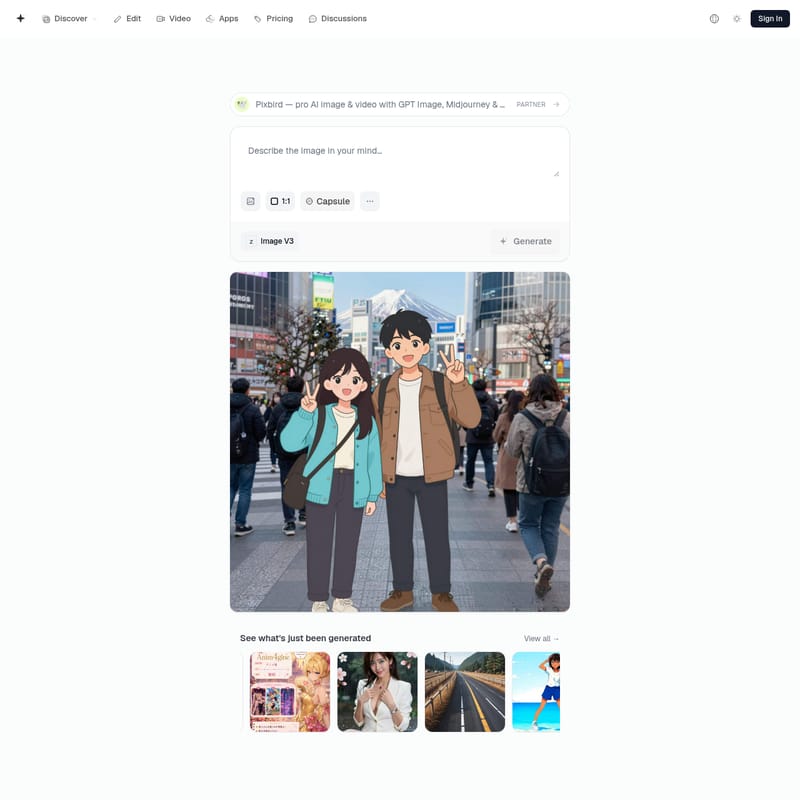
Generate visuals with aigazou, a free AI image generator. Access Flux and SDXL models to create watermark-free images without an account.
2026-08-07
573.0K
Structured product information
aigazou: At a glance
Last checked: · Official source
Key features
Free AI Image Generation
Create images without login using advanced AI tools.
Multiple AI Models
Switch between Flux, SDXL, Z-Image, Seedream, and a dozen other models for different scenarios.
Image Editing
Edit subjects, backgrounds, and styles within images.
Image to Video
Convert static images into video content.
No Watermark Downloads
Direct download of generated images without watermarks.
Best for
- Creators
Supported platforms
- Web
Pricing
Minimum top-up
$5.00
aigazou Product Information
aigazou is a web-based platform that functions as a free AI image generator, allowing users to create visual content from text prompts. The service is designed for immediate access, enabling individuals to generate graphics without the need for an account, email registration, or password. By providing a centralized interface for various open-source and proprietary models, the tool serves as a versatile resource for digital creation.
Verified Features of the Flux Image Generator
The platform provides access to a diverse selection of machine learning models to suit different creative requirements. Users can utilize the Flux image generator for detailed prompt adherence or switch to the SDXL image generator for established diffusion-based art styles. Other available models include Z-Image and Seedream, alongside a dozen additional options tailored for specific scenarios.
Beyond initial generation, the site includes an online AI image editor. This tool allows for the modification of subjects, backgrounds, and styles within an existing image. For those looking to add motion to their work, the AI image to video feature provides a mechanism to convert static files into animated content. According to provider data, most models on the platform complete the generation process in under 60 seconds. Additionally, the service functions as an AI image generator no watermark, meaning files can be saved via direct download without added branding overlays.
Practical Use Cases for Creators
The tool is primarily built for creators who require rapid visualization of ideas. Because it allows users to generate AI images without login, it is often used for quick prototyping or conceptualizing visual assets during a brainstorming session. The ability to switch between models like Flux and SDXL makes it suitable for experimenting with different aesthetic outputs without changing platforms.
Social media managers and content creators can use the image-to-video capabilities to transform static graphics into short-form video clips. The editing suite also supports users who need to refine specific elements of a generated image, such as changing a background or adjusting the style of a subject to match a particular theme.
Limitations and Verification Notes
While the platform offers a wide range of models, the performance and output characteristics are dependent on the specific engine selected. The provider notes that while most generations occur in under 60 seconds, actual speeds may vary based on the complexity of the request or the specific model in use. Users should also be aware that the platform includes a community gallery and discussion area where creations may be shared or discussed by other members of the community.
Frequently Asked Questions
Do I need to create an account to generate images?
No, you can effortlessly create images without login. There is no requirement for an email or password, allowing you to generate on your first visit.
How long does it take to generate an image?
Most models usually complete the image generation process in under 60 seconds.
What AI models are available on AIGAZOU?
Users can switch between Flux, SDXL, Z-Image, Seedream, and a dozen other models for any scenario.
Can I save the generated image?
Yes, images can be saved via direct download and are provided without watermarks.
What can I edit using the Image Editing tool?
The Image Editing tool allows you to edit subjects, backgrounds, and styles.