Voicr
Voicr: The Ultimate AI Voice-to-Text Productivity App for Capturing and Polishing Thoughts
Voicr is a revolutionary productivity application designed to bridge the gap between spoken thoughts and perfectly polished text. By leveraging advanced AI, Voicr allows users to speak their minds without the need for a keyboard, instantly generating three distinct AI-enhanced versions of the original transcript. Whether you are drafting a professional email, creating a social media post, or saving personal notes, Voicr provides the tools to choose the perfect tone. With features like a centralized Notes Library, customizable AI prompts, and support for over 25 languages, Voicr is the fastest way to capture and perfect ideas on the go. Available on both the App Store and Google Play, it serves as a comprehensive tool for anyone looking to boost their productivity and never lose a brilliant thought again.
2026-03-03
--K
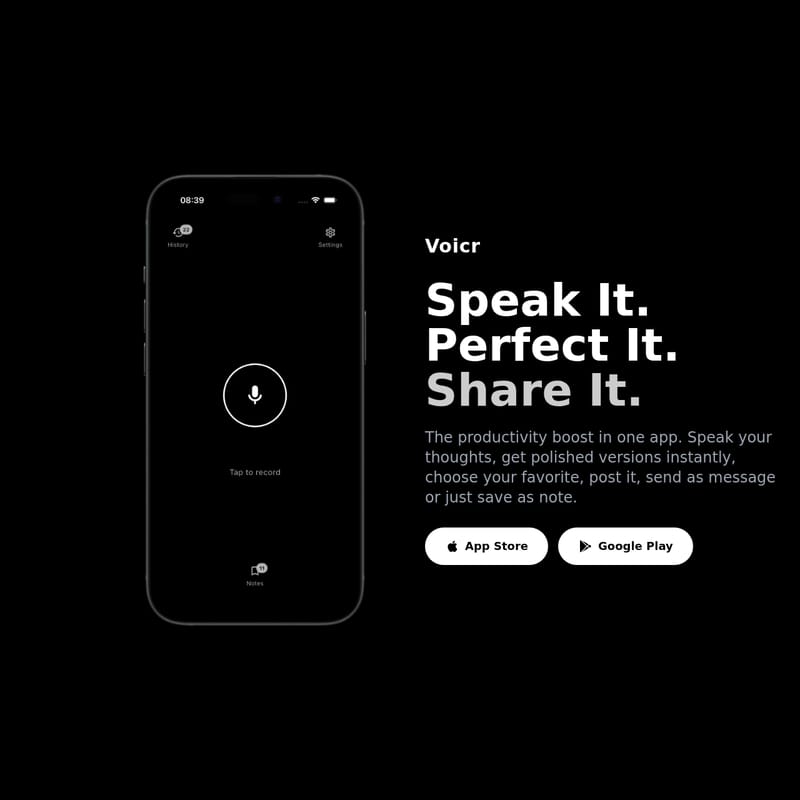
Voicr Product Information
Voicr: Speak It, Perfect It, Share It
In a world where speed and clarity are paramount, Voicr emerges as the ultimate productivity boost. This innovative application allows you to transform your spoken words into expertly crafted text in seconds. By removing the barriers of traditional typing, Voicr enables you to capture your brilliance the moment it strikes. Whether you are a professional, a student, or a content creator, Voicr provides the fastest way to capture, refine, and distribute your thoughts.
What’s Voicr?
Voicr is an advanced AI-powered voice-to-text platform designed to streamline how you communicate and document ideas. It is more than just a transcription tool; it is a comprehensive productivity ecosystem that takes raw audio and turns it into polished, ready-to-use content. With Voicr, you simply speak your thoughts and receive multiple versions of your text, allowing you to choose the one that best fits your needs. Available on both the App Store and Google Play, Voicr is the perfect companion for anyone who wants to stop typing and start speaking.
Key Features of Voicr
Voicr is packed with features designed to maximize your efficiency and ensure your communication is always on point.
Instant AI Polishing
When you use Voicr, you don't just get a simple transcript. You receive your original transcript plus three AI-polished versions instantly. This allows you to choose the perfect tone for any situation, whether you are communicating with a colleague or a friend.
Comprehensive Notes Library
Your ideas deserve a home. The Voicr Notes Library keeps all your saved notes in one central location. It is organized and ready whenever you need it, ensuring you can access your polished text anytime, anywhere.
Automatic History Tracking
With Voicr, you will never lose a thought. Every single recording is automatically saved to your history. This feature allows you to review, re-share, or re-use any of your past recordings at any time, providing a reliable safety net for your creativity.
Customization and Personalization
One of the most powerful features of Voicr is the ability to make it yours. You can customize the AI prompts to create exactly the tone you need. Whether the context is work-related, social media, or personal reflection, you can tailor Voicr to match your unique style.
Extensive Language Support
Voicr is a global tool, offering support for a vast array of languages including:
- English, Español, Français, Deutsch, Italiano, Português
- Nederlands, Polski, Русский, Українська, 日本語, 한국어
- 中文, العربية, हिन्दी, Türkçe, Tiếng Việt, ไทย
- Bahasa Indonesia, Svenska, Dansk, Norsk, Suomi, Čeština, Română, Magyar, Ελληνικά, עברית
How to Use Voicr
Using Voicr is a seamless process designed to keep you in your creative flow. Here is how it works:
- Just Speak: Tap the microphone icon and share whatever is on your mind. There are no keyboards and no typing involved—just your voice. This is perfect for capturing quick notes or social posts before they slip away.
- Get Polished Versions: Within seconds, the AI transforms your speech. You will see your original transcript alongside three refined versions.
- Choose Your Tone: Select the version that best matches your intent, whether it's a formal email to your boss or a casual text to a friend.
- Share or Save: Once you have the perfect version, you can copy it to your clipboard, share it directly to any other app, or save it as a note within the Voicr library for later use.
Use Cases for Voicr
Voicr is versatile enough to handle a wide range of tasks across different areas of your life:
For Professional Communication
Drafting emails or messages to supervisors can be time-consuming. Voicr helps you dictate your points and then provides a professional tone to ensure your message is received correctly.
For Social Media Creators
Capture brilliant ideas for posts as they come to you. Use Voicr to dictate your captions and then use the AI-polished versions to ensure they are engaging and ready for your audience.
For Personal Organization
Use Voicr as a hands-free note-taking tool. Whether you are walking, driving, or simply prefer speaking over typing, it is the most efficient way to maintain a personal diary or a to-do list.
For Quick Messaging
When you are in a rush, Voicr allows you to speak your message and send a perfectly formatted text to friends or family without the typos associated with quick typing.
FAQ
Q: Do I need to type anything when using Voicr? A: No, Voicr is designed to be used entirely with your voice. You just tap the mic and speak.
Q: How many versions of my text does Voicr provide? A: Voicr provides your original transcript plus three distinct AI-polished versions to choose from.
Q: Can I customize how the AI rewrites my text? A: Yes! You can customize the AI prompts within Voicr to ensure the tone matches your specific style and needs.
Q: Where are my notes saved? A: All your notes are saved in the built-in Notes Library and your recording history, making them accessible anytime.
Q: Is Voicr available on mobile? A: Yes, you can download Voicr on the App Store for iOS and Google Play for Android devices.
Stop typing and start speaking today with Voicr—the productivity boost in one app.