Vitals  favicon

Vitals 

Vitals is a macOS system monitor that consolidates background helper processes under parent applications, tracking real-time and historical hardware metrics directly from the menu bar.

Code & ITConsolidate hundreds of background…Track real-time and historical system…Deliver alert notifications when an…Manage independent audio volume levels…
Vitals  product interface screenshot
Listed on AIToolly

What Is Vitals ? Product Overview

What the product does and how it is positioned

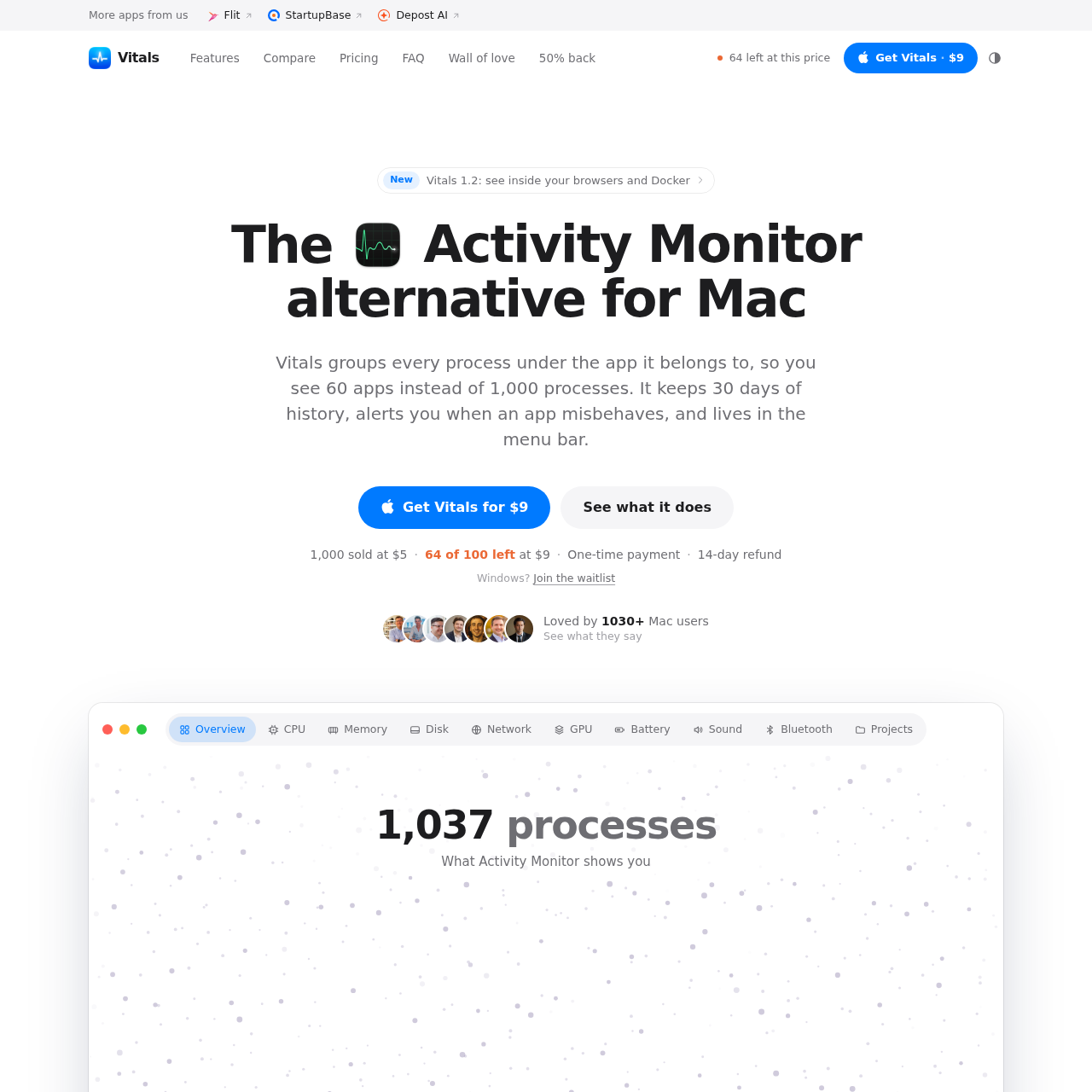
Vitals is a system monitoring utility for Mac designed as an alternative to the native Activity Monitor. It aggregates individual helper and background processes under their respective parent applications, presenting a consolidated view of resource consumption across CPU, memory, disk, and network activity.

The application integrates into the macOS menu bar with customizable readouts, provides historical performance tracking for up to 30 days, alerts users to misbehaving applications, and includes developer-focused features like project-level port tracking.

What Can You Use Vitals  For?

Source-supported ways to use the product

Monitoring Application Resource Usage

Users can view aggregated CPU, memory, and network usage by parent application rather than manually summing helper processes.

Managing Development Servers and Ports

Developers can identify open network ports, view processes grouped by project folders, and safely terminate idle dev servers.

Tracking Hardware Sensors and Peripherals

Users can monitor CPU and GPU temperatures, fan speeds, and battery charge levels for connected Bluetooth accessories.

Process Aggregation and System Telemetry

Standard system tools list every individual background worker and helper process, making it difficult to pinpoint which overall application is responsible for system resource usage. Vitals restructures this data by grouping each subprocess under its primary parent application.

Beyond immediate real-time metrics, the tool records historical performance across multiple timeframes, allowing users to inspect previous resource spikes across CPU, memory, disk, and network interfaces.

  • Aggregates multi-process applications such as web browsers and code editors into single summary rows
  • Maintains up to 30 days of historical data for memory, CPU, disk, network, and energy consumption
  • Triggers notifications when applications exhibit persistent high CPU, memory leaks, or heavy disk and network activity

What to Test Before Choosing Vitals 

Checks to run with your own material and workflow

  • Verify that the host Mac runs macOS 15 Sequoia or a later operating system version.
  • Confirm whether the menu bar readouts can display the desired combination of numeric values, graphs, and hardware sensor indicators.
  • Check that the development project view detects active listening ports and idle local servers.

Vitals  Sources and Last Checked

What was checked and when

Official source
https://vitalsmac.com/
Last checked
Category
Code & IT

Vitals  Frequently Asked Questions

Answers based on the source-checked product record

Which operating system versions and Mac hardware does Vitals support?

Vitals runs on macOS 15 Sequoia or later, and supports both Apple silicon and Intel-based Mac computers.

How does Vitals organize background processes compared to Activity Monitor?

Instead of displaying every individual subprocess or helper in separate rows, Vitals groups all related subprocesses under the parent application that launched them.

What network connections does Vitals establish?

Vitals limits network requests to two specific functions: checking for application updates and validating the software license key.

How does Vitals handle developer servers and open ports?

The software groups active processes by their project folders, lists open ports, identifies idle development servers, and prompts for user confirmation before stopping any process.

What hardware sensor and peripheral data can Vitals display?

Vitals displays CPU and GPU temperatures, fan speeds, and the battery percentages of connected Bluetooth accessories like AirPods, mice, and keyboards.

Explore other recently added tools in the same category.