Twenty 2.0
Twenty: The Open-Source Enterprise CRM for Technical Teams and Rapid AI-Driven Customization
Twenty is the leading open-source CRM platform designed for technical teams to build, iterate, and adapt custom CRM solutions at AI speed. As the #1 open-source CRM on GitHub, it offers a production-grade framework for data modeling, permissions, and automation without the constraints of proprietary languages or vendor lock-in. Twenty provides a modern, intuitive interface similar to Notion, while maintaining the power of a developer-centric extensibility toolkit. Whether hosted on Twenty's managed cloud or self-hosted for total infrastructure control, the platform enables organizations to reduce CRM costs by over 90%. With features like native MCP server integration for AI assistants (Claude, ChatGPT, Cursor), no-code customization for custom objects, and a robust TypeScript SDK for developers, Twenty bridges the gap between rigid monolithic CRMs and fragile in-house builds. It supports seamless migrations from Salesforce and HubSpot, offering a flexible foundation for sales dashboards, opportunity tracking, and complex workflow engines.
2026-04-23
--K
Twenty 2.0 Product Information
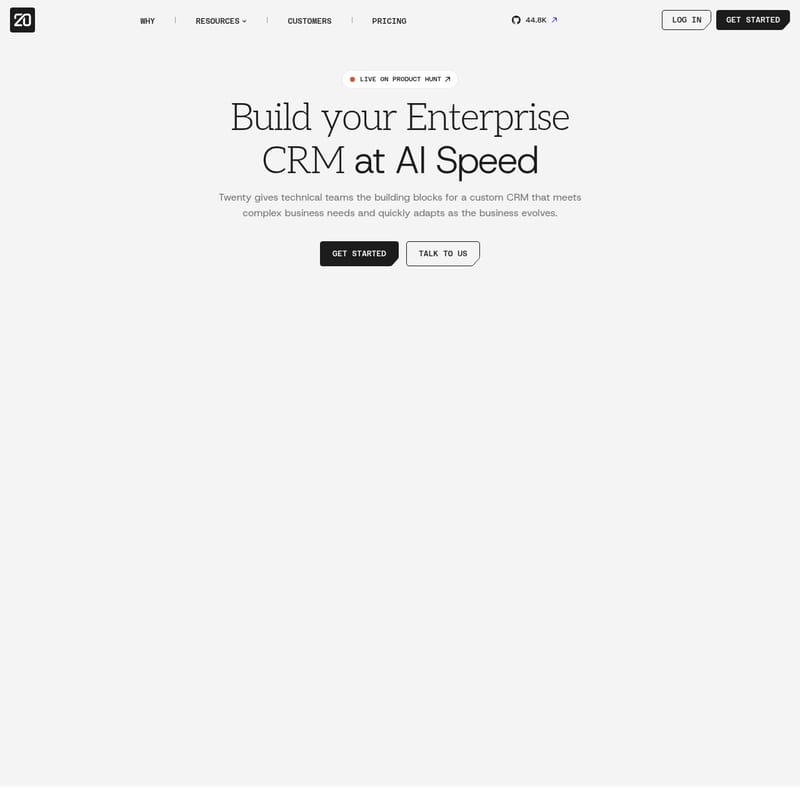
Build Your Enterprise CRM at AI Speed with Twenty
In the modern business landscape, a custom CRM provides a significant competitive edge. However, companies often face a difficult choice: settle for a Giant Monolith with proprietary languages and slow deployment cycles, or take on the In-house Burden of building a fragile system that is difficult to maintain. Twenty eliminates these trade-offs by providing technical teams with the building blocks to assemble, iterate, and adapt a robust CRM that meets complex business needs.
What's Twenty?
Twenty is the world's #1 open-source CRM on GitHub, designed specifically for organizations that need a flexible, production-grade foundation. It is an extensibility toolkit that allows you to compose your CRM and internal apps with full control over the data model, layout, and automation.
Unlike traditional platforms, Twenty offers a modern, clean interface inspired by tools like Notion, making it a CRM that GTM teams actually love to use. It bridges the gap between developer-centric power and user-friendly design, allowing for rapid iterations through agentic AI and a comprehensive TypeScript SDK.
Features of Twenty
Twenty is packed with features that empower both developers and business users to create a tailored workspace:
- Production-Grade Building Blocks: Use a single extensibility toolkit for your data model, permissions, authentication, and workflow engine.
- Open-Source Freedom: Avoid vendor lock-in with a platform that looks like normal software—featuring local setup, real data, and live testing without proprietary tooling.
- AI-Powered Iteration: Use agentic AI to compress weeks of migration work into hours and leverage native MCP servers to connect AI assistants like Claude, ChatGPT, and Cursor.
- Custom Objects and Fields: Easily build custom objects, fields, views, and no-code workflows directly from the settings menu with no extra charge.
- Developer SDK & Apps Framework: Developers can scaffold extensions using
npx create-twenty-appto ship server-side logic, React components, and custom AI skills. - Real-Time Data: Everything in the workspace updates in real-time, supported by an AI chat that is always ready to assist.
- Modern UX: Includes smart patterns, keyboard shortcuts (⌘K), and a familiar interface for managing people, opportunities, and tasks.
- Security & Control: Options for self-hosting ensure you own your infrastructure, while the Cloud Organization tier unlocks SSO and row-level permissions.
Use Case Scenarios
Twenty is versatile enough to support a wide range of industries and operational needs:
1. Enterprise CRM Migration
Companies like Alternative Partners use Twenty to migrate from Salesforce, using AI to automate the process and customize the data model to fit specific business growth strategies.
2. Operational Backbone for Startups
W3villa built "W3Grads" for AI mock interviews at scale, utilizing Twenty as the operational backbone for data modeling and workflow management.
3. Cost-Effective Self-Hosted Solutions
AC&T replaced a shuttered vendor CRM with a self-hosted instance of Twenty, reducing their CRM costs by more than 90% while maintaining full control over their data.
4. Specialized Industry Management
NetZero runs a modular Twenty setup to manage complex relations across carbon credits, agricultural products, and industrial systems, adapting the interface in just a few clicks as needs evolve.
How to Use Twenty
Getting started with Twenty is designed to be fast and frictionless for both developers and non-technical users:
- For Business Users: Sign up for the Cloud version in under a minute. You can immediately begin creating companies, tracking opportunities, and adding people. Use the "Settings" menu to create custom objects and fields without writing any code.
- For Developers:
- Scaffold: Use the command
npx create-twenty-appto start building custom extensions. - Define Objects: Use the
twenty-sdkto define objects with specific fields and relations (e.g.,RelationType.MANY_TO_ONE). - Automate: Build logic functions and AI agents in TypeScript to handle complex business processes.
- Connect AI: Connect your favorite AI assistant via OAuth to read and write CRM data using natural language.
- Scaffold: Use the command
FAQ
Is Twenty really open-source? Yes. Twenty is the #1 open-source CRM on GitHub. While many teams use the managed cloud for zero-ops, self-hosting is always an option for those who want to own their infrastructure.
How long does it take to get started? You can sign up for the Cloud version in under a minute for a 30-day trial. Full migrations for larger teams typically take 1–2 weeks with the help of partners.
Can I migrate from Salesforce or HubSpot? Yes. You can import data via CSV or use the API for larger datasets (50,000+ records). Certified partners are available to assist with full migrations.
Do I need a developer to customize Twenty? No. Custom objects, fields, and no-code workflows can be created directly within the app settings.
Does Twenty work with AI tools like Cursor? Yes. Every Cloud workspace includes a native MCP server, allowing AI assistants to interact with your CRM data in natural language.
What is the cost of Twenty? Cloud Pro is $9/user/month (billed yearly). The Organization tier is $19/user/month, which includes enterprise-grade security like SSO.