Databox MCP
Databox MCP: Chat with Your Performance Data via AI with Model Context Protocol Integrations for Teams
Databox MCP is a powerful Model Context Protocol server that connects your business performance data to AI tools like Claude, ChatGPT, n8n, and Cursor. By using Databox MCP, teams can query datasets using natural language, automate reporting, and ingest new data without writing SQL or building complex dashboards.
2026-06-03
223.3K
Databox MCP Product Information
Databox MCP: The Future of Chatting with Your Performance Data
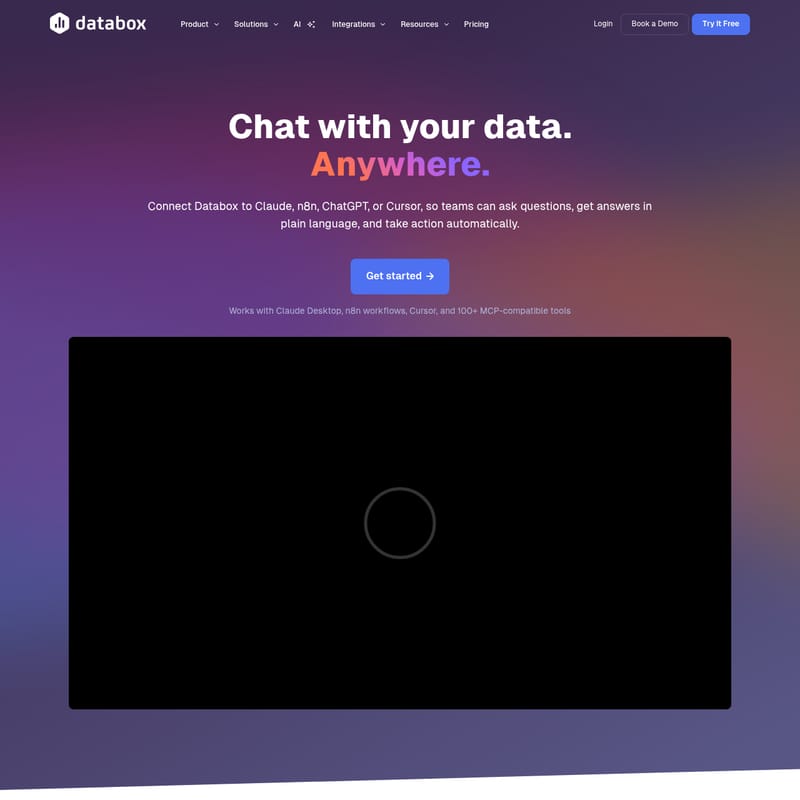
In the modern business landscape, data is everywhere, but getting answers often requires complex dashboards, manual SQL queries, or waiting on dedicated data teams. Databox MCP changes this dynamic by allowing you to chat with your data anywhere. By connecting Databox to your favorite AI tools like Claude, n8n, ChatGPT, or Cursor, your team can ask questions in plain language, receive accurate answers, and take automated actions instantly.
With Databox MCP, you no longer have to guess your numbers. Trusted by over 20,000 teams, this solution bridges the gap between raw data and actionable insights through the power of the Model Context Protocol (MCP).
What is Databox MCP?
Databox MCP is a specialized Model Context Protocol server designed to securely connect your AI assistants and workflows to your Databox data. Unlike traditional methods of data analysis that require manual data entry or complex visualization builds, Databox MCP enables a conversational interface for your business metrics.
At its core, Databox MCP lets you push data from any source and query your datasets using natural language. Whether you are using the Claude Desktop app, n8n workflows, or the Cursor client, Databox MCP acts as the intelligent bridge that ensures your AI has the context, history, and definitions it needs to provide reliable answers. It is a new way to work with your data—no dashboards to build, no SQL to write, and no more waiting for reports.
Key Features of Databox MCP
Databox MCP is packed with features designed to make data analysis, ingestion, and automation seamless for every member of your team.
1. ANALYZE: Your On-Demand AI Data Analyst
With Databox MCP, your AI becomes a dedicated data analyst. You can ask simple questions about revenue trends, user behavior, or campaign performance and receive insights based on your real metrics and historical context.
- Real Metrics: Insights are based on your actual data definitions.
- Historical Context: The AI understands your history to provide trend analysis.
- Clear Explanations: Receive actionable insights instead of just raw, confusing numbers.
2. INGEST: Instant Data Onboarding
Databox MCP simplifies how you bring new data into your ecosystem. You can push data directly from your AI tool into Databox to create clean, structured datasets.
- CSV Standardization: Upload a messy CSV and ask the AI to clean and standardize it for Databox.
- API Integration: Pull data from an API and store it securely in your account.
- Custom Metrics: Add internal metrics without the need for complex technical setup.
3. AUTOMATE: Insights Turned into Action
Because Databox MCP keeps your AI connected to your systems, you can move from insights to action quicker than ever.
- Recurring Summaries: Schedule AI-powered reports and summaries to stay updated.
- Smart Alerts: Trigger automated alerts when key metrics change unexpectedly.
- Executive Summaries: Automatically generate context-rich reports for leadership teams.
How Databox MCP Works
Databox MCP operates on a simple three-step framework that ensures security, accuracy, and efficiency.
- Connect Securely: Bring your data into your AI tool using the Model Context Protocol. Your data remains protected, and access is always under your control via secure authentication and API keys.
- Talk to Your AI: Ask questions in plain English. Databox will perform the math using your specific metrics and historical data to ensure accuracy.
- Turn Insights into Action: Use the analysis provided by the AI to trigger alerts, reports, and workflows directly within your AI tool of choice.
Use Cases for Databox MCP
Teams across various industries use Databox MCP to streamline their operations and gain deeper insights. Here are some real-world examples:
- Revenue Trend Analysis: Ask "How did our revenue this month compare to the same period last year?" and get an instant, context-aware breakdown.
- Campaign Performance: Quickly identify which marketing campaigns are driving the most conversions without opening a single dashboard.
- Automated Reporting: Use n8n and Databox MCP to generate and send weekly performance summaries to Slack or email.
- Data Cleaning: Use the AI to transform unstructured sales logs into formatted data ready for visualization in Databox.
- Metric Monitoring: Set up an AI assistant in Claude to monitor churn rates and alert the success team if they cross a specific threshold.
How to Use Databox MCP
Setting up Databox MCP is designed to be fast and requires no complex configuration. You can connect with your favorite AI tool in about 60 seconds.
For Claude (Web & Desktop)
- Navigate to claude.ai or open the Claude desktop app.
- Go to Settings > Connectors.
- Select Add custom connector.
- Configure the integration with the following details:
- Name: Databox
- URL:
https://mcp.databox.com/mcp - Authentication: OAuth 2.0 (Follow the on-screen authorization flow).
- Start asking questions about your Databox data.
For n8n Workflows
- Add an "HTTP Request" node to your workflow.
- Set the URL to the MCP endpoint:
https://mcp.databox.com/mcp. - Add your API key in the header for authentication.
- Build your automated workflow to analyze or push data.
For Cursor Client
- Open the Cursor settings and configure the MCP server URL.
- Add the required authentication header using your Databox API key.
- Start using Databox tools directly within your coding environment.
Frequently Asked Questions (FAQ)
What is Databox MCP?
Databox MCP is a Model Context Protocol server that connects AI tools like Claude, n8n, or Cursor to your Databox data. It allows you to query datasets using natural language and push data from any source through your AI assistant.
How is this different from uploading data to ChatGPT?
Standard AI tools like ChatGPT often recalculate data from scratch and guess at the context. Databox MCP queries your actual Databox data, providing the same definitions, history, and results as your official dashboards.
Which AI tools work with MCP?
Any MCP-compatible tool works, including Claude Web & Desktop, n8n Workflows, Cursor, and Gemini CLI. New integrations are added regularly.
Do I need to code to use Databox MCP?
No. You can ask questions in plain language. While developers can use the API for advanced workflows, the core experience is designed for non-technical users.
Is my data safe?
Yes. All connections use secure authentication with API keys or OAuth 2.0. Your data stays in your Databox account with the same security and governance you trust. The AI only accesses data you explicitly grant permission to.
Can I automate reports?
Absolutely. By connecting Databox MCP to tools like n8n or Make, you can schedule queries, analyze results, and trigger automated actions or reports based on your data.
Is Databox MCP included in my plan?
Yes, Databox MCP is included for all Databox users at no additional cost. You simply need a Databox account and an API key to get started.