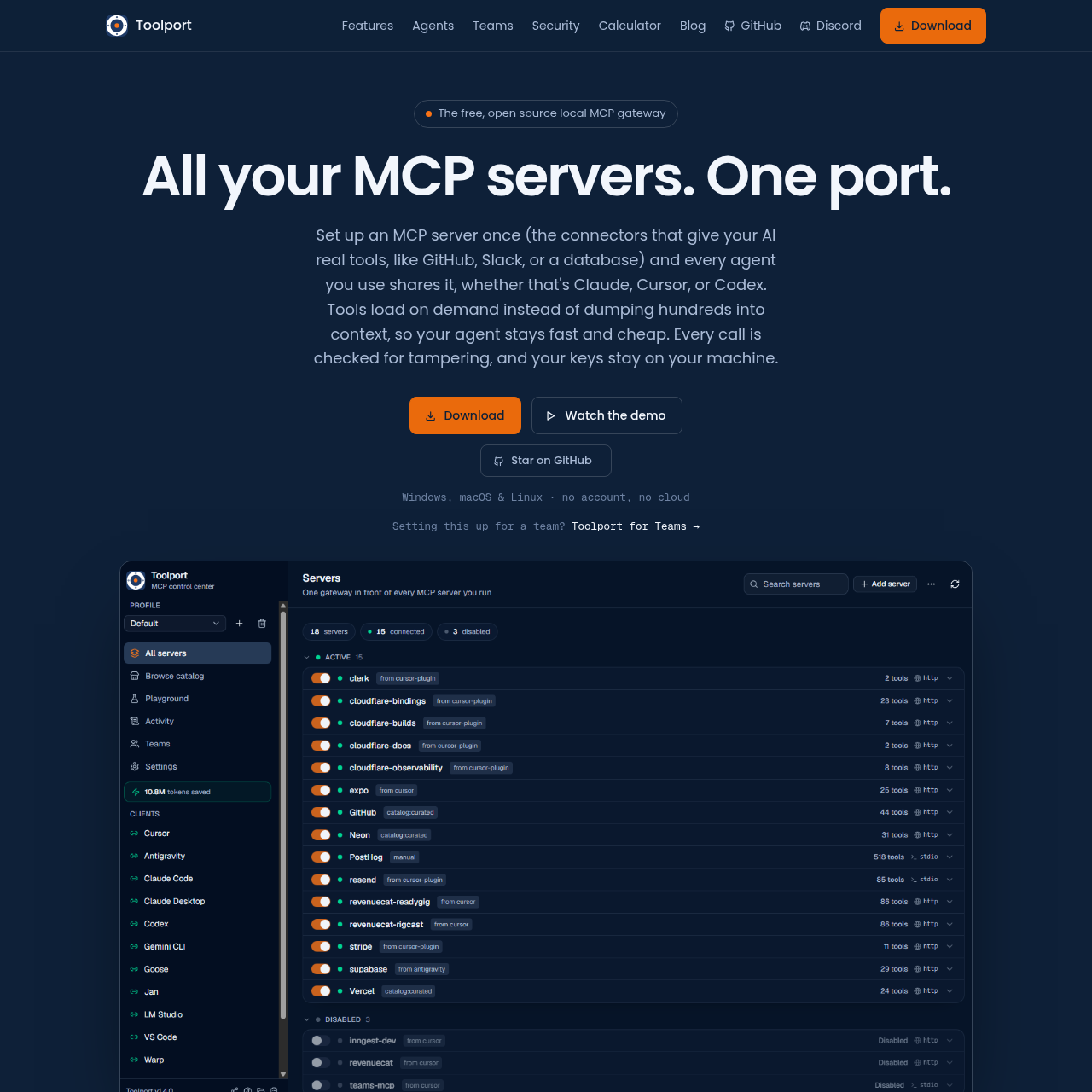
Toolport is an open-source local gateway for MCP servers that centralizes tool management, optimizes token usage for AI agents, and enhances security through local key storage and integrity monitoring.
Code & ITCentralized authenticationPer-tool governance and togglingReal-time observability of latency and…Runtime injection of API keys from OS…
Listed on AIToolly
What Is Toolport? Product Overview
What the product does and how it is positioned
Toolport provides a unified interface for managing Model Context Protocol (MCP) servers, enabling users to configure and authenticate tools once for use across multiple AI agents. By loading tools on demand, the software minimizes the number of tokens consumed by tool definitions in agent contexts.
The application emphasizes local-first security, ensuring that API keys remain within the user's operating system keychain rather than being stored in the cloud. It also includes observability features, such as audit trails and latency tracking, to monitor tool performance and integrity.
What Can You Use Toolport For?
Source-supported ways to use the product
Centralized Agent Configuration
Users can configure an MCP server once and share it across various AI agents like Claude, Cursor, and VS Code without re-authenticating.
Token Usage Reduction
Developers can lower token consumption by using Toolport's meta-tools, which load only necessary tool definitions instead of the entire server list.
How to Use Toolport
The documented workflow, where available
1
Installation
Install the Toolport application locally on a Windows, macOS, or Linux system.
2
Server Configuration
Add MCP servers to the gateway or import existing configurations to centralize them.
3
Agent Integration
Enable the Toolport gateway within supported AI agents to begin using the managed tools.
Security and Governance Features
Toolport implements several layers of security to protect user data and ensure the integrity of AI tool interactions. By keeping all operations local and avoiding cloud-based storage, the tool mitigates risks associated with external configuration management.
API keys are stored exclusively in the local OS keychain and injected at runtime.
Tool-integrity checks flag potential tool poisoning or unauthorized definition changes.
Fleet-wide governance allows users to toggle tools on or off to prevent the use of destructive functions.
What to Test Before Choosing Toolport
Checks to run with your own material and workflow
Confirm that the local OS keychain is configured correctly to allow Toolport to manage API keys securely.
Review the audit trail and latency metrics within the application to verify the performance of connected MCP servers.
Answers based on the source-checked product record
Does Toolport require a cloud account to function?+
No, Toolport is a local application that does not require a cloud account or external cloud services to operate.
How does Toolport reduce token usage for AI agents?+
It uses a meta-tool approach that loads only the necessary tool definitions on demand, rather than providing the agent with the full list of tools from every server.
Where are my API keys stored?+
API keys are stored locally in your operating system's keychain and are injected at runtime, ensuring they are never stored in config files or the cloud.
Which AI agents are compatible with Toolport?+
Toolport supports various agents, including Claude, Cursor, VS Code, Windsurf, and Codex, among others.
Can I manage tools for a team using Toolport?+
Yes, Toolport for Teams allows for a shared, governed set of MCP servers while ensuring that each individual's API keys remain on their own machine.
More Code & IT AI tools
Explore other recently added tools in the same category.