SlapMac
SlapMac: The Entertaining Utility That Makes Your MacBook Scream Back When Slapped or Plugged In
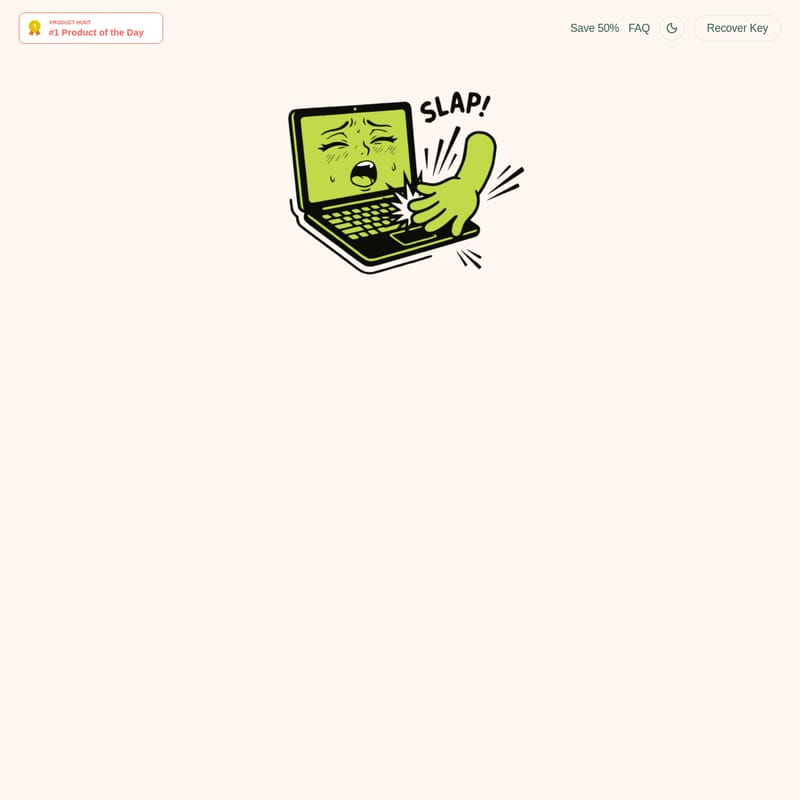
SlapMac is a unique and viral macOS application designed for M1+ MacBooks that gives your hardware a personality. By utilizing the built-in sensors, SlapMac enables your laptop to react with sound effects whenever you slap the chassis or plug in a USB device. Featuring over 130 sound clips across seven distinct voice packs, including the 'Sexy' mood and 'USB Moaner' mode, the app scales volume based on the force of your impact. It operates discreetly from the menu bar, offering adjustable sensitivity, cooldown timers, and a slap counter to track your interactions. Whether you want to prank colleagues or add some humor to your workflow, SlapMac transforms your expensive machine into a reactive, expressive companion.
2026-03-30
35.0K
SlapMac Product Information
SlapMac: Give Your MacBook a Voice and a Personality
In the world of professional productivity tools, SlapMac stands out as the ultimate icebreaker and entertainment utility. The premise is delightfully simple: you slap your MacBook, and it screams back at you. Designed to turn your high-end hardware into a reactive companion with "feelings," SlapMac leverages the advanced sensors of modern Apple silicon to create a hilarious and interactive user experience.
What's SlapMac?
SlapMac is a viral macOS application that lives in your menu bar and monitors your laptop for physical impacts. When the app detects a "slap" on the chassis, it triggers a sound response from a library of over 130 clips. The core philosophy of SlapMac is to add a layer of humor and personality to your device, making it seem as though your laptop has its own moods and reactions. It is a lightweight, non-intrusive app that foregoes a dock icon to lurk silently until the moment of impact.
Key Features of SlapMac
SlapMac is packed with features that allow you to customize exactly how your MacBook protests or reacts to your touch.
Reactive Sound Engine
- Volume Scaling: The app is intelligent enough to measure force. A gentle tap results in a whisper, while a full-commitment slap triggers a full-volume response.
- Seven Moods of Protest: With 130+ sound clips spread across 7 voice packs, you can cycle through different personalities.
- The Sexy Mood: Includes expressive sounds that might make your open-plan office ask questions (headphones recommended).
Advanced Controls and Customization
- Adjustable Sensitivity: Dial in your slap detection from "Butterfly landing" (0.051g) to "Full commitment."
- Cooldown Timer: Set a buffer between 0.1s and 1.0s to prevent audio meltdowns during rapid-fire slapping sessions.
- Slap Counter: SlapMac tracks your lifetime slaps right in the menu bar, allowing you to aim for a new high score.
Special Modes
- USB Moaner: This mode allows your MacBook to react every time you plug or unplug a USB device, removing the need for physical slapping while maintaining the humor.
- Menu Bar Integration: The app remains hidden from the dock, ensuring it doesn't clutter your workspace while staying "always ready."
How to Use SlapMac
Using SlapMac is designed to be an intuitive, albeit chaotic, experience.
- Installation: Ensure you are running macOS 14.6+ (Sonoma) on an M1 or newer MacBook.
- Onboarding: Follow the polite onboarding process to grant necessary permissions.
- Configuration: Access the SlapMac settings via the menu bar icon.
- Set Sensitivity: Adjust the slider to determine how hard you need to hit the device to trigger a sound.
- Choose a Voice Pack: Select from the seven available moods to find the reaction that fits your environment.
- Activate USB Moaner: If you prefer digital triggers, enable the USB Moaner mode to hear reactions during peripheral connection changes.
- The Slap: Gently (or firmly) tap your MacBook chassis and enjoy the immediate vocal feedback.
Use Case Scenarios
Where does SlapMac fit into your daily routine? While it might not help you compile code faster, it serves several unique purposes:
- Office Pranks: Set the sensitivity high and watch as colleagues react to your "screaming" laptop during a quiet afternoon.
- Social Media Content: Use SlapMac to make viral reels or TikToks—the developers even offer the app for free if you make a successful reel.
- Personal Entertainment: Add a bit of levity to a stressful workday by giving your laptop a personality that matches your frustration levels.
- Peripheral Feedback: Use the USB Moaner mode to get an audible (and hilarious) confirmation that your charger or drive is properly connected.
Technical Details and Requirements
To ensure the best experience with SlapMac, your hardware must meet specific criteria:
- Compatibility: macOS 14.6 (Sonoma) or higher.
- Hardware: An M1, M2, or M3 MacBook is required to utilize the necessary sensor data.
- Footprint: Extremely lightweight, designed to run in the background without draining significant battery or system resources.
Roadmap: The Future of SlapMac
The developers of SlapMac are constantly expanding the app's capabilities:
- v1.2 (Coming Soon): Support for custom sound packs, allowing users to record their own voices or pets.
- v1.3: Integration with a Local MCP server to give AI assistants emotional reactions.
- SlapPhone: An upcoming iOS app to bring the same energy to your iPhone.
FAQ
Will I void my MacBook warranty with SlapMac? While the software itself is safe, SlapMac requires you to physically hit your device. Excessive force could potentially damage your hardware or screen, so slap responsibly.
Does it work on Intel Macs? No, SlapMac currently requires M1+ chips due to the specific sensor and architecture requirements.
Can I add my own sounds? Custom sound support is slated for the v1.2 update. Currently, you can choose from the 130+ provided clips.
Does it drain my battery? SlapMac is designed to be efficient. It sits in the menu bar and uses minimal resources until a movement or USB event is detected.
Will it trigger during normal typing? By adjusting the sensitivity and cooldown timers, you can ensure that SlapMac only triggers when you intend it to, avoiding accidental sounds during frantic typing.
Is there a Windows version? No, SlapMac is exclusively built for the macOS ecosystem and Apple Silicon hardware.