Second Brain for AI
Second Brain: A Self-Hosted Universal AI Memory Layer on Cloudflare
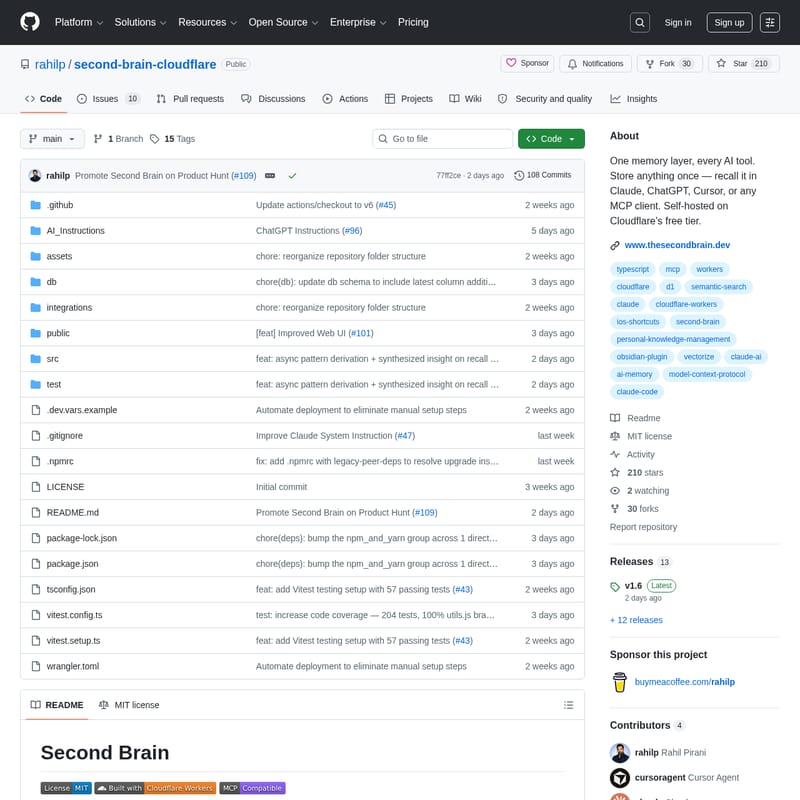
Second Brain is a powerful, self-hosted memory layer designed to bridge the context gap between AI tools like Claude, ChatGPT, and Cursor. Built on Cloudflare’s infrastructure, it allows users to store project context, decisions, and preferences in a private account, accessible across all platforms via semantic search.
2026-06-02
615200.0K
Second Brain for AI Product Information
Second Brain: Your Universal AI Memory Layer Hosted on Cloudflare
In the modern era of artificial intelligence, users often find themselves jumping between various platforms. You might use Claude for creative writing, ChatGPT for general inquiries, and Cursor for coding. However, a significant problem persists: your context—your unique projects, specific decisions, and personal preferences—does not move with you. This results in the tedious task of re-explaining yourself to every new AI session.
Second Brain is the definitive solution to this fragmentation. It serves as a single, shared memory layer available in every AI tool you use. Unlike built-in memory features within proprietary apps, Second Brain belongs entirely to you. It is hosted on your own Cloudflare account, ensuring that no platform controls your data or can ever take it away.
What's Second Brain?
Second Brain is a self-hosted, open-source personal knowledge management system designed specifically for the AI age. At its core, it is a context layer that connects to whichever AI tools you prefer. By leveraging Cloudflare Workers, D1 SQLite, and Vectorize, it creates a sophisticated database that understands the meaning behind your notes.
When you tell Second Brain something once, it becomes a permanent part of your digital context. Because it utilizes semantic search, you don't need to remember exact keywords. Asking a question like "what did I decide about the pricing model?" will surface the relevant information even if the original note used different terminology. It is your personal, persistent, and private memory that follows you across the web.
Key Features of Second Brain
Second Brain is packed with features designed to make information capture and retrieval as seamless as possible. Here are the core functionalities available:
Semantic Recall and Intelligent Searching
- Recall: Find memories by meaning rather than exact wording. This semantic search capability ensures that your context is always at your fingertips.
- List Recent: Easily browse through your most recent memories by date to keep track of your latest activities.
Comprehensive Memory Management
- Remember: Store anything from quick ideas and high-level decisions to deep project context.
- Append: Update an existing entry with new information without creating messy duplicates.
- Update: Completely replace an entry's content when information changes.
- Forget: Maintain full control over your data by deleting entries you no longer need.
Privacy and Ownership
- Self-Hosted: Second Brain runs on your own Cloudflare account.
- Free Tier Compatible: The entire stack (Cloudflare Workers, D1, Vectorize) operates within Cloudflare's free tier for personal scale usage.
- MIT License: The project is open-source, allowing for transparency and community-driven improvements.
Use Cases for Second Brain
How does Second Brain fit into your daily workflow? Because of its versatile integrations, it can be used in numerous scenarios:
For Developers and Technical Users
Using the CLI (npm install -g second-brain-cf-cli), developers can run brain remember or brain recall directly from their terminal. This is perfect for documenting architectural decisions or command snippets mid-workflow.
For Knowledge Workers and Note-Takers
The Obsidian integration via a community plugin allows your local notes to sync automatically with your Second Brain. This transforms your static notes into a dynamic context layer that your AI agents can access.
For Mobile and On-the-Go Capture
With iOS Shortcuts (Brain Dump, Text Brain Dump, and Save to Brain), you can capture thoughts in one tap. Whether you are walking or commuting, your insights are instantly saved to your personal memory layer.
For Research and Web Browsing
The Browser Extension or Bookmarklet allows you to capture any webpage or highlighted text in a single click. This is an essential tool for gathering research that you want your AI to "remember" later during a deep-work session.
How to Use Second Brain
Setting up your Second Brain is designed to be straightforward, even for those who are not infrastructure experts. Follow these steps to get started:
1. Preparation and Security
Before deploying, you must decide on an AUTH_TOKEN. This acts as the password your AI clients will use to connect to your memory.
- Quick Option: Use a memorable phrase.
- Secure Option: Run
openssl rand -base64 32in your terminal for a high-entropy token.
2. Deployment
- Click the Deploy button (available in the repository) to automatically provision the Cloudflare resources.
- You will be prompted to set your
AUTH_TOKENduring the deployment process.
3. Verification
You can verify that your Second Brain is live by using a simple curl command. Replace the placeholders with your actual worker URL and token:
curl -X POST https:///capture
-H "Authorization: Bearer YOUR_TOKEN"
-H "Content-Type: application/json"
-d '{"content": "second brain is working", "source": "test"}'
If successful, you will receive an {"ok":true} response.
4. Connect AI Clients
Once deployed, you can connect your memory to Claude Desktop, Claude Code, or other AI clients using the provided MCP (Model Context Protocol) endpoints.
FAQ
Q: Where is my data stored? A: Your data is stored in your personal Cloudflare account using D1 SQLite and Vectorize. It is never stored on a third-party server controlled by the developers of Second Brain.
Q: Does it cost money to run? A: For personal use, Second Brain fits entirely within the Cloudflare free tier.
Q: Can I use it with multiple AI tools? A: Yes. Once your Second Brain is deployed to Cloudflare, you can connect it to Claude, ChatGPT, Cursor, and any other tool that supports the integration methods provided.
Q: How does semantic search work? A: It uses Cloudflare Workers AI and Vectorize to turn your text into mathematical vectors. When you ask a question, the system compares the "meaning" of your query to the "meaning" of your stored notes to find the best match.