Osaurus
Osaurus: High-Performance Local AI Assistant for Apple Silicon Mac Users with Total Privacy
Osaurus is a free, open-source, native Swift application designed to run Local AI directly on Apple Silicon. It ensures complete data privacy by keeping conversations, code, and files on your Mac, offering lightning-fast inference without an internet connection. Osaurus supports local models via Ollama, MLX, and LM Studio, while allowing optional integration with cloud models like ChatGPT and Claude. With its ability to build autonomous agents, read local files, and execute tasks, Osaurus is the ultimate tool for users who want to own their AI and maximize productivity securely.
2026-07-15
18.4K
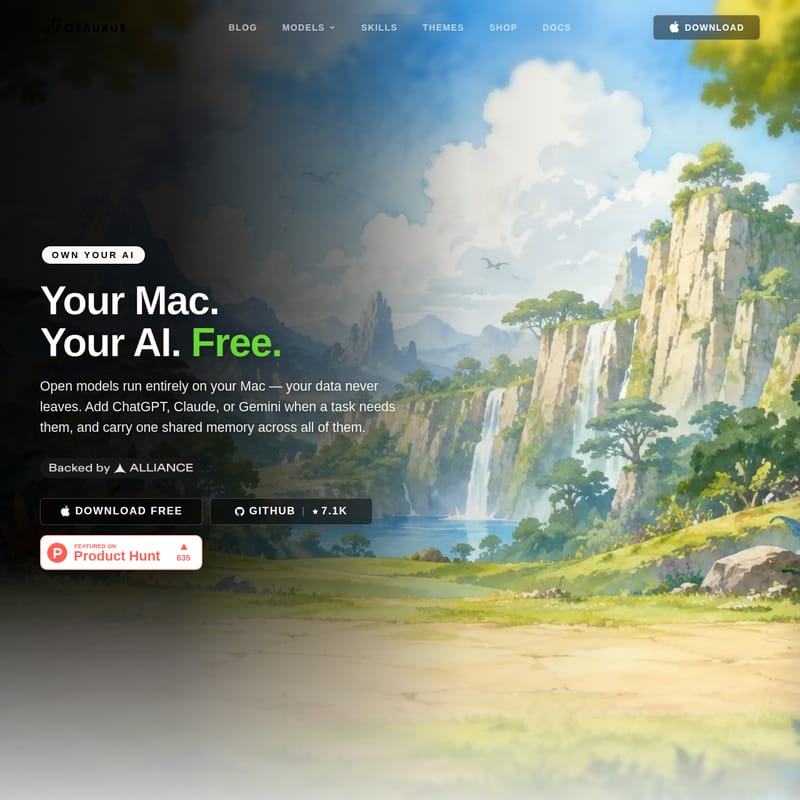
Osaurus Product Information
Osaurus: Your Private, High-Performance Local AI Assistant for Mac
In an era where data privacy is increasingly under threat, Osaurus emerges as a revolutionary solution for Mac users who want to harness the power of artificial intelligence without compromising their sensitive information. As a native Swift application built specifically for Apple Silicon, Osaurus provides a seamless, fast, and entirely private Local AI experience. Whether you are a developer, a researcher, or a privacy-conscious professional, Osaurus allows you to run state-of-the-art models directly on your hardware, ensuring that your data never leaves your machine.
What’s Osaurus?
Osaurus is a comprehensive platform designed to bring the capabilities of large language models (LLMs) directly to your Mac. Unlike traditional AI tools that rely on cloud servers to process your queries, Osaurus is built on a "Local First" philosophy. It is an MIT-licensed, open-source tool that empowers you to "Own Your AI."
At its core, Osaurus acts as a bridge between powerful local inference engines and your daily workflow. By running entirely on your M-series chip, it eliminates the need for data to be sent to external servers for processing. This means your conversations, proprietary code, and personal files remain 100% private. While it prioritizes local execution, Osaurus is flexible enough to integrate cloud models like ChatGPT, Claude, or Gemini when a specific task demands extra horsepower, all while maintaining a shared memory across different models.
The Concept of Local AI
Most mainstream AI tools function by sending everything you type to a remote server. Local AI flips this script. By keeping the model on your physical machine, Osaurus ensures that your digital footprint is minimized. There is no telemetry, no training on your data by third parties, and no server-side logs to worry about. It is AI that runs here, not out there.
Core Features of Osaurus
Osaurus is packed with features that make it the premier choice for Local AI on macOS. Below are the key pillars that define the Osaurus experience:
1. Absolute Privacy
With Osaurus, nothing leaves your Mac. The application is designed without telemetry, meaning your usage patterns and data are never tracked or sent back to a developer. This is the gold standard for anyone working with sensitive intellectual property or personal data.
2. Full Offline Capability
You can turn your Wi-Fi off and Osaurus will still work perfectly. Because the models run on your Apple Silicon chip, you are not dependent on an internet connection. This makes it an ideal companion for travel, remote work, or high-security environments.
3. Native Performance
Built using Native Swift, Osaurus is optimized for the architecture of your Mac. Inference runs directly on the M1, M2, or M3 series chips, providing results in milliseconds. By avoiding round trips to a cloud server, users experience lightning-fast response times that feel integrated into the operating system.
4. Open Source and Free
Osaurus is MIT licensed and built in public. There are no subscriptions, no usage caps, and no hidden billing. You are free to use, modify, and even fork the code on GitHub. It is a community-driven project that prioritizes the user over profit.
5. Multi-Model Support
Osaurus allows you to connect various local engines in a single click, including:
- Ollama
- MLX
- LM Studio
You can start with a private local model and only reach for the cloud when a task specifically requires it.
Advanced Capabilities: Beyond Just Chat
Osaurus is designed to be more than just a chatbot; it is a functional AI assistant that understands your local environment.
Agents, Not Just Chat
You can build autonomous agents within Osaurus that work while you sleep. These agents can handle complex workflows such as:
- Voice Control: Command your AI using your voice.
- Folder Watchers: Automatically process files as they are added to specific directories.
- Browser Plugins: Integrate AI directly into your web navigation.
- Parallel Jobs: Run multiple tasks simultaneously to maximize efficiency.
Shared Memory and Context
One of the most powerful features of Osaurus is its ability to maintain shared memory across different models. Whether you are using a local Llama model or a cloud-based Claude instance, the AI remembers your work, reads your files, and understands the context of your environment. You can drop a folder into the app, give it a job, and let Osaurus read, write, and execute tasks like a true local assistant.
Use Cases for Osaurus
Osaurus is versatile enough to fit into various professional and personal workflows:
- Software Development: Use Osaurus to analyze codebases or generate snippets without uploading your proprietary code to the cloud. Use the local agent to watch your project folders and suggest improvements in real-time.
- Content Creation: Draft articles, summarize long documents, and brainstorm ideas entirely offline. Use the "Shared Memory" feature to keep track of complex projects across different sessions.
- Data Analysis: Since Osaurus can read your local files, you can perform deep data analysis on sensitive spreadsheets or databases without fearing a data breach.
- Automation Enthusiasts: Create agents that monitor your system and perform repetitive tasks, such as renaming files based on content or summarizing daily logs.
How to Use Osaurus
Getting started with Osaurus is straightforward, designed to get you up and running with Local AI in minutes.
Installation
There are two primary ways to install Osaurus on your Mac:
- Direct Download: Download the native .dmg file from the official website. Open the .dmg and launch the application—no account is required to start.
- Homebrew: For developers who prefer the command line, you can install it using the following command:
$ brew install osaurus
Setting Up Your First Model
Once the app is launched, you can add a model to begin:
- Connect a Local Engine: Connect to Ollama, MLX, or LM Studio with a single click. This allows the AI to run entirely on your chip.
- Optional Cloud Integration: If you need advanced capabilities, you can optionally add ChatGPT, Claude, or Gemini to handle specific high-complexity tasks.
Building Your Workflow
- Drop in Files: Simply drag and drop folders or files into the interface to give the AI context.
- Assign Tasks: Use the interface to assign specific jobs or build autonomous agents to handle repetitive workflows.
FAQ
Q: What are the system requirements for Osaurus? A: Osaurus is a native Swift app designed for Apple Silicon. It requires macOS 15.5 or later and an M-series chip (M1, M2, M3, etc.) for optimal performance.
Q: Is Osaurus really free? A: Yes. Osaurus is MIT licensed. There are no subscriptions, no usage caps, and no billing. You own the software and can modify it as you see fit.
Q: Does Osaurus collect any data? A: No. There is no telemetry, no tracking, and no data training. Your data never leaves your Mac unless you explicitly choose to connect to a cloud provider like OpenAI or Anthropic.
Q: Can I use Osaurus without an internet connection? A: Absolutely. Osaurus is designed to work fully offline. As long as you have your models downloaded locally via engines like Ollama, you can perform AI tasks anywhere without Wi-Fi.
Q: Where can I find the source code? A: You can find the Osaurus project on GitHub, where it currently has a growing community of contributors and thousands of downloads.
Q: Does Osaurus support external tools? A: Yes, Osaurus can run your local tools and execute commands, acting as a functional assistant within your local environment.