NoMac favicon

NoMac

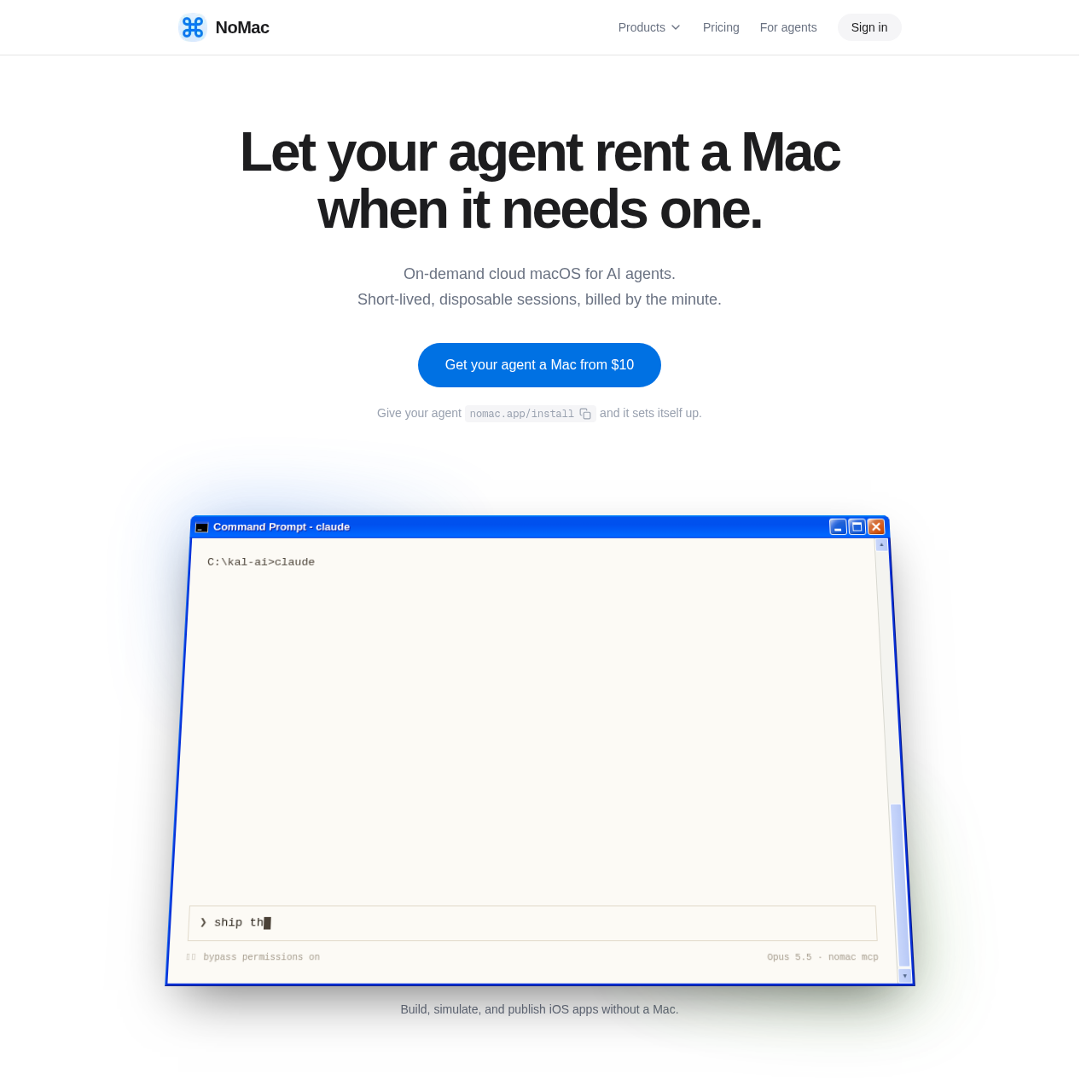
NoMac provides on-demand, disposable cloud macOS environments on Apple silicon designed for AI agents to build, test, and ship Apple platform applications.

Code & ITCompiling and archiving iOS and macOS…Running cloud iOS Simulator sessions…Handling application signing, Mac…Injecting encrypted secrets into…
NoMac product interface screenshot
Estimated monthly visits
1K
Data period:
Listed on AIToolly

What Is NoMac? Product Overview

What the product does and how it is positioned

NoMac is a cloud platform that provisions real macOS instances on Apple silicon for autonomous AI agents. Coding assistants and agent frameworks such as Claude, Codex, Cursor, and ChatGPT connect directly via the Model Context Protocol, command-line interfaces, REST APIs, or SSH.

Each environment includes full administrative privileges with automated bypass of macOS permission dialogues and system prompts. Instances include preinstalled Apple developer tooling, cloud iOS simulation, persistent storage for incremental builds, and in-browser graphical desktop monitoring.

What Can You Use NoMac For?

Source-supported ways to use the product

Automated iOS Build and Distribution

AI coding agents compile iOS projects with Xcode, create archives, and deploy builds directly to TestFlight or App Review.

Automated Simulator Testing

Agents run applications inside cloud iOS Simulators to inspect interface elements, extract text, and capture screenshots or recordings.

Multi-Tenant Platform Provisioning

Developer tools and platforms provision isolated macOS instances per user using TypeScript or Python SDKs with distinct persistent drives and signed webhooks.

Agent-Centric System Architecture and Permissions

NoMac configures macOS instances specifically for unattended automation by AI agents. Running on Apple silicon hardware, the operating system bypasses standard interactive security hurdles that typically disrupt automated pipelines. Commands requiring administrative access run without password prompts, system authorization dialogs are automatically cleared, and display sleep locks remain disabled.

Agents direct the machine through several interfaces, including the Model Context Protocol, command-line tooling, REST APIs, and standard SSH. Alongside programmatic execution, operators can open a browser-based desktop view to observe the agent working in real time or take manual control of the graphical user interface.

  • Root execution enabled without password challenges for sudo commands
  • Automated handling and dismissal of macOS security and permission dialogs
  • Interactive remote browser viewing and input takeover capabilities
  • Multi-interface access across MCP, CLI, REST API, and SSH protocols

What to Test Before Choosing NoMac

Checks to run with your own material and workflow

  • Confirm that active Apple Developer account credentials are ready if deploying builds to TestFlight or App Review.
  • Verify that your project files, package dependencies, and build caches fit within the 20 GB persistent drive allocation.
  • Check compatibility of agent workflows with the available MCP, CLI, REST API, or SSH connection methods.

NoMac Sources and Last Checked

What was checked and when

Official source
https://nomac.app/
Last checked
Category
Code & IT

NoMac Frequently Asked Questions

Answers based on the source-checked product record

What software and developer tools come preinstalled in a NoMac session?

Every session includes macOS with Xcode 27, Homebrew, Node, Python, and CocoaPods preinstalled, alongside the iOS Simulator for mobile app execution.

How is data preserved across disposable sessions?

Each environment includes a 20 GB encrypted persistent drive mounted at ~/drive, allowing projects, packages, and build caches to carry over between sessions.

Can AI agents handle app distribution to TestFlight and the App Store?

Yes, agents can perform code signing, upload builds to TestFlight, notarize Mac applications, and submit apps for App Review with an Apple Developer account.

How do AI agents interact with the cloud Mac environment?

Agents can control sessions through the Model Context Protocol, a command-line interface, REST APIs, or SSH, operating with administrative root permissions.

What underlying hardware powers NoMac instances?

Sessions operate on real macOS environments powered by Apple silicon hardware, specifically utilizing Apple M6 and M5 Pro processors.

Explore other recently added tools in the same category.