Lyria 3 by Google Deepmind
Lyria 3 by Gemini: High-Fidelity AI Music Generation for Custom Tracks, Vocals, and Lyrics
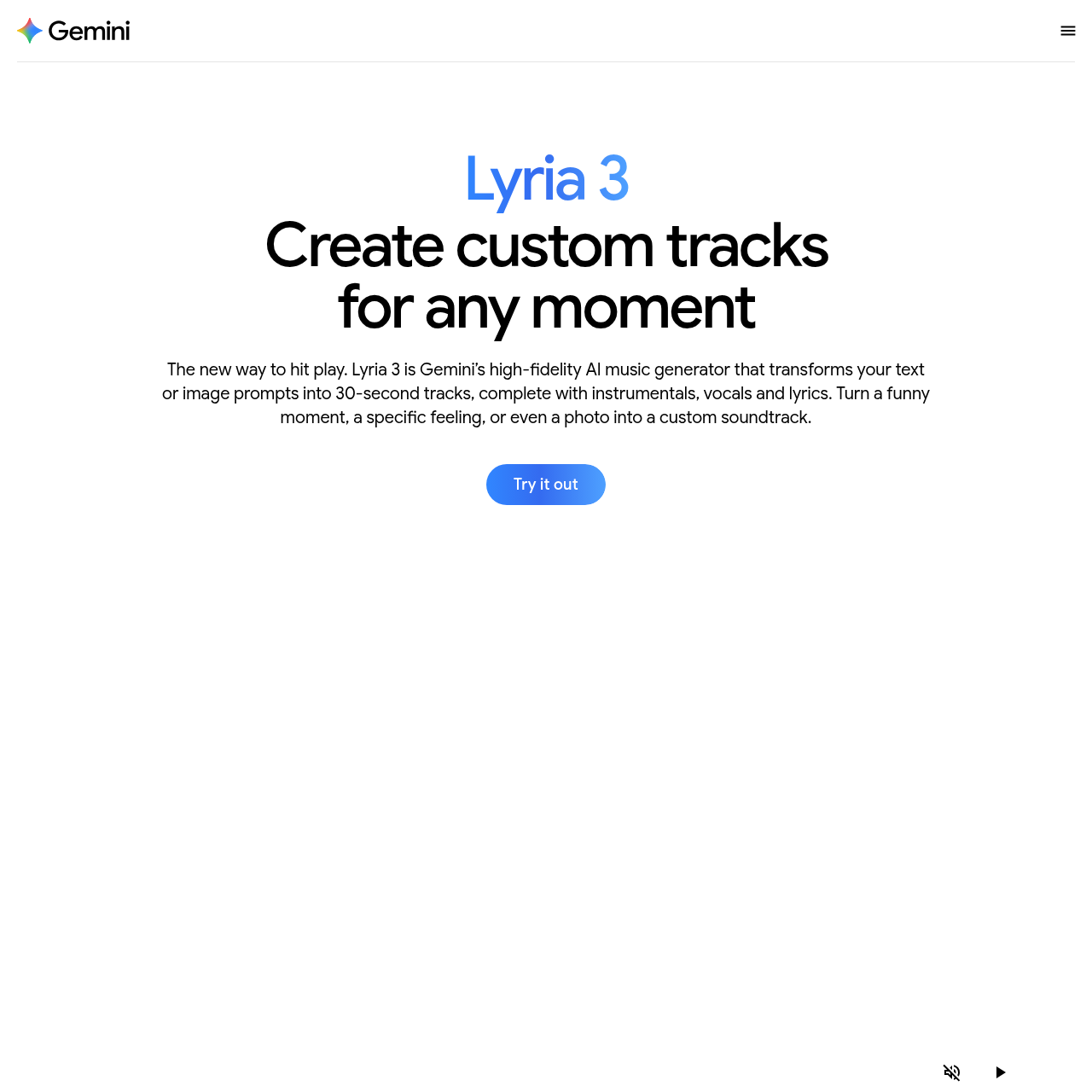
Lyria 3 is Gemini’s advanced high-fidelity AI music generator designed to transform text or image prompts into professional 30-second tracks. Featuring a robust engine capable of generating instrumentals, vocals, and lyrics, Lyria 3 allows users to create music for any mood, genre, or era. Whether you are looking to soundtrack your camera roll, create a funny anthem for a group chat, or compose a specific instrumental piece like 'Wonderland' or 'Fluid Wave', Lyria 3 provides the tools to make, hear, and share your creations. Built with safety in mind, every track includes SynthID watermarking to identify AI-generated content. Available for users 18+ in supported Gemini app regions, it offers templates and deep customization for genre, tempo, and vocal texture.
2026-02-23
42384.0K
Lyria 3 by Google Deepmind Product Information
Lyria 3: The High-Fidelity AI Music Generator by Gemini
In the evolving landscape of personal intelligence, Lyria 3 emerges as Gemini’s premier high-fidelity AI music generator. This innovative tool is designed to transform your creative thoughts, text prompts, or even visual images into professional 30-second music tracks. Whether you are looking to capture a specific feeling, celebrate a funny moment, or create a custom soundtrack for your social media, Lyria 3 provides a seamless way to hit play on your imagination.
What’s Lyria 3?
Lyria 3 is a sophisticated AI music generation model integrated within the Gemini app. It represents the new way to create and experience sound by turning simple inputs into complete musical compositions. Unlike basic loop generators, Lyria 3 produces high-quality tracks that include instrumentals, vocals, and lyrics. It is a versatile tool for students, creators, and anyone over the age of 18 who wants to express themselves through the power of music.
The Magic of AI Music Generation
By leveraging Gemini's deep research and intelligence, Lyria 3 understands the nuances of mood, genre, and era. It allows users to:
- Turn a photo into a custom soundtrack.
- Mix different genres and eras to create a brand-new sound.
- Generate custom cover art for every track using Nano Banana.
Key Features of Lyria 3
Lyria 3 is packed with features that make AI music generation accessible and professional:
- High-Fidelity Audio: Experience crystal clear 30-second tracks that sound like they were recorded in a professional studio.
- Vocals and Lyrics: The model doesn't just play music; it can generate human-like vocals and meaningful lyrics based on your prompts.
- Visual-to-Audio Transformation: You can pair a photo or video from your camera roll with a prompt to generate a track that matches the visual moment perfectly.
- Template Gallery: Not sure where to start? Dive into the template gallery to find a starting point, then customize the details to make it your own.
- Custom Cover Art: Every track created in the Gemini app comes with unique cover art generated by Nano Banana.
- Seamless Sharing: Once your track is ready, you can download it or share it directly to your favorite platforms and group chats.
- Safety with SynthID: All tracks are embedded with SynthID, an imperceptible watermark that identifies the content as Google AI-generated.
Use Cases for Lyria 3
There are endless ways to utilize the power of Lyria 3 in your daily life:
- Soundtrack Your Camera Roll: Give your favorite memories a voice by generating music that matches the energy of your photos.
- Special Occasions: Create personalized tracks for birthdays, anniversaries, or celebrations.
- Focus and Productivity: Generate "Fluid Wave" or "Light Tech" tracks to set the energy for a deep work session.
- Social Media and Group Chats: Make a "share-worthy anthem" for your friends based on an inside joke or a random topic.
- Genre Exploration: Experiment with unique combinations like "Metal and rap fusion" or "80s synth-pop."
Examples of Generated Styles
- Wonderland: A harp solo instrumental.
- Pizza or Tacos: High-energy Disco Pop and Funk.
- Dryer Love: Soulful R&B with ad-libs.
- Overdrive: A digital Hip Hop beat.
How to Use Lyria 3
Creating the perfect track with this AI music generator is all about the "ingredients" you provide in your prompt. To get the best results, follow these steps:
- Define the Genre and Era: Start with a specific style, such as Indie folk or Old country.
- Set the Tempo and Rhythm: Describe the beat. Is it an upbeat and danceable track or a slow ballad?
- Choose Your Instruments: Mention specific sounds you want to hear, like a saxophone solo or fuzzy guitars.
- Describe the Vocals: Specify the gender and texture. For example, ask for an Airy Female Soprano or a Raspy Rocker.
- Add Lyrics and Structure: Provide a topic or use structure tags like [Verse 1] to organize your text.
Pro Tip: A complete prompt might look like this: "An indie folk track with a relaxed, swaying beat. The track features dry, intimate acoustic guitar, soft piano, and light percussion. Soft, breathy female vocals sing lyrics about walking my dog on a cloudy day."
FAQ
What is Lyria 3 and how does it work?
Lyria 3 is our AI music generation model that creates high-quality music complete with vocals and lyrics. In the Gemini app, you can create 30-second tracks with custom cover art and share them easily by downloading or posting to social platforms.
Is music generation available in my country?
AI music generation is available in all countries where the Gemini app is available. Users must be 18 years or older to access these features.
How does Gemini approach safety?
All tracks generated are embedded with SynthID, an imperceptible watermark. Users can also use Gemini’s verification capabilities to upload an audio file and ask if it was generated using Google AI; Gemini will check for the watermark and use reasoning to provide a response.
What are the limits of the tool?
While highly capable, limits apply to track length (30 seconds) and compatibility may vary. Users are encouraged to create responsibly.