Lumiko favicon

Lumiko

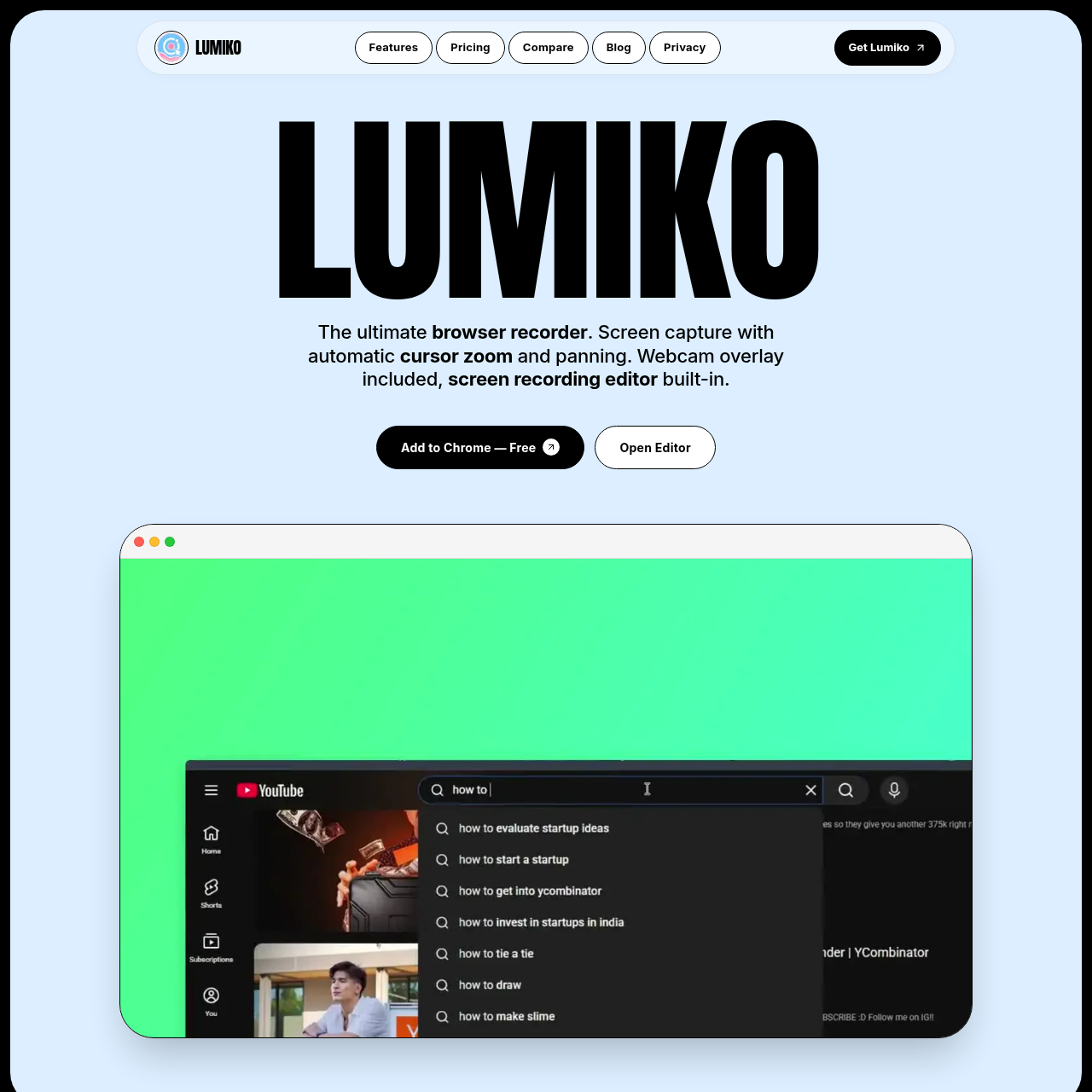
Lumiko is a browser-based screen recorder and editor that automates cursor-driven zoom and panning, overlays webcam feeds, and renders recordings locally up to 4K resolution.

VideoScreen recording without duration limitsSimultaneous capture of system audio…Automated zoom and panning focused on…In-browser timeline trimming,…
Lumiko product interface screenshot
Listed on AIToolly

What Is Lumiko? Product Overview

What the product does and how it is positioned

Lumiko is a browser extension and recording utility built on Chrome Manifest V3 that captures screen activity, webcam feeds, and microphone and system audio. It offers a browser-based alternative to desktop screen-casting suites by handling both video capture and basic post-production editing inside the browser.

The tool emphasizes presentation polish and privacy by automatically panning and zooming to follow mouse activity, allowing selective blur boxes over private data, and rendering finished video locally with hardware acceleration instead of sending footage to cloud servers.

What Can You Use Lumiko For?

Source-supported ways to use the product

Software Demonstrations

Record software product walk-throughs using automatic cursor zooming and a synchronized circular webcam overlay to guide audience attention.

Multi-Platform Video Publishing

Reformat recorded screen content into 16:9, 9:16, or 1:1 aspect ratios with auto-framing for distribution across platforms like YouTube, TikTok, and LinkedIn.

Privacy-Protected Technical Walk-Throughs

Conceal sensitive environment variables, credentials, or customer data using manual blur boxes prior to exporting client or team videos.

Browser-Based Recording and Local Processing Architecture

Lumiko operates as a Chrome Manifest V3 extension, capturing screen media alongside system audio, microphone input, and an optional circular webcam overlay. Rather than sending raw or edited video to remote servers for processing, all timeline manipulations and export rendering steps execute locally within the user's browser environment using hardware acceleration.

The integrated editor allows users to trim dead space, split recorded segments, and reorder clips directly on the browser timeline. Users can also configure visual enhancements including animated click feedback, preset or custom brand backdrops, and auto-framed exports across widescreen, vertical, and square aspect ratios.

  • Tracks cursor trajectory and click events to apply automatic zooms and pans without manual keyframes
  • Includes rectangular Smart Blur masks to obscure passwords, API keys, and dashboard metrics
  • Provides timeline editing tools to split clips, trim pauses, and reorder segments
  • Executes rendering locally in the browser with support for 720p, 1080p, 1440p, and 4K outputs

What to Test Before Choosing Lumiko

Checks to run with your own material and workflow

  • Confirm that the required Chrome extension permissions, including activeTab and desktopCapture, comply with your organization's security standards.
  • Verify whether 1440p resolution and watermarked exports in the free tier suffice, or if unwatermarked 4K rendering is necessary.
  • Check that your local workstation provides sufficient hardware acceleration for smooth browser-based video editing and export rendering.
  • Review the automated cursor zoom behavior against your application layout to ensure focus areas align with intended visual targets.

Lumiko Sources and Last Checked

What was checked and when

Official source
https://lumiko.dev/
Last checked
Category
Video

Lumiko Frequently Asked Questions

Answers based on the source-checked product record

Does Lumiko upload recordings to external servers?

No. All screen recording capture and export rendering occur locally within the browser, and recordings are not uploaded, viewed, or retained on remote servers.

What export resolutions are available in Lumiko?

Lumiko supports exports in 720p, 1080p, 1440p, and 4K resolutions, with the free tier supporting up to 1440p and 4K rendering available in the Pro tier.

How does the automated zoom and pan feature function?

Lumiko tracks cursor movement and click events throughout the screen capture to generate automatic zooming and panning transitions without manual keyframing.

What video editing tools are built into Lumiko?

The browser timeline editor provides tools to trim sections, split recordings, delete errors, and drag segments to reorder the sequence before final export.

How does Lumiko obscure sensitive screen data?

Users can draw a box over private details such as API keys, email addresses, passwords, or financial metrics to apply a blur effect over that section of the video.

Explore other recently added tools in the same category.