Littlebird
Littlebird: The Full-Context AI Desktop Assistant for Seamless Workflow Integration
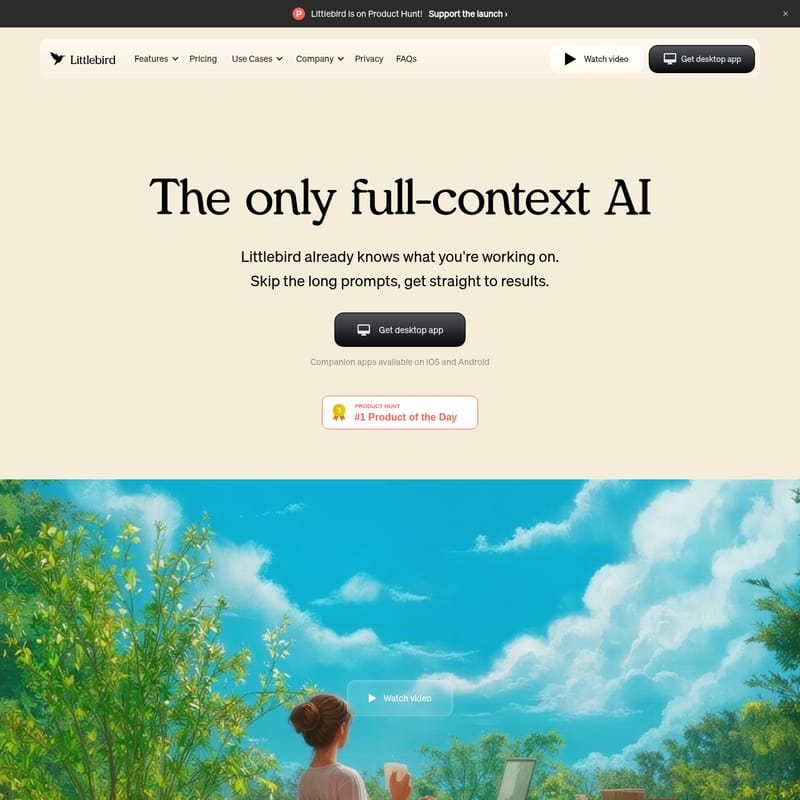
Littlebird is a revolutionary full-context AI assistant designed to learn from your work across every app and meeting. Unlike traditional chatbots, Littlebird operates in the background, building a secure memory of your screen activity, Slack conversations, and calls. This allows it to provide proactive insights, summarize meetings, and draft content using your real-work context without requiring long prompts or manual integrations. With enterprise-grade encryption and a commitment to data privacy, Littlebird ensures your information remains secure while helping you work smarter and faster.
2026-03-28
190.0K
Littlebird Product Information
Littlebird: The Full-Context AI That Understands Your Work
In the modern digital workspace, professionals are often overwhelmed by the sheer volume of data spread across various platforms. From Slack conversations and Zoom meetings to document editing and email chains, keeping track of every detail is a monumental task. Enter Littlebird, the only full-context AI designed to bridge the gap between your applications and your productivity. By understanding the full picture of your professional life, Littlebird allows you to skip the long prompts and get straight to the results.
What's Littlebird?
Littlebird is a next-generation AI assistant that lives on your desktop and mobile devices. Unlike traditional AI tools that require manual data entry or specific integrations, Littlebird already knows what you are working on. It is a "full-context AI" that learns from your work across every application and meeting in real-time. By observing what happens on your screen, Littlebird builds a secure, private memory that allows it to recall information, connect dots between disparate tasks, and generate output that sounds like you rather than a generic chatbot.
Key Features of Littlebird
Littlebird is packed with features designed to make your workflow more fluid and your output more accurate. Here are the core functionalities that set Littlebird apart:
1. Full-Context Awareness
Littlebird learns from your work across every app and meeting. It understands how a decision made during a call relates to a document you are currently editing or a conversation happening in Slack.
2. Instant Recall
With Littlebird, you can find anything you have seen in seconds. Whether the information was on your screen during a browsing session or mentioned briefly in a meeting, the Littlebird memory makes it searchable and accessible.
3. Contextual Content Creation
Stop starting from scratch. Littlebird drafts emails, documents, and project plans using the specific context of your real work. This ensures the output is tailored to your specific voice and requirements.
4. Meeting Notes and Transcription
Littlebird transcribes and summarizes your meetings automatically. This allows you to stay fully present in the conversation while Littlebird handles the heavy lifting of note-taking.
5. Proactive Insights and Routines
Littlebird delivers personalized updates and routines exactly when you need them. It anticipates your needs based on your habits, ensuring you are always prepared for your next task.
6. Privacy and Security
- Enterprise-grade encryption: Your data is protected using industry-leading security practices.
- User Control: You can customize app visibility, delete specific data, or delete your account at any time.
- No Data Training: Littlebird never sells your data or uses it to train its AI models.
Use Cases for Littlebird
How can you integrate Littlebird into your daily routine? Here are several ways users are leveraging this powerful AI:
- Project Management: Use Littlebird to connect the dots between client emails and project docs to ensure nothing falls through the cracks.
- Meeting Efficiency: Focus on the discussion while Littlebird generates a comprehensive summary and action items.
- Fast Drafting: Generate first drafts of reports or emails that already include the facts and figures discussed in previous Slack threads.
- Research and Retrieval: Quickly pull up a specific chart or quote you saw three days ago without having to dig through your browser history.
- Daily Preparation: Start your day with proactive insights provided by Littlebird routines, summarizing what you missed and what is ahead.
How to Use Littlebird
Getting started with Littlebird is designed to be frictionless, requiring no complex setup or manual integrations.
- Download and Install: Get the Littlebird desktop app for your computer. Companion apps are also available on iOS and Android for on-the-go context.
- Run in the Background: Once installed, Littlebird runs quietly in the background. It begins working immediately across all your apps and meetings.
- Build Your Memory: As you work, Littlebird gets to know you. It builds a secure memory and learns from your habits to connect the dots between your tasks.
- Interact with AI:
- Use the Chat feature to ask questions about anything you've seen.
- Access Meeting Notes to review summaries of your calls.
- Set up Routines for proactive updates.
Frequently Asked Questions (FAQ)
How does Littlebird understand my work?
Littlebird pays attention to what is happening on your screen and in your meetings. It learns to associate different pieces of information across various apps to build a comprehensive understanding of your projects.
Do I need to connect all my apps for Littlebird to work?
No setup or integrations are required. Littlebird works by observing your activity across the apps you already use, meaning it starts working immediately without manual configuration.
Why should I use Littlebird instead of a general AI assistant or chatbot?
General AI assistants require you to provide all the context in a prompt. Littlebird already has that context. It knows the "who, what, and why" of your work, leading to better output and less time spent typing prompts.
Is my data secure with Littlebird?
Yes. Littlebird uses enterprise-grade encryption. Furthermore, your data stays yours; it is never sold to third parties and is never used to train AI models.
What platforms or devices is Littlebird available on?
Littlebird is primarily available as a desktop app, with companion applications available for both iOS and Android devices.
Can I control what Littlebird sees?
Absolutely. You are in control of your privacy. You can customize app visibility to determine what Littlebird monitors and delete your data at any time.