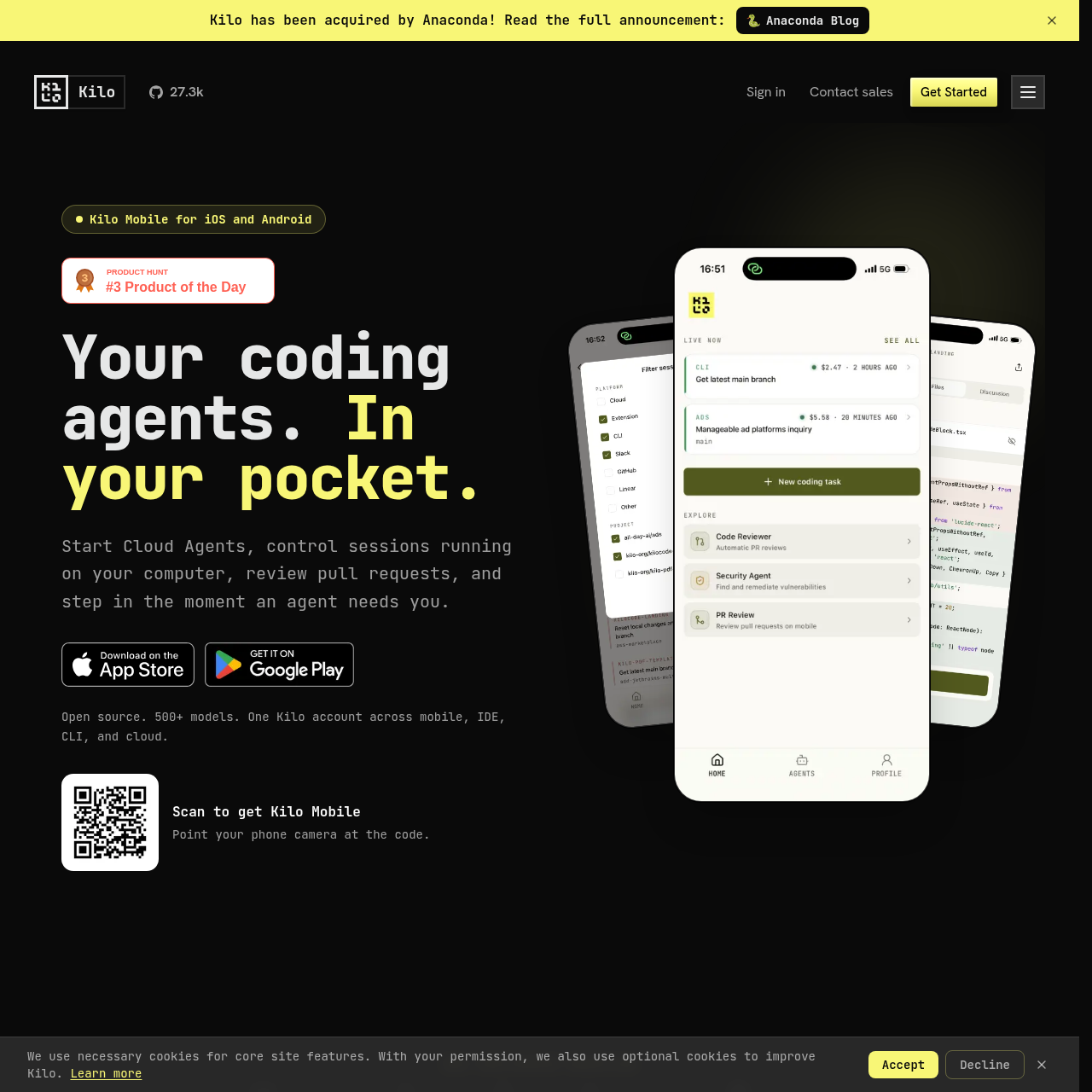
Kilo Code for iOS and Android lets developers launch cloud coding agents, manage paired CLI and VS Code sessions, and review pull requests on mobile.
Code & ITLaunch Cloud Agents by picking a…Queue follow-up prompts while an agent…Control paired local sessions running…Execute slash commands on connected…
Estimated monthly visits
1M
Data period:
Listed on AIToolly
What Is Kilo Code for iOS and Android? Product Overview
What the product does and how it is positioned
Kilo Code for iOS and Android is a mobile coding assistant client designed to keep software development workflows moving away from the desk. The application enables developers to launch autonomous Cloud Agents, track long-running coding tasks, and monitor active sessions running across local and cloud environments.
The app integrates with GitHub to support full pull request reviews, providing syntax-highlighted diffs, side-by-side diff views on iPad, comment threads, and merging. Users can also interact with paired desktop sessions in Kilo CLI or VS Code, issuing slash commands and supplying inputs through text, voice dictation, or file attachments.
What Can You Use Kilo Code for iOS and Android For?
Source-supported ways to use the product
Remote Agent Oversight and Steering
Developers can monitor running tasks, receive push alerts when an agent requires direction, and reply using voice or text prompts without returning to a workstation.
Mobile GitHub Pull Request Review
Engineers can inspect pull request checks, view syntax-highlighted code diffs, submit line comments, reply to discussions, and merge pull requests on mobile devices.
How to Use Kilo Code for iOS and Android
The documented workflow, where available
1
Start in Kilo CLI or VS Code
Begin a coding task or agent workflow on a desktop computer using the Kilo CLI or the VS Code extension.
2
Continue from your phone
Connect to the desktop session or launch an independent Cloud Agent by choosing a repository and model on mobile.
3
Respond when Kilo needs input
Receive push notifications when an agent pauses for clarification, then submit instructions, attachments, or slash commands.
4
Review and merge the result
Inspect syntax-highlighted diffs, add review comments, and merge completed GitHub pull requests directly from the app.
Desktop Session Pairing and Cross-Surface Monitoring
Kilo Mobile establishes connections to active Kilo sessions running inside local VS Code installations or command-line interfaces. Once connected, mobile users can send instructions, execute slash commands on the CLI instance, and examine incoming diffs as the agent modifies code.
The mobile client also surfaces ongoing agent tasks across external environments, including IDEs, Slack, and cloud runs. These additional surfaces remain visible in read-only mode so developers can follow progress across all active agents without disrupting external operations.
Connects to paired Kilo sessions running in desktop CLI and VS Code extensions
Executes slash commands directly on connected terminal instances
Provides read-only visibility into agent sessions running across Slack, cloud, and IDEs
What to Test Before Choosing Kilo Code for iOS and Android
Checks to run with your own material and workflow
Confirm that desktop machines have compatible Kilo CLI or VS Code extensions installed to enable session pairing.
Verify that notification permissions are enabled on the mobile device to receive alerts when agents request input.
Check whether repository pull request workflows align with the GitHub integration documented for mobile diff reviews and merging.
Kilo Code for iOS and Android Sources and Last Checked