An open-source agent infrastructure for self-hosting multiple AI harnesses through a unified API and Docker-based deployment.
Code & ITManage the complete agent lifecycleStream real-time tokens and events…Persist workspace files and handle…Execute standardized cancellation and…
Listed on AIToolly
What Is HarnessRouter Community Edition? Product Overview
What the product does and how it is positioned
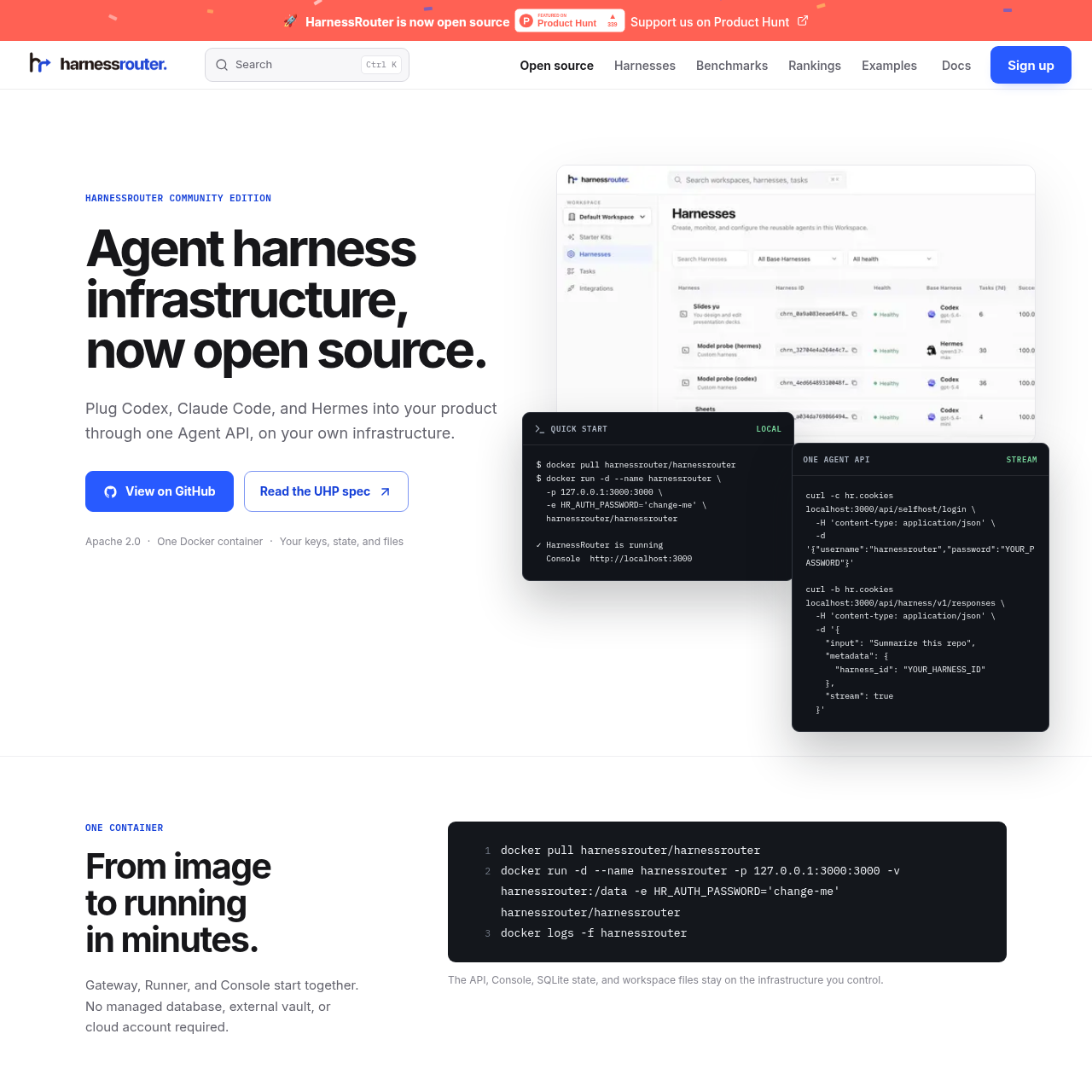
HarnessRouter Community Edition is an open-source agent harness infrastructure designed for self-hosting on private environments. It allows developers to plug various AI models and agents into their products through a single, unified API.
The system is built around the Unified Harness Protocol (UHP), which standardizes how agent backends interact with different harnesses. By using a containerized approach, it is designed so that all data, including API keys and session history, stays within the user's own infrastructure.
What Can You Use HarnessRouter Community Edition For?
Source-supported ways to use the product
Coding Assistant Development
Building applications that require project-aware tasks, streamed output, and persistent sessions for follow-up work.
Conversational Copilots
Creating product experiences that utilize conversational interfaces with built-in templates and validation skills.
How to Use HarnessRouter Community Edition
The documented workflow, where available
1
Container Deployment
Pull the official Docker image and run the container to start the Gateway, Runner, and Console simultaneously.
2
Authentication
Log in to the self-hosted API using configured credentials to establish a secure session.
3
Harness Integration
Connect to a specific harness like Codex or Claude Code using the unified API contract.
4
Session Execution
Submit inputs and metadata to initiate agent tasks, following the progress via streamed tokens and events.
The Unified Harness Protocol (UHP)
The Unified Harness Protocol (UHP) is the core specification that enables portability across different agent implementations. It provides a stable, reviewable HTTP contract that is intended to reduce vendor lock-in by standardizing how requests and responses are structured.
By utilizing OpenAPI 3.1 and JSON Schema 2020-12, UHP offers machine-readable definitions that allow for strong validation of every object. This protocol is supported by 52 runnable checks that developers can use to verify conformance locally.
Versioned HTTP contract for stability
OpenAPI 3.1 machine-readable definitions
JSON Schema 2020-12 for object validation
Local conformance verification suite
What to Test Before Choosing HarnessRouter Community Edition
Checks to run with your own material and workflow
Confirm the Docker container initializes the Gateway, Runner, and Console on the local network.
Verify that the Unified Harness Protocol conformance checks pass for the intended agent implementation.
Check that session state and workspace files are correctly persisted to the local SQLite database.
Review the ability to stream tokens and events through the API for real-time feedback.
HarnessRouter Community Edition Sources and Last Checked