GPTScribe
GPTScribe: Free AI-Powered Video to Text and Audio to Text Transcription with 99.8% Accuracy
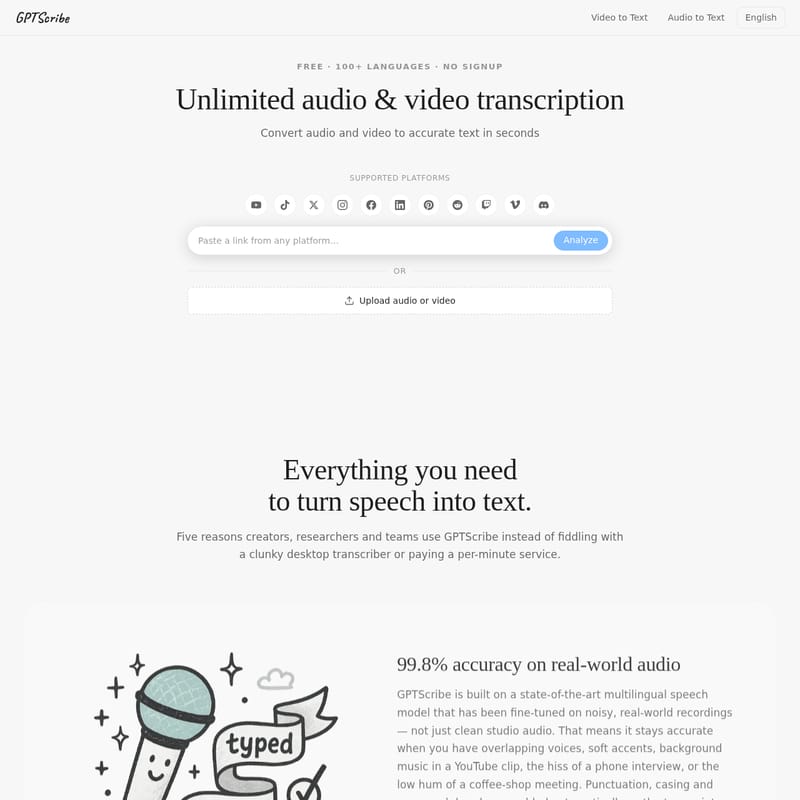
GPTScribe is a state-of-the-art, free AI transcription tool that converts audio and video into accurate text in seconds. Supporting over 100 languages with automatic detection, GPTScribe offers 99.8% accuracy on real-world audio, making it perfect for creators, researchers, and students. With no signup required and polished exports like SRT, VTT, and TXT, GPTScribe simplifies your workflow.
2026-07-04
--K
GPTScribe Product Information
GPTScribe: The Premier Free AI Tool for Video to Text and Audio to Text
In today's digital landscape, the ability to quickly and accurately convert speech into written form is more critical than ever. GPTScribe stands at the forefront of this technology, offering a robust, AI-powered platform for Video to Text and Audio to Text transcription. Whether you are a content creator, a researcher, or a student, GPTScribe provides a seamless, high-quality solution that eliminates the need for manual typing or expensive per-minute services.
What is GPTScribe?
GPTScribe is an advanced, multilingual speech-to-text platform designed to handle unlimited audio and video transcription. It is built to be accessible, requiring no signup, no credit card, and no complex installations. GPTScribe supports over 100 languages and is engineered to deliver accurate transcripts in seconds. Unlike many desktop transcribers that are clunky or slow, GPTScribe runs directly in your browser, processing your files through an encrypted connection to ensure both speed and privacy.
Key Features of GPTScribe
GPTScribe is packed with features that make it a leader in the transcription space. Here are five reasons why professionals choose GPTScribe over traditional services:
1. 99.8% Accuracy on Real-World Audio
GPTScribe is built on a state-of-the-art multilingual speech model that has been fine-tuned on noisy, real-world recordings. While other tools struggle with background music, soft accents, or the hum of a coffee shop, GPTScribe remains highly accurate. It automatically adds punctuation, casing, and paragraph breaks so that your final transcript reads naturally. With a word-error rate of approximately 0.2%, you can expect fewer than two mistakes for every thousand words.
2. Finished Transcripts in Seconds, Not Days
Speed is a core pillar of GPTScribe. By using parallel processing and streaming long files in chunks, the platform ensures that a typical ten-minute podcast is transcribed in well under a minute. There are no upload queues or waiting for human transcribers. You can watch the live progress in your browser and download the finished result immediately.
3. 100+ Languages and Automatic Detection
GPTScribe speaks over a hundred languages, ranging from globally common ones like English, Spanish, and Mandarin to regional dialects. The "Auto" detection feature identifies the source language within the first few seconds of audio. Furthermore, if you need an English version of a foreign-language interview, GPTScribe provides paragraph-level translation and handles code-switching (switching between languages mid-sentence) with ease.
4. Polished Export Formats: SRT, VTT, and TXT
To cater to different professional needs, GPTScribe allows you to download transcripts in three essential formats:
- SRT and VTT: Perfect for video subtitles, with pre-segmented timecodes that fit correctly on screen.
- TXT: Ideal for plain text documents, CMS entries, or LLM prompts, featuring clean paragraph breaks and speaker identification.
5. Private, Free, and No Signup Required
GPTScribe is free forever for standard users, offering three full transcripts every day with no length caps. Your audio is processed over an encrypted connection and is automatically removed from the servers shortly after the transcript is delivered. There is no tracking, no account required, and your data is never used to train external models.
How to Use GPTScribe
Using GPTScribe is straightforward and designed for efficiency. Follow these steps to transcribe your first file:
- Select Your Source: You can either Upload audio or video files directly from your device or Paste a link from supported platforms like YouTube, TikTok, Vimeo, Instagram, X, and more.
- Choose Languages: Leave the source dropdown on "Auto" for automatic detection, or select a specific language. If translation is needed, pick your target language from the second dropdown.
- Analyze: Click to start the analysis. You will see live progress as GPTScribe processes the audio in parallel chunks.
- Review and Download: Once finished, you can scroll through the searchable transcript. Use the single-click download buttons to save your file as an SRT, VTT, or TXT document.
Use Cases for GPTScribe
GPTScribe is loved by people who work with words across various industries:
Podcasters and Video Creators
Creators like Maya Lin and Sofía Reyes use GPTScribe to generate subtitles and show notes. The pre-segmented SRT exports save hours of manual captioning, allowing editors to focus on storytelling rather than timecode arithmetic. The auto-translation feature also helps in reaching international audiences, significantly increasing viewer retention.
Researchers and Academics
For qualitative researchers like Dr. Adesina Okafor, GPTScribe is invaluable for handling interviews with mixed languages and code-switching. It provides speaker-separated paragraphs that can be imported directly into analysis tools like NVivo. Graduate students also use GPTScribe to transcribe lectures and seminars, turning hours of audio into searchable study notes.
Journalists and Writers
Journalists on tight deadlines, such as Jamie Park, rely on GPTScribe for its speed and searchable transcripts. The ability to fact-check a previous paragraph while the rest of the file is still transcribing is a major productivity boost. The translation feature also makes it easier to work with foreign-language source material.
Documentary Editors
Professional editors like Priya Iyer use GPTScribe to manage hundreds of hours of raw source material. Time-coded transcripts turn a multi-week project into a single afternoon task. Finding the right line of dialogue becomes a simple "Cmd-F" search rather than a six-hour scrubbing session.
Frequently Asked Questions (FAQ)
Is GPTScribe really free? Yes. The core product is free and requires no signup. Every visitor gets three full transcripts every day with no per-minute cap. Features like SRT export and translation are included in the free tier. Heavy users with high-volume needs can contact the team for a paid tier.
How accurate is the transcription? GPTScribe achieves approximately 99.8% word-level accuracy in English and similar results in other major languages. It is designed to be robust against background noise and music, though a quick read-through is recommended for highly technical jargon.
Which languages and accents are supported? GPTScribe supports over 100 languages, including multiple English accents (US, UK, Australian, Indian) and many others like Hindi, Arabic, Japanese, and Polish. It can even handle multilingual recordings where speakers switch languages.
What audio and video formats can I upload? Most consumer formats are supported, including MP3, WAV, M4A, FLAC, MP4, MOV, MKV, and WEBM. You can also paste links from major social media and video platforms.
Is my audio private? Absolutely. Files are uploaded via encrypted connections and deleted shortly after transcription. GPTScribe does not retain recordings or train models on user data.
Can I use the transcripts commercially? Yes. You own the output. You are free to use, edit, and monetize the transcripts for paid courses, client videos, or articles without needing to provide attribution to GPTScribe.