ElevenLabs MCP in Claude favicon

ElevenLabs MCP in Claude

ElevenLabs MCP integrates advanced speech synthesis and audio processing into Claude, allowing users to generate, transcribe, and manage AI voices through the Model Context Protocol.

Text To SpeechGenerating high-quality audio from text…Transcribing audio and video files into…Listing and selecting voices from an…Managing production voice agents and…

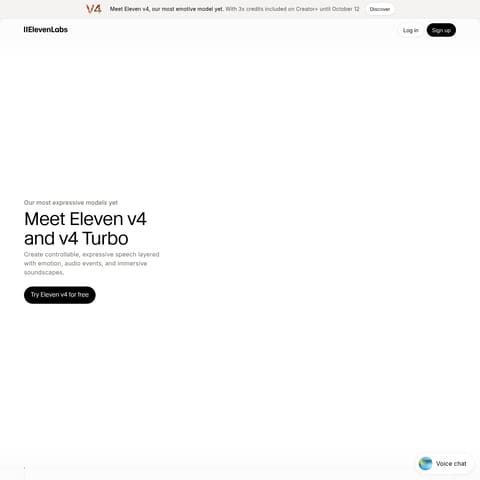
ElevenLabs MCP in Claude product interface screenshot
Estimated monthly visits
946.8M
Data period:
Listed on AIToolly

What Is ElevenLabs MCP in Claude? Product Overview

What the product does and how it is positioned

ElevenLabs MCP in Claude is an integration that bridges the AI assistant with the ElevenLabs audio platform to enable native speech generation and transcription.

The tool is available as a hosted connector for simplified setup or as an open-source local server for developers requiring deeper environment control.

What Can You Use ElevenLabs MCP in Claude For?

Source-supported ways to use the product

Content Narration

The official documentation describes using the tool to convert written scripts or articles into high-quality audiobooks and narrated media.

Voice Agent Prototyping

Users can build and configure conversational voice agents for tasks such as customer support or outbound calling within the Claude interface.

How to Use ElevenLabs MCP in Claude

The documented workflow, where available

  1. 1

    Connect Account

    Select ElevenLabs in the Claude connectors directory and authenticate via OAuth or configure the local MCP server.

  2. 2

    Select Voice

    Use natural language to list available voices or specify a preferred vocal style for the intended output.

  3. 3

    Process Audio

    Provide text for speech generation or upload an audio file for transcription and speaker identification.

Hosted vs. Local MCP Servers

The integration offers two primary deployment paths to suit different user needs. The hosted MCP connector provides a one-click setup via OAuth, removing the need for manual API key management or local installation.

Alternatively, the open-source local MCP server allows developers to run the integration on their own machines, providing more control over the environment and supporting additional tools like Cursor and Windsurf.

  • Hosted version features secure OAuth authentication
  • Local version supports developer-centric IDEs like Cursor
  • Both versions provide access to the full ElevenLabs audio API

What to Test Before Choosing ElevenLabs MCP in Claude

Checks to run with your own material and workflow

  • Confirm that the ElevenLabs account has sufficient credits for the intended audio generation or transcription task.
  • Verify the connection status in the Claude settings or connector directory to ensure the MCP server is active.
  • Check that the correct voice ID or name is being used for specific narration or character tasks.

ElevenLabs MCP in Claude Sources and Last Checked

What was checked and when

Last checked

ElevenLabs MCP in Claude Frequently Asked Questions

Answers based on the source-checked product record

What is the difference between the hosted and local MCP?

The hosted version uses OAuth for a one-click setup in Claude, while the local version is open-source and requires manual API key configuration.

Can Claude transcribe audio files using this tool?

Yes, the integration includes speech-to-text capabilities that allow Claude to transcribe audio and video files with timestamps.

Does this integration support custom voices?

Users can access their custom voice library and even use the Voice Designer to create new AI voices through the MCP.

Is a paid ElevenLabs account required?

While a free tier exists, using the MCP tools consumes ElevenLabs credits, which may require a subscription for higher usage volumes.

Can I use this to make phone calls?

The integration supports managing conversational AI agents that are capable of performing outbound calls.

Explore other recently added tools in the same category.