Effects SDK
Professional Video Effects SDK for Real-Time AI Background Blur, Auto-Framing, and Beautification
The Video Effects SDK is a cross-platform AI solution designed to transform the video meeting experience. It provides real-time background blur, background replacement, AI denoise, and face beautification. Compatible with Web, Windows, macOS, iOS, Android, and Linux, the SDK utilizes GPU acceleration to deliver high-quality video enhancements without requiring high-end studio equipment.
2026-07-13
--K
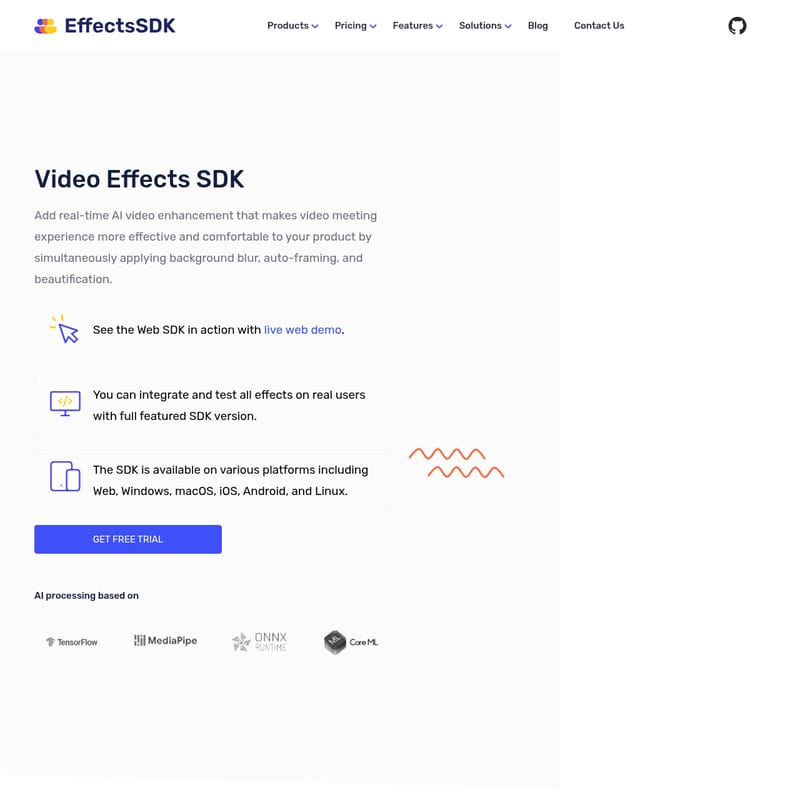
Effects SDK Product Information
Video Effects SDK: The Ultimate AI-Powered Solution for Professional Video Meetings
In the modern era of digital communication, the quality of your video presence can significantly impact your professional image. The Video Effects SDK is a comprehensive, ready-to-go solution designed to integrate real-time AI video enhancement into your products. By simultaneously applying background blur, auto-framing, and beautification, this Video Effects SDK makes the video meeting experience more effective, comfortable, and visually appealing.
What's Video Effects SDK?
The Video Effects SDK is a sophisticated software development kit that allows developers to add real-time AI-based video processing to their applications. It is designed to provide a professional look and feel for video call conversations without the need for high-end hardware or expensive studio equipment.
One of the most significant advantages of the Video Effects SDK is its broad platform availability. It is accessible across all major environments, including:
- Web (WebRTC support)
- Windows
- macOS
- iOS
- Android
- Linux
Based on advanced AI technology, the Video Effects SDK is optimized for both speed and quality, ensuring that users can enjoy cinematic and high-definition video even on standard webcams.
Features of the Video Effects SDK
The Video Effects SDK offers a robust suite of tools that cater to both aesthetic and functional requirements during video communication.
1. Blur Background
The Video Effects SDK can automatically blur the actual background in a webcam video stream. This feature allows users to configure the power of the blur function at runtime, providing flexibility based on the user's preference for privacy or focus.
2. Replace Background
Add more fun and creativity to communication by replacing the background with any custom image or video at runtime. This feature within the Video Effects SDK is perfect for maintaining a consistent brand image or simply hiding a cluttered workspace.
3. AI Denoise
Low light environments often result in grainy video. The Video Effects SDK includes an AI Denoise feature that removes digital noise from webcams, making the video clearer and significantly improving the overall quality.
4. Skin Smoothness and Beautification
Enable real-time face beautification with fast and accurate performance. The Video Effects SDK allows users to remove acne and eye bags while smoothing the skin and adding softness to the light. This ensures users look their best in every meeting.
5. AI Color Grading
Achieve a professional and cinematic look during real-time video meetings. The Video Effects SDK allows for the adjustment of colors, proper exposure settings, and the achievement of perfect contrast and saturation temperature within a single solution.
6. Intelligent Camera Framing (Zooming)
This feature uses facial tracking and motion detection to automatically follow the person in the frame with a predefined zoom level. The Video Effects SDK intelligently combines digital camera zoom with AI tracking to keep the speaker centered and engaged.
Technical Excellence and Performance
The Video Effects SDK is engineered for high performance and simple integration. The ML model architecture is optimized for the best balance between speed and quality, ensuring a seamless user experience.
- GPU Accelerated: The SDK supports DirectX, OpenGL, and Metal. It also utilizes OpenVINO, WinML, and CoreML to run efficiently on the GPU.
- Simple Integration: The Video Effects SDK API is fully documented. Developers are provided with code samples and help with integration to ensure a smooth setup process.
- Cross-Platform Compatibility: Whether you are building for desktop, mobile, or the web, the Video Effects SDK supports a popular technology stack including C++, Objective-C wrappers, Kotlin wrappers, and JS + WASM for the web.
System Requirements
- Windows: 10/11 (x64)
- macOS: 10.15 and newer
- iOS: 14 and newer
- Android: 5.0 (API 21) and newer
- Web: Latest browsers (Chrome, Safari, FireFox, Edge, Opera)
Use Case Scenarios
The versatility of the Video Effects SDK makes it an ideal choice for a wide variety of industries and application types:
- Meeting Platforms: Enhance corporate communication with privacy and professional aesthetics.
- Telehealth Platforms: Ensure patient-doctor privacy while maintaining a clear and trustworthy video presence.
- Educational Platforms: Keep students focused on the teacher by blurring distracting home environments.
- Streaming Tools & Presentation Services: Use AI color grading and background replacement to create high-quality content.
- Virtual Webcams & Video Software: Provide users with advanced tools to customize their webcam output.
Client Benefits
- Provides Privacy: Filters out messy rooms, inappropriate elements, or secret information from the background.
- Builds Brand Recognition: Users can add branded images to the background of webinars, live streams, and online classes.
- Maintains Professionalism: Helps remote workers maintain a professional image when calling from public places or home offices.
- Enhances Attractiveness: Features like skin smoothing and perfect white balance help users feel more confident and assertive.
How to Use the Video Effects SDK
Integrating the Video Effects SDK into your application is a straightforward three-step process designed to get your product to market faster:
- Free Trial Demo: Start by getting a free trial demo application for your required platform. This allows you to discuss licensing and pricing options while exploring the SDK's capabilities.
- Integration and Evaluation: Integrate the Video Effects SDK into your application with the help of the support team. Test how the effects work in real conditions with your actual clients.
- Launch New Features: Once evaluated, release the new features to all customers. Benefit from ongoing technical support and timely updates to keep your product at the top of the market.
Pricing and Licensing
The Video Effects SDK offers flexible licensing models to suit businesses of all sizes:
- Pay as You Go: Ideal for startups and small businesses testing the waters. This applies to Web and Electron SDKs, offering one license unit per app per platform. Free tiers are also available for non-profit organizations.
- Flat Fee Pricing: Best suited for mid-sized and large companies with bespoke needs. This model is applicable for all platforms and allows for on-premise deployment with flexible levels based on user volume and feature requirements.
FAQ
Does it work with x86 applications? Detailed support for x86 applications can be discussed with the technical team during the trial phase.
How fast can this be? The SDK is highly optimized for GPU acceleration, ensuring real-time performance with minimal latency.
How long does the SDK take to initialize? The initialization is designed to be rapid to ensure a seamless user experience when a video call begins.
Does it support frame texture as an input? Yes, the SDK is built to handle various input types to facilitate high-performance processing.
Do you provide help with integration? Yes, the Video Effects SDK comes with full documentation, code samples, and dedicated support to assist with the integration process.
Can you customize the SDK? Customization options are available, particularly under the flat fee pricing model for companies with bespoke requirements.