Clico
Clico: A Free AI Writing Assistant for Chrome That Supercharges Every Textbox
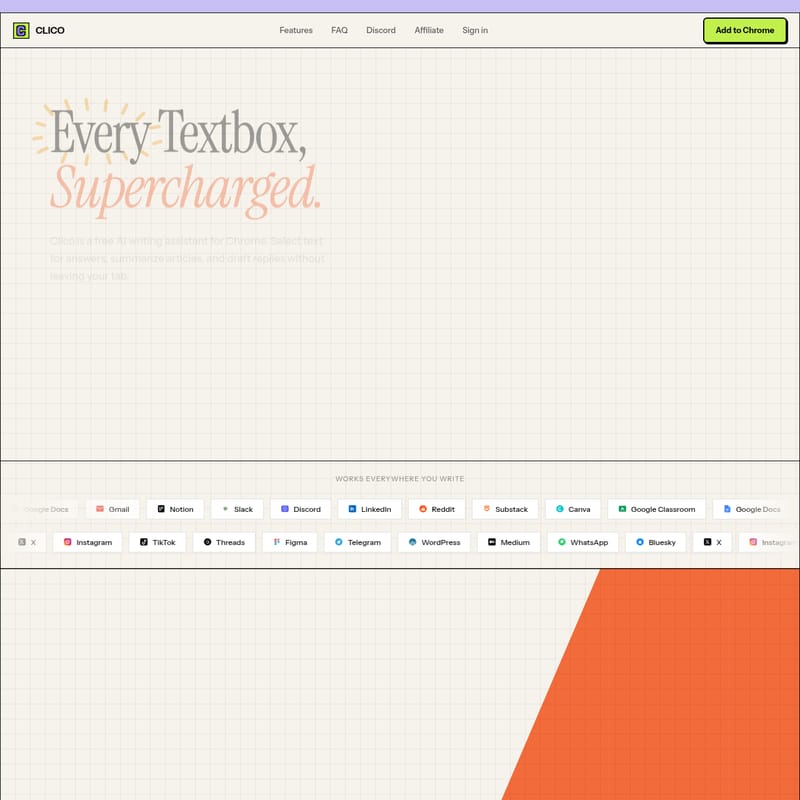
Clico is a powerful, free AI writing assistant designed as a Chrome extension to enhance your productivity across the web. It integrates directly into your browser, allowing you to draft replies, summarize complex articles, and get instant answers without ever switching tabs. By using simple keyboard shortcuts like ⌘+O for writing and ⌘+⌘ for summarizing, Clico provides context-aware assistance in tools like Google Docs, Notion, Gmail, Slack, and LinkedIn. It requires no API keys and prioritizes user privacy by never reading sensitive fields. Built to live where you type, Clico sees what you see, enabling it to pull context from open tabs to provide highly relevant AI-generated content at your cursor.
2026-03-31
30.0K
Clico Product Information
Clico: Supercharge Every Textbox with the Ultimate AI Writing Assistant
In the modern digital workspace, switching between tabs to consult AI tools can break your focus and slow down your productivity. Clico is designed to solve this problem by bringing the power of artificial intelligence directly to your browser. As a free AI writing assistant for Chrome, Clico integrates into every website, allowing you to draft, summarize, and search right where you type.
What's Clico?
Clico is a comprehensive AI writing assistant and productivity tool available as a Chrome extension. It is built to "supercharge" every textbox on the internet. Unlike traditional AI tools that require you to copy and paste text into a separate window, Clico lives within your browser. Whether you are drafting an email in Gmail, taking notes in Notion, or messaging on Slack, Clico sees the context of your page and provides real-time assistance.
By using Clico, you gain access to an AI that understands your current task. It can answer questions based on the text you select, generate high-quality replies, and summarize long-form content like academic reports or news articles with just a few keystrokes. Best of all, Clico is free to use and does not require a complex API key setup.
Key Features of Clico
Clico is packed with features designed to make your online writing and reading experience more efficient:
1. AI Writing at Your Cursor (⌘+O)
With Clico, you don't need to leave your text field to get help. Simply open any text field and press the ⌘+O shortcut. Clico analyzes the page content and writes for you, helping you overcome writer's block or speed up repetitive drafting tasks.
2. Instant Summarization (⌘+⌘)
Reading long articles or complex reports can be time-consuming. Clico allows you to double-tap ⌘ to get a structured summary of whatever you are reading. Whether it's a Stanford research paper on financial risks or a long thread on Reddit, Clico distills the key points in seconds.
3. Tab Context Integration (@)
Clico treats your browser tabs as its memory. By typing @, you can reference other open tabs and pull their context into your current prompt. This makes it incredibly easy to synthesize information from multiple sources, such as drafting a strategy doc in Notion using data from a Google Doc.
4. Voice Commands (Hold ⌘)
For times when you don't want to type, Clico offers voice-to-text capabilities. Hold ⌘ and speak; the assistant will transcribe your words, understand the context of your page, and write the content for you.
5. Instant Answers and Search
Highlight any word or sentence on any page, and Clico will instantly provide its meaning, give you context, or perform a search. This "Select and Know" functionality eliminates the need for manual copy-pasting.
6. Privacy and Security
Privacy is a core pillar of Clico. It is designed with the following protections:
- No Password Reading: Clico automatically skips password fields and payment forms.
- User Control: The AI only activates when you trigger a shortcut.
- Enterprise-Grade Security: Authentication is handled via Clerk, ensuring your data is managed safely.
How to Use Clico
Getting started with Clico is straightforward and requires no technical configuration:
- Install the Extension: Add Clico to your browser from the Chrome Web Store.
- Open a Website: Navigate to any site where you type, such as Gmail, Notion, or LinkedIn.
- Trigger the Assistant:
- Press ⌘+O to start writing at your cursor.
- Double-tap ⌘ to summarize the current page.
- Type @ to pull in context from other open tabs.
- Speak or Type: Use voice commands by holding ⌘ or type your requests directly into the Clico interface.
Use Case Scenarios
Clico is versatile enough to support various professional and personal workflows:
- Professional Communication: Draft professional replies on LinkedIn or Gmail in seconds. Clico can adjust your tone and ensure your messages are polished.
- Project Management: While working in Notion or Google Docs, use Clico to brainstorm roadmap ideas or summarize meeting notes.
- Research and Education: Students and researchers can use Clico on sites like Google Classroom or university domains to summarize academic papers and find instant definitions for complex terminology.
- Social Media Management: Create engaging posts for X (Twitter), Instagram, and TikTok directly within the platform's web interface.
- Collaborative Work: Enhance communication on Slack or Discord by using Clico to clarify technical points or translate messages instantly.
FAQ
Which browsers does Clico work on? Clico works on Chrome, Edge, Brave, Arc, and any other Chromium-based browser. You can install it immediately from the Chrome Web Store.
Can I use Clico on Google Docs, Notion, and Gmail? Yes. Clico works on every website with a text field, including Slack, Discord, LinkedIn, Substack, Reddit, and many more.
How does Clico know what I'm working on? When you activate Clico, it reads the visible content of your current page to understand the context. This eliminates the need to manually provide background information.
Do I need an API key or account? No API key is required. You can install it and start writing immediately. While it is free during the beta stage, creating a free account allows you to manage your settings securely.
Is Clico free? Yes, Clico is completely free to use during its beta stage, and no credit card is required to get started.
Does Clico support dark mode? Yes, Clico features an automatic dark mode that aligns with your system settings or can be toggled manually.