Claude in Excel
Claude in Excel: AI-Powered Spreadsheet Analysis and Financial Modeling Beta
Claude in Excel brings Anthropic's unformulaic expertise directly into your spreadsheets. This powerful integration allows users to ask questions about any cell, debug complex formula errors like #REF! or #VALUE!, and test new scenarios without breaking dependencies. Currently in beta for paid plans, Claude in Excel provides cell-level citations for every logic explanation, ensuring full transparency in financial modeling. It helps teams build models from scratch, fill existing templates with fresh data, and navigate complex worksheets across multiple tabs using simple keyboard shortcuts.
2026-03-02
35774.0K
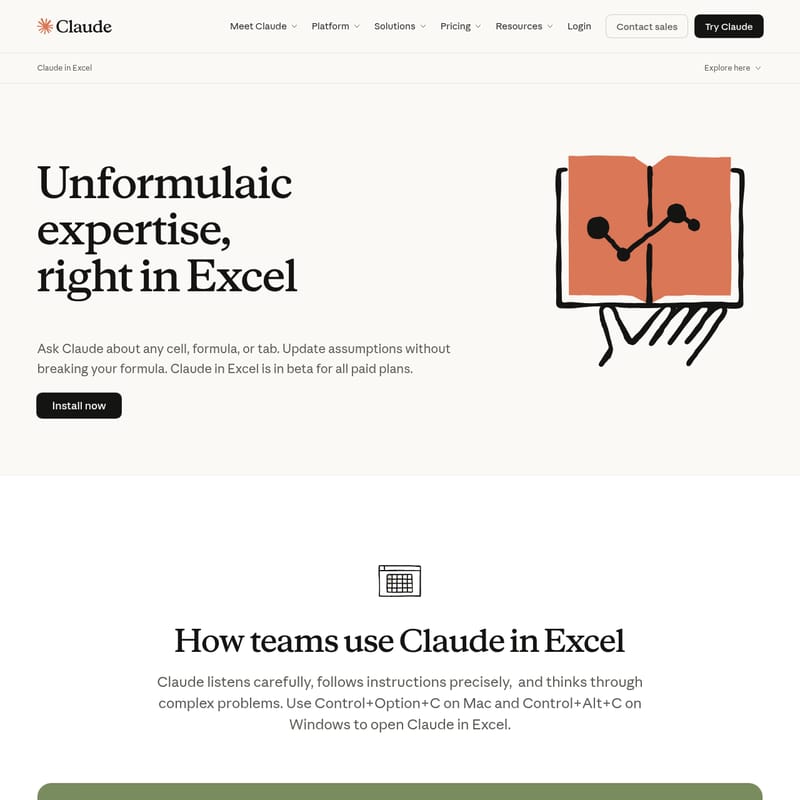
Claude in Excel Product Information
Claude in Excel: Unformulaic Expertise for Smarter Spreadsheets
Modern financial modeling and data analysis require precision, speed, and deep logical understanding. Claude in Excel brings the advanced reasoning capabilities of Anthropic's AI directly into your spreadsheet environment. By integrating Claude in Excel, users can move beyond traditional formulas to interact with their data using natural language, ensuring that complex models are accurate, transparent, and easy to maintain.
Currently available in beta for all paid plans, Claude in Excel serves as an intelligent companion that listens carefully to instructions, follows them precisely, and thinks through complex problems to provide actionable insights.
What's Claude in Excel?
Claude in Excel is a specialized integration designed to bridge the gap between advanced artificial intelligence and professional spreadsheet management. It allows users to communicate with Claude directly within their workbook to perform tasks that previously required hours of manual auditing or complex scripting.
Whether you are dealing with a single tab or a multi-sheet workbook, Claude in Excel understands the context of your data. It can explain calculation flows, verify logic with cell-level citations, and help you navigate through dense financial models instantly. It is the ultimate tool for professionals who need to maintain the integrity of their data while exploring new assumptions.
Key Features of Claude in Excel
Claude in Excel is packed with features designed to streamline your workflow and enhance your analytical capabilities:
Instant Answers and Navigation
Navigate complex models without getting lost in the grid. You can ask Claude in Excel about specific formulas, entire worksheets, or how calculations flow across different tabs. The AI provides clear explanations and includes cell-level citations so you can verify the logic yourself.
Scenario Testing Without Formula Risks
One of the most powerful aspects of Claude in Excel is the ability to update assumptions across an entire model while preserving all existing dependencies. You can test different scenarios quickly, and Claude will highlight every change made, providing explanations for full transparency.
Advanced Debugging and Error Correction
Stop wasting time tracing errors manually. Claude in Excel can identify the source of #REF!, #VALUE!, and circular reference errors in seconds. It explains exactly what went wrong and provides a solution to fix it without disrupting the rest of your model.
Model Building and Template Population
Claude in Excel can help you create draft financial models from scratch based on your specific requirements. If you already have a structure in place, it can populate existing templates with fresh data while carefully maintaining all original formulas and formatting.
How to Use Claude in Excel
Getting started with Claude in Excel is simple for users on paid plans. Follow these steps to activate and use the tool:
- Installation: Ensure you have installed the Claude in Excel integration through the official platform.
- Activation: Use the dedicated keyboard shortcuts to open the interface:
- Mac: Press
Control + Option + C - Windows: Press
Control + Alt + C
- Mac: Press
- Interaction: Once the interface is open, you can type your questions or instructions. For example, ask "Explain the logic in cell B20" or "Identify the cause of the #REF! error in this sheet."
- Review: Check the highlighted changes and cell-level citations provided by Claude to ensure accuracy.
Use Cases for Claude in Excel
Claude in Excel is versatile and adapts to various professional needs across different industries:
- Financial Services: Analysts use Claude in Excel to build robust financial models, perform sensitivity analysis, and ensure compliance with modeling conventions.
- Data Auditing: Teams can quickly debug broken workbooks and trace calculation flows to ensure data integrity.
- Project Management: Populate templates with new project data while keeping complex scheduling formulas intact.
- Education and Research: Use Claude to explain complex mathematical relationships within a spreadsheet to students or colleagues.
FAQ
Is Claude in Excel available to everyone? Currently, Claude in Excel is in beta and available for all users on paid plans (Pro, Team, and Enterprise).
Does Claude understand financial modeling conventions? Yes, Claude is designed to understand and follow standard financial modeling conventions, making it a reliable partner for high-stakes analysis.
What file formats are supported? Claude in Excel works within the standard Excel environment, supporting the primary file formats used by the platform.
What are the security risks I should know about? Anthropic prioritizes security and compliance. For detailed information, users should refer to the Claude Code Security and Security and Compliance resources provided by Anthropic.
Can I use Claude in other Microsoft applications? Beyond Excel, Anthropic also offers features like Claude in PowerPoint to assist with presentation workflows.