Claude Code Artifacts
Claude Code Artifacts: Transforming Development Sessions into Live Interactive Web Pages
Claude Code introduces Artifacts, a powerful new feature that turns developer sessions into shareable, live-updating web pages. Built on full session context, Artifacts streamline collaboration for engineers, security teams, and managers by providing real-time visual summaries of complex tasks.
2026-06-20
132500.0K
Claude Code Artifacts Product Information
Claude Code Artifacts: Transforming Development Sessions into Live Interactive Web Pages
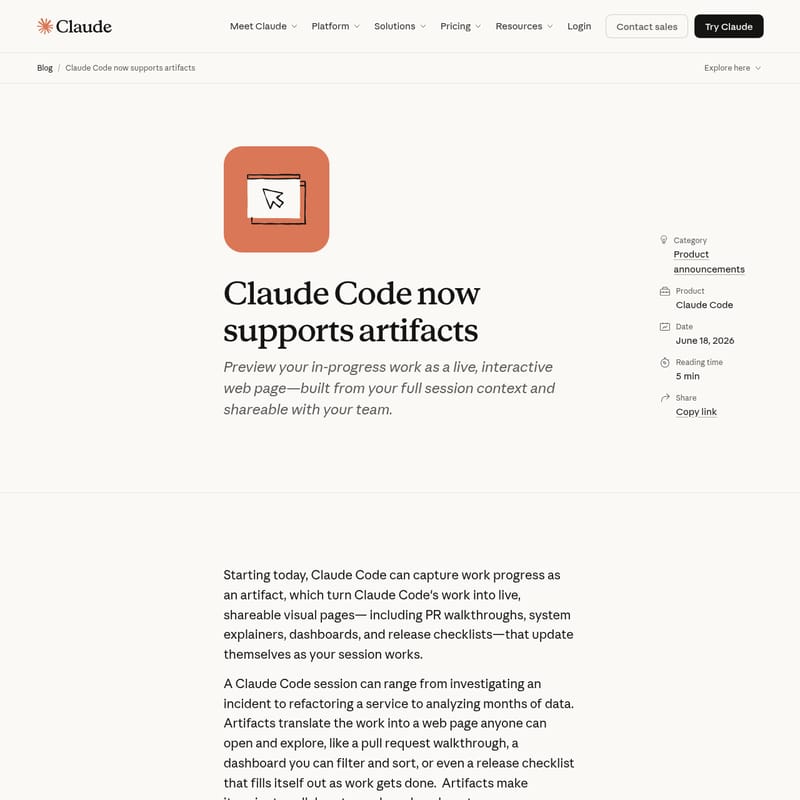
In the rapidly evolving landscape of software development, context is everything. Claude Code has taken a significant leap forward with the introduction of Artifacts, a feature designed to bridge the gap between deep technical work and team-wide visibility. Starting today, Claude Code can capture work progress as an artifact, turning standard development sessions into live, interactive, and shareable visual pages. Whether you are building a PR walkthrough, a system explainer, a dashboard, or a release checklist, Claude Code Artifacts ensure your work is accessible and understandable to your entire team.
What's Claude Code and the New Artifacts Feature?
Claude Code is a sophisticated development tool designed to assist engineers with complex tasks ranging from refactoring services to incident investigation. The addition of Artifacts allows these sessions to produce more than just console output. An artifact is a dedicated web page that translates the intricate work happening within a Claude Code session into a visual format that anyone can explore.
Imagine you are using Claude Code to analyze months of data or investigate a service failure. Instead of manually summarizing your findings, you can generate an artifact. This page functions like a live pull request walkthrough or a filterable dashboard, updating itself as your session progresses. By utilizing Claude Code, teams can move away from manual status updates and spend more time building, as the artifact serves as a single, auto-updating source of truth.
Key Features of Claude Code Artifacts
Built on Full Session Context
One of the most powerful aspects of Claude Code Artifacts is how they are constructed. Unlike static reports, an artifact is built using the full context of your session. This includes:
- Your entire codebase.
- Your integrated connectors.
- The ongoing conversation history.
For example, an incident response page generated by Claude Code can simultaneously display failing tests, the specific function causing the error, data spikes from a monitoring tool, and the root-cause reasoning derived during the session. There is no need to manually wire up data sources or manage infrastructure; simply ask Claude Code for a page, and it builds it from the existing session data.
Live, In-Place Updates
Claude Code Artifacts are not static snapshots. When Claude Code updates an artifact, the open page refreshes in place. This means that teammates viewing the link see the latest developments the moment they are published. To ensure reliability, every publish creates a new version under the same link, complete with a version history to restore previous states and a gallery to manage all your created artifacts.
Private and Secure for Your Organization
Security is a core component of the Claude Code ecosystem. Every artifact is private to its author by default. You can share it with teammates or your entire organization directly from the page header, but access is strictly limited to authenticated members of your org. Claude Code Artifacts cannot be made public, providing a secure environment for sensitive architectural and security discussions. Admins maintain control through:
- Org-level toggles for access management.
- Role-based scoping.
- Custom retention policies.
- Org-wide visibility via the compliance API.
Use Cases for Every Role
Claude Code Artifacts are versatile enough to serve every member of a modern technology organization. Below are specific ways different roles can leverage this feature within Claude Code:
Software Engineers and Architects
- PR and Bug Walkthroughs: Create an artifact that walks reviewers through a diff, explaining the reasoning and testing steps performed.
- Service Mapping: Use Claude Code to draw a map of how a payment service fits together based on the real import graph rather than a speculative whiteboard drawing.
SRE and On-Call Teams
- Incident Investigation: Turn an active incident into a live artifact containing a timeline, suspect commits, and error charts. As you work through the issue in Claude Code, the page updates automatically for stakeholders to follow in real-time.
Security and Compliance
- Security Findings: Build an artifact of authentication findings where each security flaw links directly to the exact line of code, ensuring unambiguous fixes.
- Privacy Reviews: Trace where personal data is collected and stored across the codebase, generating a data-flow map for privacy audits.
Management and Finance
- Engineering Managers: Quickly generate an artifact of everything merged by a team during a specific week, grouped by project.
- FinOps: Map cloud resources and cost drivers directly from your Terraform or infrastructure-as-code files into a visual summary.
How to Use Claude Code Artifacts
Getting started with Artifacts is simple and integrated directly into your Claude Code workflow. You can initiate a page by simply asking for something visual during your session.
- Initiate a Session: Start your work in the Claude Code CLI or desktop app.
- Request an Artifact: Use natural language prompts. For example:
"Make an artifact walking through this PR — the diff, the reasoning, and what I tested."
- Refine the Content: As you continue to work or provide more data, Claude Code will republish the artifact.
- View and Share: Open the provided link in any browser or the Claude Code desktop app. Share the URL from the header with authenticated teammates.
FAQ
Q: Who can access Claude Code Artifacts? A: Artifacts are currently available in beta to Claude Team and Enterprise organizations. They can be created via the Claude Code CLI and desktop app.
Q: Can I share an artifact with someone outside my company? A: No. Artifacts are viewable only by authenticated members of your organization and cannot be made public, ensuring your codebase information remains secure.
Q: How do I manage multiple artifacts? A: Claude Code includes a gallery where you can browse, manage, and view the version history of all the artifacts you have created.
Q: Do I need to set up a server to host these pages? A: No. Claude Code handles the infrastructure. You ask for a page, and it provides a live URL automatically hosted within the secure Claude environment.