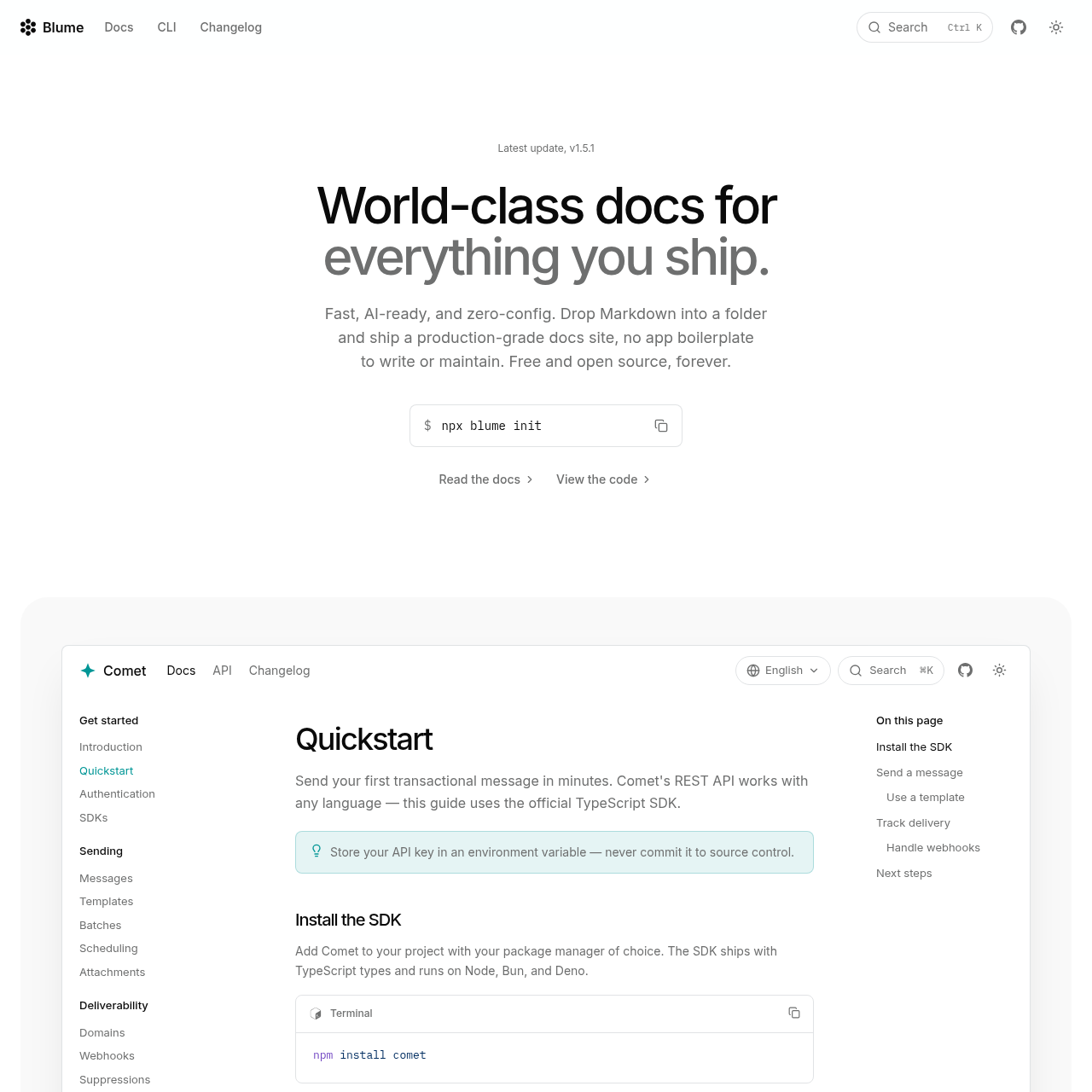
Blume is an open-source, Markdown-first documentation framework designed to generate production-ready sites with zero-config setup, built-in AI capabilities, and interactive API reference support.
Code & ITSupports multi-source content…Features internationalization supportZero-Config DocumentationInteractive API References
Listed on AIToolly
What Is Blume? Product Overview
What the product does and how it is positioned
Blume simplifies the creation of documentation websites by allowing users to ship content directly from Markdown files. It automates essential features like navigation, SEO, and search, enabling developers to focus on content rather than boilerplate maintenance.
The platform is built for both human readers and machine agents, offering native support for LLM-friendly formats like llms.txt and MCP servers. It provides a comprehensive suite of components and a CLI toolset to manage the entire documentation lifecycle.
What Can You Use Blume For?
Source-supported ways to use the product
Technical Documentation
Create comprehensive, searchable, and interactive documentation sites for software projects and developer tools.
API Reference Portals
Generate interactive API reference pages from OpenAPI or AsyncAPI specifications with built-in testing playgrounds.
How to Use Blume
The documented workflow, where available
1
Initialize Project
Run the npx blume init command to scaffold a new documentation project with the necessary configuration files.
2
Add Content
Place Markdown or MDX files into the project folder to automatically generate site navigation and page structure.
AI and Machine Readability
Blume is engineered to bridge the gap between human-readable documentation and machine-accessible knowledge. By automatically generating machine-readable indices and providing raw Markdown access at every URL, the tool is designed so that AI models and coding agents can accurately interpret and utilize the documentation corpus.
Automatic generation of llms.txt for site-wide indexing.
MCP server support for direct integration with coding agents like Claude Code and Cursor.
In-page AI assistant capabilities powered by configurable endpoints.
Raw Markdown fetching for LLM-based copy-as-Markdown workflows.
What to Test Before Choosing Blume
Checks to run with your own material and workflow
Verify that your documentation source files are correctly structured in the project folder or configured via the blume.config.ts file.
Review the CLI output after running validation and audit commands to ensure link integrity and SEO compliance.
Answers based on the source-checked product record
Does Blume require a specific starter template?+
No, Blume is designed to be zero-config. A simple folder of Markdown files serves as a complete project, and navigation is inferred automatically from your file structure.
Can I pull content from sources other than my local filesystem?+
Yes, Blume supports multiple content sources. You can configure the framework to pull content from remote repositories, CMS platforms, or custom backends using the content sources configuration.
How are API references handled in Blume?+
Blume supports interactive API references by accepting OpenAPI or AsyncAPI specifications. It renders these into documentation pages that include schemas and a live 'Try it' playground.
Is Blume suitable for international audiences?+
Yes, Blume supports internationalization for up to 36 locales, including full support for right-to-left languages, supporting your documentation can reach a global user base.
How does Blume assist with site maintenance?+
Blume includes a built-in CLI that automates maintenance tasks such as validating links, auditing SEO performance, evaluating documentation quality, and managing translation updates.
More Code & IT AI tools
Explore other recently added tools in the same category.