API to MCP
API To MCP: Transform REST and GraphQL APIs into Hosted Remote HTTP MCP Servers for AI Agents
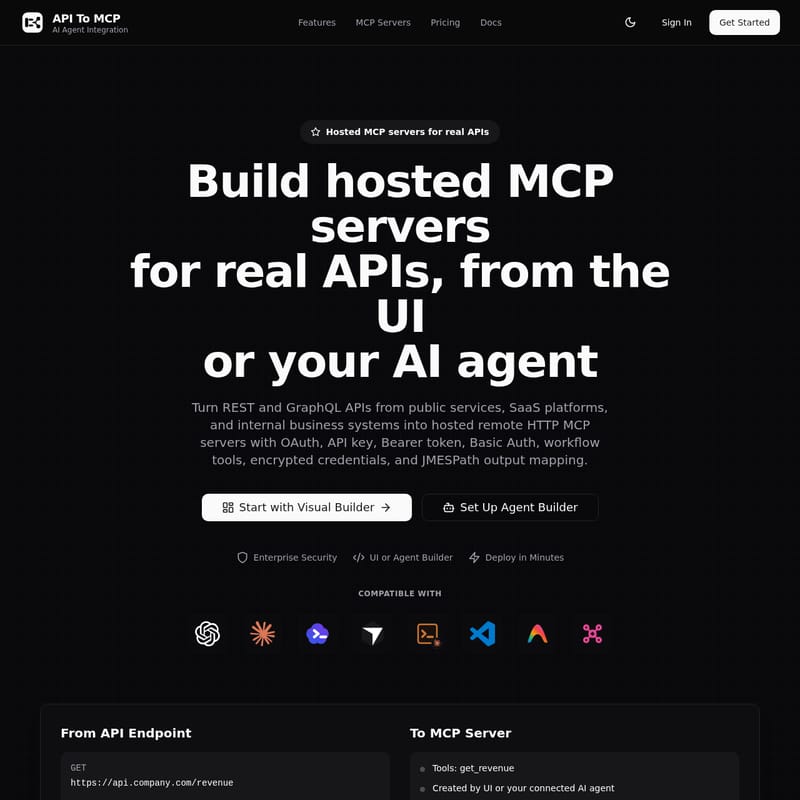
API To MCP is a comprehensive platform designed to convert REST and GraphQL APIs from public services, SaaS platforms, and internal business systems into hosted remote HTTP MCP servers. It empowers AI agents—including ChatGPT, Claude, and Cursor—to interact with real-world data through secure, authenticated Model Context Protocol (MCP) tools. Users can build these servers via a Visual Builder or an AI Agent Builder, utilizing advanced features like OAuth, workflow tools, and JMESPath output mapping. API To MCP ensures enterprise-grade security with encrypted credentials and offers flexible access modes, making it the ideal solution for developers looking to integrate business platforms, marketing tools, and internal systems directly into their AI workflows.
2026-06-20
0.2K
API to MCP Product Information
API To MCP: The Comprehensive Platform for Hosted MCP Servers and AI Agent Integration
In the rapidly evolving landscape of artificial intelligence, the ability for agents to interact with real-world data is paramount. API To MCP serves as the essential bridge, allowing developers and teams to turn REST and GraphQL APIs from public services, SaaS platforms, and internal business systems into hosted remote HTTP MCP servers. By utilizing the Model Context Protocol (MCP), API To MCP enables AI agents to perform complex tasks using your own data and tools securely and efficiently.
What's API To MCP?
API To MCP is a powerful platform designed to facilitate seamless AI agent integration. It provides the infrastructure to transform standard API endpoints into functional MCP servers that can be consumed by popular AI clients such as Claude, ChatGPT, Cursor, and VS Code.
Whether you are dealing with a simple public data endpoint or a complex internal business platform, API To MCP allows you to wrap these services in a hosted environment. This ensures that your AI agents have the context and tools they need to answer questions, perform actions, and automate workflows using real-time data from your CRM, ERP, or finance systems. The platform offers two primary ways to create these servers: a hands-on Visual Builder and an innovative AI Agent Builder that allows your coding agent to iterate on the server for you.
Key Features of API To MCP
API To MCP is packed with features designed to make MCP server creation fast, secure, and highly customizable.
Dual Building Modes
- Visual Builder: A guided dashboard for teams that want full control over auth, tool definitions, output mapping, and deployment settings. It is perfect for reviewing every detail before publishing a production-ready endpoint.
- AI Agent Builder: This allows you to connect the API To MCP manager server to your agent (like Cursor or Claude Code) and use chat commands to create, update, test, and deploy servers. This "build from chat" workflow accelerates development significantly.
Robust Authentication and Security
Real-world APIs require real-world security. API To MCP supports a wide variety of upstream authentication models:
- OAuth Authorization Code: Enables individual employees or users to connect their own accounts.
- OAuth Client Credentials: Ideal for machine-to-machine integrations for billing or commerce.
- API Keys & Bearer Tokens: Support for modern SaaS and internal API access.
- Basic Auth: For legacy systems or internal tools.
- Encrypted Credentials: All stored API keys and tokens are encrypted at rest and masked in the user interface to ensure enterprise security.
Advanced Tooling and Customization
- Workflow Tools: Compose multiple API calls into a single MCP tool, enabling multi-step lookups and data enrichment flows.
- JMESPath Output Mapping: Shape complex, nested JSON responses from upstream APIs into clean, agent-friendly outputs.
- Hosted Streamable HTTP Runtime: No need to manage your own servers; API To MCP provides a hosted runtime with SSL, usage tracking, and remote HTTP endpoints.
How to Use API To MCP
Setting up an MCP server with API To MCP is designed to be a streamlined process, regardless of which path you choose.
Lane A: Using the Visual Builder
- Configure API Access: Enter your REST or GraphQL base URL and select your authentication model (e.g., Bearer Token or OAuth).
- Define Tools: Create specific tools (like
get_revenueorlist_orders), define input schemas, and set up parameter validation. - Run Tests: Use the dashboard to test requests and ensure the API responds as expected.
- Deploy: Publish your server to the hosted runtime to generate a remote HTTP URL.
Lane B: Using the Agent Builder
- Connect the Manager: Add the Manager MCP URL (
https://mcp.apitomcp.io/) to your AI agent. - Authenticate: Create a scoped manager token to allow your agent to communicate with the API To MCP platform.
- Prompt to Create: Ask your agent to build the server. For example: "Create an MCP server for our internal support platform using OAuth so each employee connects their own account."
- Iterate and Deploy: The agent will create the tools, test them, and return the final MCP URL for use.
Use Cases for API To MCP
The flexibility of API To MCP makes it suitable for a wide range of industries and technical requirements.
Business and Operations Platforms
Expose internal tools like CRM, ERP, HRIS, and Finance Ops systems to your employees. Instead of manual data entry, an AI agent can lookup customer details or check invoice status directly through an MCP-enabled tool.
Marketing and SEO
Connect to APIs such as Google Ads, Meta Ads, Search Console, and Google Analytics. This allows your AI agent to generate performance reports, inspect campaign data, and suggest SEO optimizations based on real-time analytics.
Commerce and Billing
Integrate with Shopify, WooCommerce, or PayPal to build tools around product catalogs, order management, and billing workflows. AI agents can assist in tracking shipments or managing inventory levels seamlessly.
Developer Productivity
Give coding agents controlled access to GitHub, GitLab, Vercel, or Sentry. This enables agents to look up repository issues, monitor deployment statuses, or analyze error logs without leaving the chat interface.
Public Data and Content Management
- Public Data: Create no-auth MCP servers for APIs like Weather, World Bank, or Hacker News to provide agents with global context.
- Content Systems: Turn WordPress, Contentful, or Notion into tools for publishing and editorial workflows.
FAQ
Q: Which AI clients are compatible with API To MCP? A: API To MCP is compatible with a wide array of platforms including ChatGPT, Claude, Codex, Cursor, Claude Code, VS Code, and Antigravity.
Q: What is the difference between upstream auth and MCP access modes? A: Upstream auth is how API To MCP talks to your API (e.g., your Shopify API Key). MCP access mode is how the AI client connects to API To MCP. You can choose from Open, OAuth/Bearer Token, or Client Token access to protect your MCP endpoint.
Q: Is my data secure with API To MCP? A: Yes. Credentials are encrypted at rest and masked in the UI. Furthermore, snapshots used for sharing configurations never include live secrets or active tokens.
Q: Do I need to write custom code to deploy an MCP server? A: No. API To MCP provides a hosted streamable HTTP runtime, allowing you to deploy production-ready endpoints directly from the UI or your AI agent without writing custom runtime code.
Q: Can I combine multiple API calls into one tool? A: Yes, using the Workflow Tools feature, you can compose multiple API requests into a single tool for more complex, multi-step agent interactions.