Notion Custom Agents
Notion Custom Agents: Your 24/7 AI Team for Automated Workflows and Task Management
Notion Custom Agents are sophisticated AI tools designed to automate recurring work for your entire team. Operating 24/7, these agents handle answers, tasks, and updates using your existing Notion knowledge and connected apps. Whether it is routing incoming tasks, generating status reports, or answering repeat questions through Q&A agents, Custom Agents work autonomously while you sleep. Built with enterprise-grade security, they offer granular permissions, reversible changes, and zero data retention for enterprise customers, ensuring your data remains private while significantly increasing productivity.
2026-02-27
23700.0K
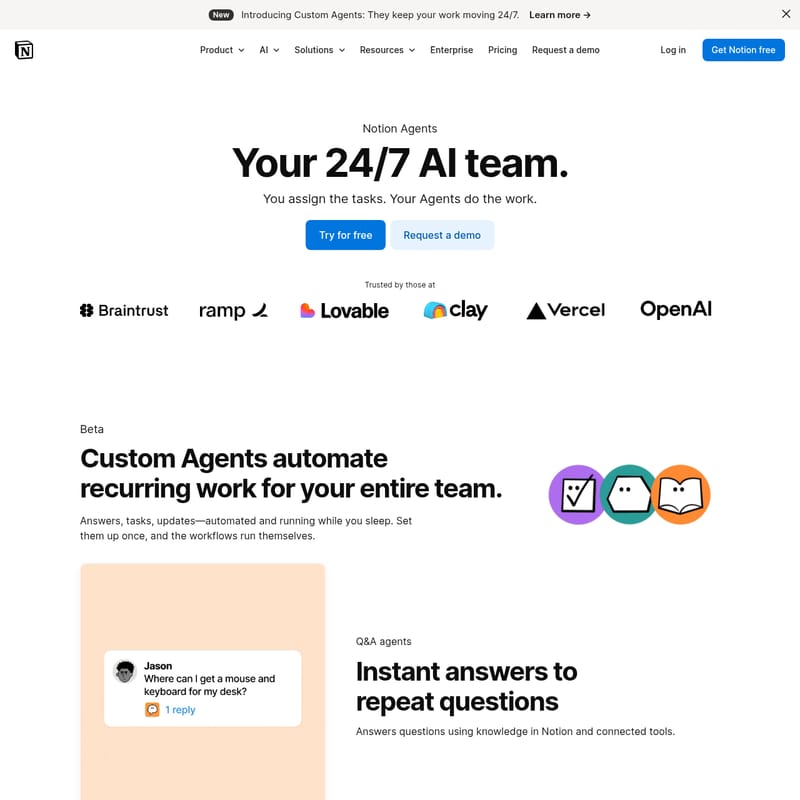
Notion Custom Agents Product Information
Notion Custom Agents: The 24/7 AI Team Powering Your Workflows
In the modern workspace, efficiency is everything. Introducing Notion Custom Agents, your new 24/7 AI team designed to keep your work moving even while you sleep. With Notion Custom Agents, you assign the tasks, and the agents do the work, automating recurring processes for your entire team. Whether you are looking to automate answers, route tasks, or generate updates, Notion Custom Agents provide a seamless, integrated solution that transforms how work gets done within the Notion ecosystem.
What's Notion Custom Agents?
Notion Custom Agents are intelligent, automated entities that function as virtual teammates within your workspace. Unlike standard AI tools, Custom Agents are built to perform specific workflows autonomously. They use your existing documents and databases as context to perform a wide range of actions across Notion, Slack, Mail, Calendar, and more.
By leveraging Notion AI, you can create a Custom Agent simply by describing what you want in plain language. These agents are personalized and private, learning your style and following your specific instructions to ensure every output matches your brand's vibe. From the Notion Agent that inherits your personal permissions to Custom Agents that have their own set of roles, this technology is designed to move teams away from manual database management and toward a chat-based, automated workflow.
Key Features of Notion Custom Agents
Notion Custom Agents come packed with features designed for automation, integration, and enterprise-level control.
1. Specialized AI Roles
- Q&A Agents: Provide instant answers to repeat questions by utilizing knowledge stored in Notion and connected tools.
- Task Routing Agents: Automatically capture and triage incoming work, ensuring it is routed to the correct team member without manual intervention.
- Status Update Agents: Gather and summarize the latest project updates to write and deliver recurring reports on your specific schedule.
2. Deep Integration and Compatibility
Notion Custom Agents work exactly where your team already works. They don't require you to rebuild your knowledge base or switch between apps. They connect across:
- Slack
- Calendar
- MCP Integrations
3. Enterprise-Grade Security and Transparency
Built for enterprise confidence, Custom Agents are safe and transparent by design. Every run is logged, and all changes are reversible. Key security features include:
- SOC 2 and ISO Certifications: Validated secure development practices.
- Prompt Injection Protection: Detection of hidden commands in files and flags for suspicious links.
- Zero Data Retention: Available for enterprise customers to ensure data privacy.
- Audit Trails: Admins can monitor exactly what triggered an agent, what it did, and why.
4. Configurable Permissions
Safety is a priority. While the Notion Agent inherits your specific permissions to see what you see, Custom Agents get their own permissions. Creators can configure exactly what each Custom Agent can read or write on a page-by-page and app-by-app basis.
Use Cases for Custom Agents
How can your team utilize Notion Custom Agents to save hours of work?
- Automated Project Triage: Use a Task Routing Agent to monitor a "New Requests" database and automatically assign tasks to developers or designers based on the content of the request.
- Weekly Executive Summaries: Deploy a Status Update Agent to scan all active project pages every Friday afternoon and compile a summary report for leadership.
- Internal Knowledge Base: Set up a Q&A Agent to act as a first-line support for employees, answering questions about company benefits or IT procedures using the internal Notion wiki.
- Cross-Platform Communication: Have a Custom Agent monitor Notion updates and automatically send relevant notifications to specific Slack channels or email threads.
How to Use Notion Custom Agents
Setting up your Custom Agent is straightforward and requires no coding knowledge thanks to Notion AI.
- Define the Goal: Determine what recurring task you want to automate (e.g., summarizing reports or routing tasks).
- Describe the Agent: Use plain language to tell Notion AI what the agent should do. For example, "Create an agent that summarizes all updates in the Project Database every Monday at 9 AM."
- Set Permissions: Define what the Custom Agent can access. You can grant page-level access or connect it to external tools like Slack or Mail.
- Launch and Monitor: Once set up, the agent runs itself. You can monitor its activity through the admin analytics and audit logs.
- Refine: If needed, you can adjust the agent's instructions or undo changes through Notion's version history.
FAQ
What are Custom Agents?
Custom Agents are AI-powered tools within Notion that automate recurring work, tasks, and updates 24/7 based on your specific instructions.
What's the difference between Custom Agents and Notion Agent?
The Notion Agent inherits your personal permissions and helps you take action based on what you can see. Custom Agents are purpose-built for teams, have their own configurable permissions, and run automated workflows independently.
Who can create Custom Agents?
Workspace members can create agents, though workspace admins have the power to manage who has permission to create Custom Agents and connect them to external tools.
Is my data secure with Custom Agents?
Yes. Notion does not train AI models on your content. Additionally, enterprise customers benefit from zero data retention and full audit trails for every agent action.
What tools are compatible with Custom Agents?
Custom Agents integrate seamlessly with Notion, Slack, Google Mail, Google Calendar, and various tools via MCP (Model Context Protocol) integrations.
"Anything you can do in Notion, your Notion Agent can do for you. It's crazy... crazy good."
By implementing Notion Custom Agents, your team can stop managing work manually and start focusing on high-impact projects while the AI handles the routine. Try Notion Custom Agents for free today and see how hours of work can be done in minutes.