Latitude for Claude Code
Latitude: The Complete LLM Control Plane and Claude Code Telemetry for Reliable AI Scaling
Latitude is the definitive LLM control plane designed to scale AI products by providing a clear path to reliable AI. Through comprehensive observability tools and Claude Code telemetry, Latitude enables developers to monitor agent behaviors, detect failures, and track costs with precision. With features like full session traces, tool schema capture, and global installation via a single npx command, Latitude ensures that every AI agent interaction in the terminal, IDE, or Claude Desktop is fully transparent and optimized. Sign up for a free account to access issue monitoring and cost-per-session analytics for your AI projects.
2026-05-15
101.0K
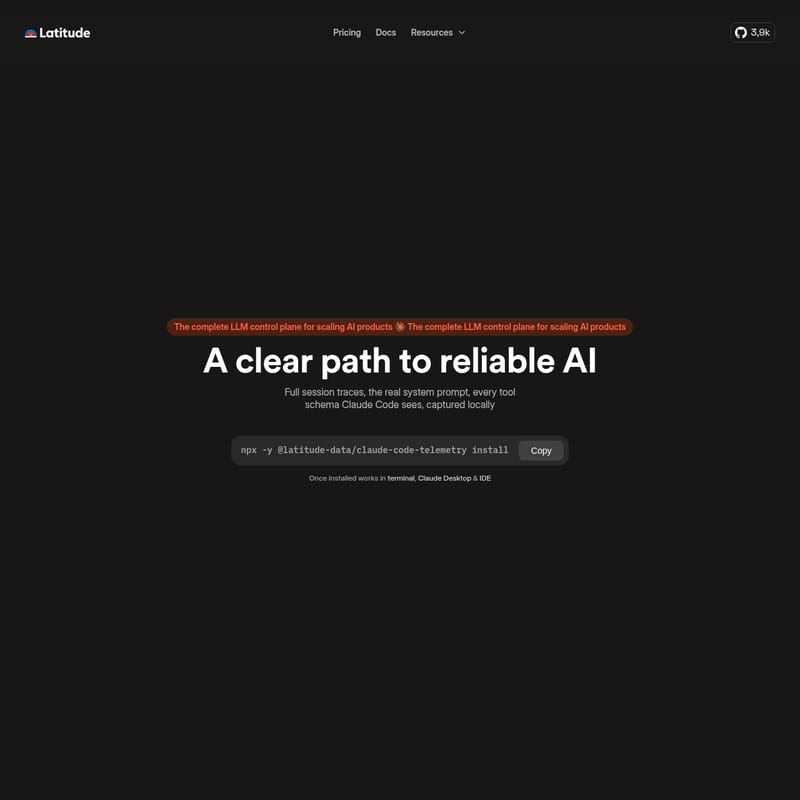
Latitude for Claude Code Product Information
Latitude: The Complete LLM Control Plane for Scaling AI Products
In the rapidly evolving landscape of artificial intelligence, developers and organizations face significant challenges when moving from experimental prototypes to production-ready applications. Latitude emerges as the complete LLM control plane specifically engineered for scaling AI products. By providing a clear path to reliable AI, Latitude allows teams to move beyond uncertainty and gain total visibility into their AI agents' performance and behavior.
Building with Large Language Models (LLMs) requires more than just a simple API connection; it requires a robust infrastructure for monitoring, debugging, and optimization. Latitude offers the essential tools needed to maintain high standards of reliability and efficiency as AI products grow in complexity.
What's Latitude?
Latitude is a sophisticated LLM control plane that serves as the command center for your AI operations. It is designed to help developers build, monitor, and scale AI agents with confidence. At its core, Latitude provides the infrastructure necessary to ensure that AI systems behave predictably and efficiently.
One of the standout offerings within the Latitude ecosystem is the Latitude telemetry for Claude Code. This specialized telemetry tool is designed to capture every detail of an agent's interaction, providing an unprecedented level of transparency. Whether you are working in a terminal, an IDE, or using Claude Desktop, Latitude acts as the bridge between raw AI outputs and actionable insights.
By centralizing observability, failure detection, and issue monitoring, Latitude empowers developers to detect possible issues before they impact the end-user experience, making it an indispensable part of the AI development lifecycle.
Features of Latitude and Claude Code Telemetry
Latitude is packed with features designed to provide a comprehensive view of how your AI products are performing. These features are tailored to solve the most common pain points in LLM application development.
Comprehensive Observability
Observability is the cornerstone of the Latitude platform. With Latitude, you can see every turn that Claude Code runs. This includes:
- Prompts and Tool Calls: Monitor exactly what instructions are being sent and which tools are being triggered.
- Bash Output and File Interactions: Track the real-world actions taken by the agent, including terminal outputs and files touched during a session.
- Runtime System Prompts: Access the real system prompt and every tool schema that Claude Code composes at runtime, providing a deep look into the agent's "thought process."
- Captured Locally: Data is captured locally, ensuring that developers have immediate access to the information they need without unnecessary latency.
Full Session Traces
In the world of AI agents, context is everything. Latitude transforms every interaction into a trace. These full session traces allow developers to reconstruct the entire history of a task, making it easier to debug complex behaviors and understand why an agent made a specific decision.
Failure Detection and Issue Monitoring
Scaling AI products requires proactive management. Latitude provides dedicated tools for failure detection and issue monitoring. By signing up for a Latitude account, you can monitor your agent's behaviors across all projects. This cross-project visibility is crucial for identifying patterns that could lead to systemic failures or performance regressions.
Cost Tracking and Resource Management
Running AI agents can become expensive if not properly managed. Latitude introduces a granular approach to financial observability:
- Cost per Session: See exactly what each task actually cost.
- Detailed Breakdown: Analyze costs per individual prompt, per session, or across an entire workspace.
- Resource Optimization: Use cost data to optimize your prompts and tool calls for better financial efficiency.
How to Use Latitude Claude Code Telemetry
Setting up Latitude is designed to be a friction-less experience for developers. The platform offers a global installation process that integrates directly into your existing workflow.
Step 1: Install the Telemetry Agent
You can install the Latitude telemetry for your agent globally on your machine with just a single command. This ensures that the monitoring is active across your entire development environment.
npx -y @latitude-data/claude-code-telemetry install
One simple npx command handles the entire setup, including the hook, the preload, and the launchctl .plist configuration. This automation allows you to be set up in no time.
Step 2: Create a Free Account
To unlock the full potential of Latitude's monitoring capabilities, you should sign up for a free account. Creating a Latitude account allows you to:
- Monitor agent behaviors across all your projects.
- Detect possible issues through the centralized dashboard.
- Access cost-per-session analytics.
Step 3: Integrated Workflow
Once installed, the Latitude telemetry works seamlessly in the following environments:
- Terminal: Monitor command-line interactions in real-time.
- Claude Desktop: Capture data from the official desktop application.
- IDE: Ensure your coding assistant's actions are tracked directly within your development environment.
Use Case: Building Reliable AI Agents
Imagine a scenario where a developer is building a complex coding assistant using Claude Code. Without Latitude, the developer might struggle to understand why an agent failed to edit a specific file or why it hallucinated a bash command.
By implementing the LLM control plane provided by Latitude, the developer can:
- Trace the Error: Use full session traces to see the exact tool call and bash output that led to the error.
- Analyze the System Prompt: Inspect the tool schemas and system prompts composed at runtime to see if the agent had the correct context.
- Monitor Costs: Identify if a specific task is consuming more tokens than expected, allowing for prompt refinement.
- Ensure Compliance: Benefit from Latitude S.L.'s commitment to privacy, as the platform is fully GDPR compliant.
This level of control ensures that AI agents are not just "black boxes" but are reliable, transparent, and scalable components of the product stack.
FAQ
What is an LLM control plane?
An LLM control plane like Latitude is an infrastructure layer that provides observability, management, and optimization tools for AI applications and agents, ensuring they are reliable and cost-effective at scale.
Does Latitude support Claude Code?
Yes, Latitude offers specialized Claude Code telemetry that captures system prompts, tool calls, bash output, and file interactions locally.
How much does it cost to start with Latitude?
Latitude offers a free account option, allowing developers to start monitoring their agent's behavior at no cost.
Where does the Latitude telemetry work?
Once installed via the npx command, it works globally in your terminal, Claude Desktop, and various IDEs.
Is Latitude GDPR compliant?
Yes, Latitude S.L. 2026 ensures that the platform is fully GDPR compliant, prioritizing data privacy and security.
What is captured in a session trace?
Every turn becomes a trace, capturing the prompts, tool calls, bash outputs, and any files the agent touched during the session, including runtime schemas.
How do I track costs with Latitude?
Latitude provides a cost-per-session view that breaks down expenses per prompt, per session, and per workspace, helping you manage your AI budget effectively.