Interactive Simulations in Gemini
Gemini App Interactive Simulations: Transform Complex Topics into Dynamic Visual Models
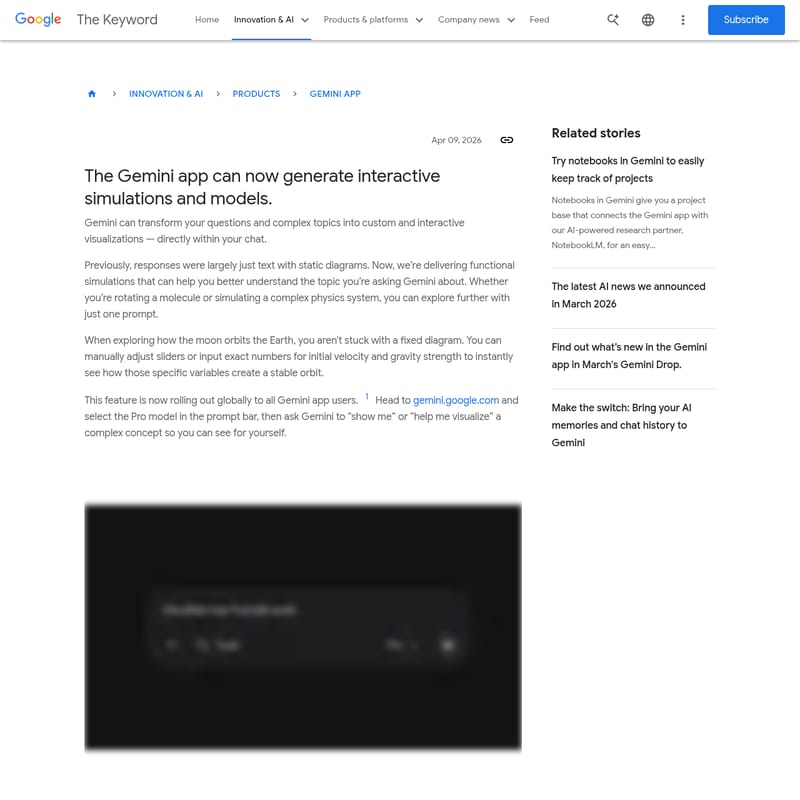
The Gemini app has introduced a groundbreaking feature allowing users to generate interactive simulations and visualizations directly within their chat. Moving beyond static text and diagrams, the Gemini app now empowers users to manipulate variables like gravity and velocity to see real-time outcomes. Whether exploring molecular structures or planetary orbits, the Gemini app provides a functional, immersive learning experience. Now rolling out globally, this update integrates with the Gemini Pro model to provide hands-on experimentation for complex physics, chemistry, and scientific concepts, making information more accessible and engaging than ever before.
2026-04-14
8800.0K
Interactive Simulations in Gemini Product Information
Experience the Future of Learning with the Gemini App Interactive Simulations
In the rapidly evolving landscape of artificial intelligence, the Gemini app continues to push the boundaries of how we interact with information. As of April 09, 2026, the Gemini app has introduced a transformative feature: the ability to generate interactive simulations and models directly within the interface. This update represents a significant leap from traditional AI responses, turning the Gemini app into a powerful tool for visual and experiential learning.
What’s the Gemini App Interactive Simulation Feature?
The Gemini app interactive simulation feature is a new capability that allows the AI to transform your questions and complex topics into custom, functional visualizations. Previously, when you asked the Gemini app about a scientific concept, you might receive a text-based explanation or a static diagram. Now, the Gemini app creates dynamic environments where you can explore data and systems in real-time.
By leveraging the power of the Gemini app, users are no longer passive recipients of information. Instead, the Gemini app provides a digital laboratory where theories can be tested and visualized instantly through high-fidelity simulations.
Key Features of Gemini App Simulations
The update brings several sophisticated capabilities to the Gemini app ecosystem, designed to make complex information more digestible and engaging:
1. Custom Interactive Visualizations
Every simulation generated by the Gemini app is tailored to the specific prompt provided. The Gemini app doesn't just show a video; it builds a functional model that responds to user input.
2. Real-Time Variable Manipulation
Within the Gemini app, users can manually adjust sliders or input exact numerical data. For example, if you are simulating a physical system, the Gemini app allows you to change parameters and see the immediate physical consequences within the chat.
3. Dynamic Model Exploration
The Gemini app supports advanced manipulation of models, such as rotating complex molecules or viewing astronomical systems from different angles. This hands-on approach provided by the Gemini app helps bridge the gap between theory and reality.
4. Global Availability
This innovative feature is rolling out globally to all users of the Gemini app, ensuring that students, researchers, and curious minds worldwide can access these advanced tools.
Use Cases for the Gemini App
The versatility of the Gemini app makes it an essential tool for various fields of study and professional research:
- Physics Education: Use the Gemini app to simulate the orbit of the moon around the Earth. You can adjust the initial velocity and gravity strength to see what is required to maintain a stable orbit.
- Chemistry and Molecular Biology: Ask the Gemini app to help you visualize a molecule. You can rotate the structure and explore its bonds in a 3D space.
- Engineering and Systems Design: The Gemini app can simulate complex systems, allowing users to test how different variables impact the overall functionality of a design.
- General Research: When using the Gemini app to understand any complex concept, you can ask for a visualization to see how different parts of a system interact.
How to Use Simulations in the Gemini App
Getting started with interactive models in the Gemini app is straightforward. Follow these steps to begin your visual exploration:
- Access the Platform: Head to gemini.google.com or open the Gemini app on your device.
- Select the Model: In the prompt bar, ensure you have selected the Pro model to access the most advanced simulation capabilities of the Gemini app.
- Input Your Prompt: Use specific keywords like “show me” or “help me visualize” followed by a complex topic (e.g., "show me how a stable orbit works").
- Interact: Once the Gemini app generates the simulation, use the provided sliders and input fields to manipulate the variables and explore the results.
Pro Tip: The Gemini app works best when you provide specific parameters you want to test, but it is also capable of generating models based on broad conceptual questions.
FAQ
Can the Gemini App save my simulations?
While the primary focus of the Gemini app is real-time interaction, you can use the Gemini notebooks feature to keep track of your projects and connect your chat history with other AI-powered research tools like NotebookLM.
Is the simulation feature available on all versions of the Gemini App?
This feature is currently rolling out globally to all users. To ensure the best performance for interactive models, it is recommended to select the Pro model within the Gemini app prompt bar.
What kind of topics can the Gemini App visualize?
The Gemini app is designed to handle a wide range of complex topics, including physics, chemistry, space exploration, and any system where variables interact to produce specific outcomes.
Do I need special software to run Gemini App simulations?
No, the simulations run directly within the Gemini app or your web browser at gemini.google.com. There is no need for external plugins or specialized software to view these interactive models.
Conclusion
The introduction of interactive simulations marks a new era for the Gemini app. By combining the conversational intelligence of the Gemini app with functional, real-time visual models, users can now dive deeper into the world's most complex subjects. Whether you are a student, a professional, or simply a lifelong learner, the Gemini app is your gateway to a more interactive and insightful future.