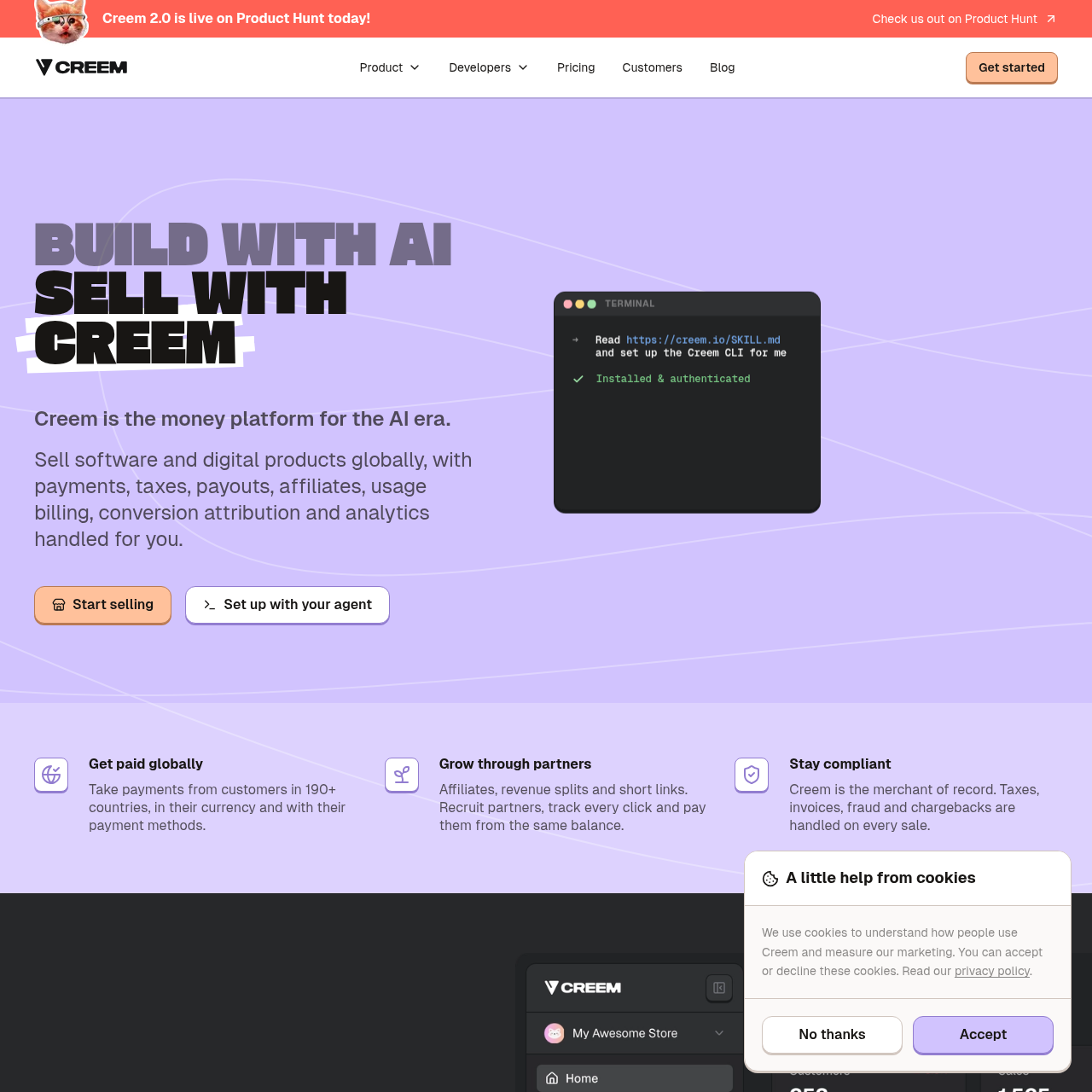
CREEM 2.0 is an all-in-one merchant of record and billing platform designed for software businesses, offering agentic store configuration, usage-based metering, credit wallets, and global tax compliance.
CREEM 2.0 operates as a global merchant of record platform tailored for software and digital product businesses. It combines checkout infrastructure, indirect tax management, invoice issuance, and fraud protection to allow developers to sell across more than 190 countries without establishing local tax entities.
Beyond standard checkout processing, the platform provides specialized billing models for AI and software applications, including prepaid credit wallets, seat-based subscriptions, and metered usage. It also integrates programmatic store management through an MCP server, CLI, and mobile monitoring applications.
What Can You Use CREEM 2.0 For?
Source-supported ways to use the product
Selling AI Model Usage with Credit Wallets
Software developers configure prepaid credit balances that decrement based on user generations, API calls, or compute minutes, with optional auto-refill triggers.
Automated Partner Revenue Sharing and Affiliates
Founders recruit affiliate partners, assign custom commission rates, and automatically split transaction revenue among collaborators without manual spreadsheet reconciliation.
Agent-Driven Store Administration
Technical teams use MCP-compatible assistants such as Claude Code or Cursor to generate checkout links, configure webhooks, and manage store settings via natural language.
How to Use CREEM 2.0
The documented workflow, where available
1
Install Developer Tooling
Add the Creem MCP server to an MCP client such as Claude Code, Cursor, or Claude Desktop, or set up the CLI.
2
Configure Products and Meters
Define products, credit packs, usage meters, or discount codes using agent prompts, the CLI, or the web dashboard.
3
Test Store Infrastructure
Test checkout flows and verify incoming webhooks within the sandbox environment using test API keys.
4
Activate Live Operations
Switch from test keys to production keys to accept global customer transactions and monitor sales in real time.
Agentic Commerce and Developer Tooling
CREEM 2.0 integrates Model Context Protocol tooling into its commerce architecture, enabling AI development assistants to manage store configuration tasks. Developers can configure an MCP server within clients like Claude Code, Cursor, or Claude Desktop using skill files that outline platform functions.
Through API keys in test mode, connected agents can script dashboard operations, construct product catalogs, generate checkout URLs, and register verified webhooks. In production, agents can monitor lifecycle events such as failed renewals, scheduled cancellations, and new purchases to initiate recovery actions or discount offers.
Model Context Protocol server compatible with Claude Code, Cursor, and Claude Desktop
Command-line interface and REST API for automating store setup and event tracking
Lifecycle event notifications covering sales, failed renewals, and cancellation spikes
Support for test-mode sandboxing before activating live payment keys
What to Test Before Choosing CREEM 2.0
Checks to run with your own material and workflow
Confirm whether the supported payment methods and regional currencies meet target customer requirements.
Verify that the custom metering API accommodates the specific event ingestion volume and aggregation rules of your application.
Check the configuration process for the MCP server in your selected development environment.
Review compliance coverage and tax remittance procedures across the specific jurisdictions where you plan to sell.
Answers based on the source-checked product record
What role does Creem play as a merchant of record?+
Creem acts as the merchant of record for transactions, which means it processes customer payments, issues compliant invoices, handles fraud screening, assumes chargeback liabilities, and calculates, collects, and remits indirect taxes such as VAT, GST, and sales tax across supported countries.
How does usage-based billing work on the platform?+
Usage-based billing allows businesses to attach per-unit pricing to products with optional free allowances and usage caps. Developers define custom meters for metrics like tokens, API requests, compute, or active seats, send usage events to the API, and Creem aggregates and bills the activity.
How can AI agents interact with the platform?+
AI agents can connect via the Model Context Protocol server, CLI, or direct API calls. After configuring an MCP client such as Claude Code, Cursor, or Claude Desktop, agents can create products, open checkouts, configure verified webhooks, and generate customer billing portal links.
Which payment methods are accepted through Creem checkouts?+
Creem supports payments through credit and debit cards, PayPal, Apple Pay, and Google Pay, enabling buyers in over 190 countries to pay in their local currencies.
What tools are available for monitoring sales and store activity?+
Store activity can be monitored via native mobile applications for iPhone and Android with real-time lock screen push notifications, agent notifications across platforms like Slack, or through the centralized dashboard.
More Ecommerce AI tools
Explore other recently added tools in the same category.