Clipto
Clipto: Powerful Local Natural Language Media Search for Mac Users and Creative Professionals
Clipto is an AI-powered local media search engine for Mac that allows users to find moments in their video and photo libraries using plain English. It offers 100% privacy with no cloud uploads, supporting local folders, NAS, and cloud storage integration.
2026-06-02
1800.0K
Clipto Product Information
Clipto: The Future of Fully Local, Natural Language Media Search
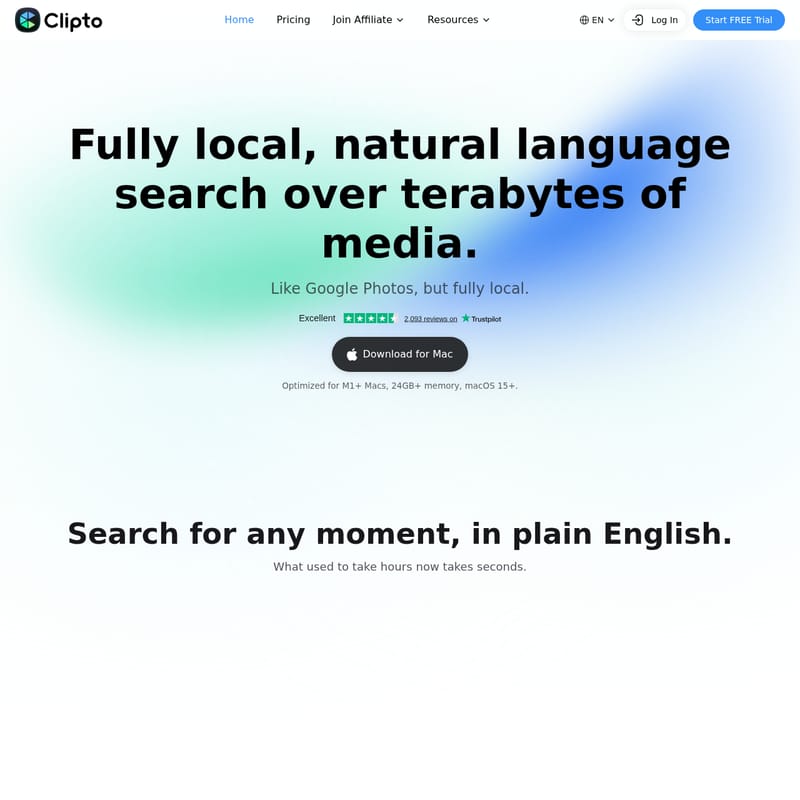
In an era where digital media production is at an all-time high, managing and searching through terabytes of video and photo content has become a significant bottleneck for creators. Clipto emerges as a revolutionary solution, offering a fully local, natural language search experience over vast media libraries. Often described as "Google Photos, but fully local," Clipto is designed specifically for power users who need to find specific moments in their footage without the privacy concerns or latency of cloud-based services.
What is Clipto?
Clipto is an advanced media management and search tool optimized for M1+ Macs running macOS 15+. It leverages cutting-edge AI to turn years of disorganized media into a searchable, intuitive library. Unlike traditional file explorers that rely on manual naming and folder structures, Clipto understands the actual content of your videos and images.
Whether your files are stored on local folders, a NAS (Network Attached Storage), or synced via Dropbox and Google Drive, Clipto creates a unified knowledge layer. It allows you to search for any moment in plain English, transforming a process that used to take hours of manual scrubbing into a task that takes mere seconds. Best of all, Clipto operates with a "No Cloud, No Upload" policy, ensuring your data remains entirely on your device.
Key Features of Clipto
Clipto is packed with features designed to streamline the creative workflow and enhance media discoverability.
Natural Language Search
Stop guessing filenames. With Clipto, you can search for any moment using plain English. If you can describe it, Clipto can find it. This natural language processing capability allows for unexpected precision when hunting for specific clips.
Comprehensive Search Categories
- People: Find anyone across your entire content library. Clipto allows you to search by name and instantly jump to every specific moment a person appears on screen.
- Actions: Search for specific behaviors or events. Whether it is a "handshake," a "goal celebration," or a "hug," Clipto identifies the action within the video.
- Dialogue: Clipto indexes every spoken word. You can search for specific phrases and jump straight to the exact timecode when they were said.
- Scenes: Search by environment, objects, or lighting. Find moments like "a city at night," "a person in white," or "mountain landscapes" with ease.
Privacy and Performance
- No Upload: Your data stays on your device. Clipto never uploads your private media to the cloud.
- Private by Design: All AI processing runs locally on your Mac, giving you full control over your data.
- Offline Functionality: Clipto works perfectly without an internet connection, making it ideal for travel, field work, or on-the-go editing.
- Optimized for Apple Silicon: To ensure high performance, Clipto is optimized for M1+ Macs with at least 24GB of memory.
Workflow Integration
Clipto is built to stay in your creative flow. It integrates directly into professional tools like Adobe Premiere Pro, with more integrations planned for the future. This allows editors to pull clips directly into their projects without leaving their workspace.
How to Use Clipto
Getting started with Clipto is a straightforward process designed to get you from a messy archive to an organized library quickly:
- Download and Install: Download Clipto for Mac (requires macOS 15+ and M1 chip or better).
- Connect Your Storage: Point Clipto toward your media sources, including local folders, external hard drives, NAS, or cloud-sync folders like Dropbox and Google Drive.
- Local Indexing: Let Clipto scan your media. The AI will analyze the video and audio locally to understand people, actions, and dialogue.
- Search in Plain English: Use the search bar to type what you are looking for (e.g., "the interview where he mentions growth" or "shots of the sunset").
- Jump to Timecode: Click on the results to jump to the exact moment in the video. You can then use these clips directly in your workflow or integrated apps like Premiere Pro.
Use Case: Who is Clipto For?
Clipto is an essential tool for anyone working with high volumes of media content every day.
Video Agency Owners
For agencies running multiple client projects, manual logging is a massive time sink. As Daniel, an agency owner, notes: "Auto-tagging basically eliminated the manual logging step... it gets us 80% organized instantly." This allows teams to focus on refining and searching rather than starting from zero.
Filmmakers
Filmmakers often shoot multiple takes of every scene. Kattie, a filmmaker, uses Clipto to avoid scrubbing through hours of footage. By searching for a specific moment, she can find the best take in seconds.
Marketers
Marketers often have assets scattered across various drives. Ian uses Clipto to pull up exact clips without opening dozens of folders or waiting for cloud uploads, keeping all his campaign footage accessible on his Mac.
Photographers
Restaurant photographers like Zhan shoot huge volumes of footage daily—from food close-ups to ambience shots. Clipto automatically tags these moments, turning a messy archive into a searchable library where shots can be found by keyword and timecode.
Video Editors
Editors like Alex see Clipto as a vital tool for the creator economy, helping manage the influx of content and streamlining the editing process across various client projects.
Frequently Asked Questions (FAQ)
Q: Does Clipto store my videos in the cloud? A: No. Clipto is fully local. Your data stays on your device and nothing is ever uploaded or stored in the cloud.
Q: What are the system requirements for Clipto? A: Clipto is optimized for M1+ Macs (Apple Silicon) with 24GB+ of memory and requires macOS 15+.
Q: Can Clipto search through spoken words? A: Yes. Clipto includes powerful dialogue search. It transcribes spoken words so you can jump to the exact moment a specific phrase was mentioned.
Q: Does it work with NAS or Dropbox? A: Yes, Clipto can understand and index files across Dropbox, Google Drive, NAS, and local folders, providing a unified search layer for all your storage.
Q: Is there a mobile version? A: Yes, you can download Clipto for iPhone by scanning the QR code on the official site.
Q: What kind of transcription tools does Clipto offer? A: Clipto provides a suite of transcription tools including Video and Audio Transcription Online, as well as specialized tools to Transcribe Instagram to Text, Transcribe TikTok to Text, and convert Mp3/Mp4 to text for podcasts, interviews, and meetings.