Upscayl
Upscayl AI Image Upscaler: The Ultimate AI-Powered 4K Photo Enhancement and Reconstruction Tool
Upscayl AI Image Upscaler is a premier AI-powered platform designed to transform low-resolution, blurry, or pixelated photos into stunning 4K and 8K visuals. Leveraging advanced Upscayl Models and the Upscayl ai image upscaler engine, it provides professional-grade results including texture reconstruction, facial enhancement, and background removal. Ideal for photographers and e-commerce.
2026-07-23
36.0K
Upscayl Product Information
Upscayl AI Image Upscaler: The Ultimate AI-Powered 4K Image Enhancement Solution
In the digital age, image quality is paramount. Whether you are a professional photographer, an e-commerce business owner, or a social media enthusiast, the need for high-resolution visuals is constant. Enter the Upscayl AI Image Upscaler, a cutting-edge platform designed to transform your low-resolution photos into stunning, crystal-clear 4K masterpieces. By utilizing sophisticated Upscayl Models, this Upscayl ai image upscaler ensures that every pixel is optimized for maximum clarity and detail.
What's Upscayl AI Image Upscaler?
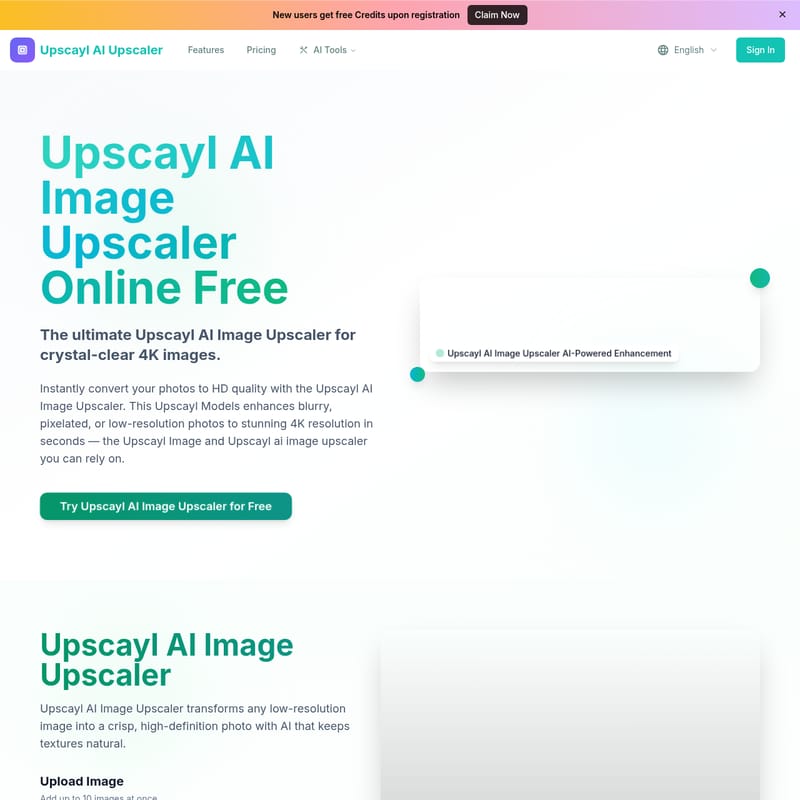
Upscayl AI Image Upscaler is a comprehensive, AI-powered image enhancement tool that specializes in upscaling images to HD, 4K, and even 8K resolutions. Unlike traditional resizing methods that often result in pixelation and blur, the Upscayl AI Image Upscaler uses advanced artificial intelligence to intelligently reconstruct lost data. This Upscayl Image technology analyzes the content of your photo and generates new pixels that blend seamlessly with the original texture, ensuring a natural and professional look.
The platform is more than just a simple upscaler; it is a full-featured AI suite. From the Upscayl AI Upscaler core engine to integrated tools like the Background Remover and Face Enhance features, it provides a one-stop solution for all your photo improvement needs. New users can even get started with free credits upon registration to experience the power of the Upscayl Models firsthand.
Key Features of Upscayl AI Image Upscaler
The Upscayl AI Image Upscaler is packed with features designed to deliver high-quality results with minimal effort. Here are the core functionalities that set the Upscayl ai image upscaler apart:
1. Advanced AI Upscaling (Up to 8K)
The core of the platform is the Upscayl AI Image Upscaler engine. It allows users to choose from various output resolutions, including 1K, 2K, 4K, 6K, and 8K. This flexibility ensures that your Upscayl Image is perfectly suited for its intended platform, whether it's a mobile screen or a large-format print.
2. Smart Reconstruction Technology
Using specialized Upscayl Models, the tool performs smart reconstruction. This AI-powered detail enhancement analyzes the image content to restore lost information, making it ideal for restoring old, cherished photos or enhancing low-quality assets for commercial use.
3. Face Enhance (GFPGAN)
For portraits and selfies, the Upscayl AI Image Upscaler includes a Face Enhance feature powered by GFPGAN. This tool specifically targets facial features, ensuring that eyes, skin textures, and hair look sharp and realistic even after significant upscaling.
4. AI Background Remover
Beyond upscaling, the platform includes a powerful Background Remover. This tool uses AI to detect subjects and remove backgrounds instantly, allowing you to download clean, transparent PNGs for product listings or creative designs.
5. Batch Processing
Efficiency is key for business users. The Upscayl AI Image Upscaler supports batch limits, allowing you to upload up to 10 images at once (up to 20.00MB each) in JPG, PNG, or WEBP formats. This saves hours of manual work for e-commerce teams and photographers.
6. Specialized Upscaler Integration
The platform also provides access to other industry-leading tools like the Magnific AI Upscaler for creative detail recovery and the VanceAI Image Upscaler for anime and low-resolution asset optimization.
Use Cases for Upscayl AI Image Upscaler
How can you best utilize the Upscayl AI Image Upscaler? Here are a few common scenarios:
- E-commerce and Business: Use the Upscayl ai image upscaler to convert low-quality product shots into professional, print-ready 4K images. This enhances the visual appeal of your store and can lead to higher conversion rates.
- Old Photo Restoration: Bring old family memories back to life. The Upscayl Models are excellent at reducing noise and sharpening blurry faces in vintage photographs.
- Social Media Optimization: Ensure your posts stand out with vibrant colors and sharp details. The Upscayl Image workflow is optimized for social media platforms, providing high-definition results that look great on any device.
- Professional Printing: Before sending a digital image to the printer, run it through the Upscayl AI Image Upscaler to ensure the resolution is high enough to prevent jagged edges and blur in the physical print.
How to Use Upscayl AI Image Upscaler
Using the Upscayl AI Image Upscaler is a straightforward process that requires no technical skills. Follow these three simple steps to transform your photos:
- Upload Your Image: Drag and drop your files or click to upload. The platform supports JPG, PNG, and WEBP formats up to 20MB. You can even paste a URL for instant access.
- AI Processing: Select your desired resolution (e.g., 4K or 8K) and toggle features like Face Enhance. Click "Start Upscayl AI Image Upscaler" and let the Upscayl Models analyze and enhance your image in seconds.
- Download HD Result: Once the processing is complete, you can preview the before-and-after results using the interactive slider. Download your crystal-clear Upscayl Image instantly.
Pricing and Plans
The Upscayl AI Image Upscaler offers flexible plans to suit different needs, leveraging the robust Upscayl Models stack:
- Professional ($4.9/month): Perfect for photographers. Includes 200 HD photo conversions per month, Portrait mode, and Ultra Clean AI upscaling.
- Business ($7.9/month): Best for e-commerce teams. Includes 500 HD photo conversions per month and Batch processing API access.
- Enterprise ($9.9/month): For high-volume users. Includes 3,000 HD photo conversions per month and advanced API access.
Note: Yearly plans offer a 50% discount. Credit packs are also available for those who prefer a pay-as-you-go model.
Why Choose Upscayl AI Image Upscaler?
Choosing the Upscayl AI Image Upscaler means choosing quality and speed. The platform delivers near-lossless upscaling that preserves textures, edges, and natural details. While other tools might over-sharpen and create artifacts, the Upscayl ai image upscaler ensures a realistic output. With lightning-fast processing speeds of approximately 2 seconds per photo and a community of over 100,000 trusted users, it is the most reliable Upscayl AI Upscaler on the market today.
FAQ
Q: How does the Upscayl AI Image Upscaler work? A: It uses advanced deep learning Upscayl Models to analyze the low-resolution input and intelligently generate new pixels, increasing resolution while preserving visual integrity.
Q: What image formats does the Upscayl AI Image Upscaler support? A: The platform currently supports JPEG, JPG, PNG, and WEBP formats with a maximum file size of 20.00MB each.
Q: How long does it take with Upscayl AI Image Upscaler? A: Processing is lightning-fast, typically taking only about 2 seconds per photo, depending on the chosen output resolution.
Q: Will I lose image quality when upscaling? A: No. The Upscayl ai image upscaler is designed for AI-powered lossless upscaling, which actually improves quality by removing noise and sharpening edges.
Q: Is Upscayl AI Image Upscaler really free? A: New users get free credits upon registration to try the Upscayl Image enhancement tools. Further use may require purchasing credits or a subscription plan.
Q: Are my photos stored on your servers? A: The Upscayl AI Image Upscaler prioritizes user privacy. Please refer to our Privacy Policy for detailed information on data handling and security.