Uni-1 AI Image Generator
Uni-1 AI Image Generator: Advanced Multimodal Reasoning for Fast, Launch-Ready Visual Creation
Uni-1 is a revolutionary multimodal reasoning model designed for high-quality AI image generation and editing. Unlike traditional models that simply decorate prompts, Uni-1 understands intent, spatial reasoning, and visual plausibility. Whether using text-to-image or image editing workflows, Uni-1 provides consistent character rendering and precise control over scenes and styles. It offers a professional studio workbench for creators to transform imagination into production-ready visual assets through intelligent reference-aware technology and human-evaluated aesthetic quality.
2026-03-27
--K
Uni-1 AI Image Generator Product Information
Uni-1 AI Image Generator: The Multimodal Reasoning Model for Professional Visual Creation
In the rapidly evolving landscape of digital art, the Uni-1 AI Image Generator emerges as a sophisticated solution for creators seeking more than just random image generation. Developed as a multimodal reasoning model by Luma, the Uni-1 framework is designed to understand human intent, follow complex instructions, and generate pixels with a level of logic and spatial awareness that sets it apart from traditional AI tools.
Whether you are a designer, a content creator, or an agency professional, the Uni-1 creative model family offers a streamlined workbench for producing launch-ready visuals. From consistent character creation across different scenes to precise image editing, Uni-1 provides a production-fit environment where imagination meets technical precision.
What's Uni-1?
Uni-1 is a visual AI model that focuses on reasoning, direction, and controllable generation. While many tools are looking for "Uni 1.0," the Uni-1 model represents a broader family of creative intelligence. Described as a multimodal model that generates pixels, Uni-1 is built to do more than simply decorate prompts. It possesses the "visual intelligence" necessary to understand references, follow specific directions, and produce believable visual changes.
At its core, Uni-1 is a multimodal reasoning model that combines prompt understanding with visual generation. This means the Uni-1 AI Image engine doesn't just guess what you want; it reasons through the composition, lighting, and subject matter to ensure the output aligns with your professional needs. It is particularly effective for users who require one photo to yield infinite possibilities while maintaining the same character across any scene or style.
Key Features of Uni-1
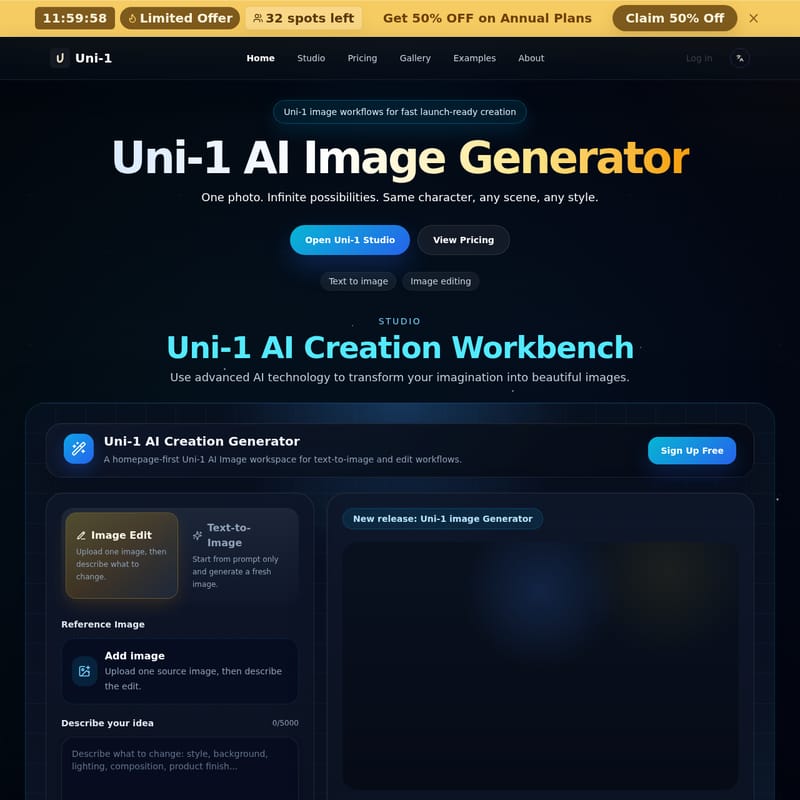
The Uni-1 AI Creation Workbench is packed with advanced features that prioritize control and aesthetic quality:
- Intelligent Reasoning: Uni-1 supports common-sense scene completion and spatial reasoning. This ensures that transformations and generations feel plausible and deliberate rather than random.
- Reference-Aware Technology: Built specifically for source-guided generation, Uni-1 allows for multi-reference control. This is essential for creators who need their results to stay close to a specific source image or artistic direction.
- Directable Editing: The Uni-1 AI Image workflow handles reference-guided generation with ease, making it a strong fit for iterative visual design.
- Cultured Aesthetic Awareness: Uni-1 is designed with a deep understanding of aesthetics, internet culture, manga, and various style-sensitive art directions.
- Human-Evaluated Quality: Luma emphasizes that Uni-1 has strong human preference rankings in terms of overall quality, editing precision, and reference-based generation.
- Production-Ready Output: The workbench supports high-quality formats (JPG) and various aspect ratios (1:1) to ensure your Uni-1 AI Creation is ready for professional use.
How to Use Uni-1
Using the Uni-1 AI Image Generator is a straightforward four-step process designed to move from concept to final asset quickly.
1. Choose Your Workflow
Decide whether you want to use text-to-image to create a fresh visual from scratch or use image edit if you have a source image that requires refinement.
2. Write a Clear Uni-1 Prompt
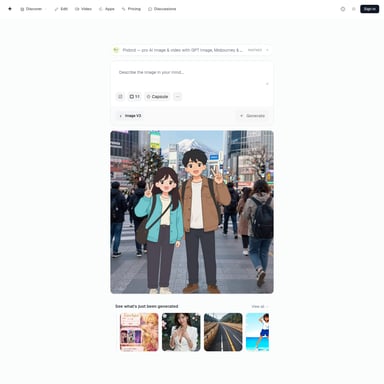
Input a descriptive prompt in the Uni-1 Studio. To get the best results from the Uni-1 Generator, describe the subject, style, lighting, composition, and finish. Clear direction leads to a stronger first-pass result.
3. Generate and Review
Run the job (costing 12 credits per generation). Review the output within the Uni-1 AI Creation workspace. The model's reasoning capabilities will produce a result that follows your instructions closely.
4. Refine or Download
If the result is perfect, download your visual. If it needs more work, you can use the result as a new source for an edit or continue refining the prompt until the Uni-1 output matches your production requirements.
Use Case for Uni-1
Uni-1 is versatile enough to handle a wide range of commercial and creative scenarios:
- Product Photography: Use the Uni-1 Prompts gallery to find curated sets for commercial-friendly product shots and macro details.
- Character Consistency: Maintain the same character across different environments, which is ideal for storytelling, branding, or social media campaigns.
- Professional Portraits: Generate high-quality portraits with specific lighting and style directions.
- Marketing Materials: Create posters, lifestyle scenes, and restoration projects with a model that understands the nuances of art direction.
- Agency Production: High-volume teams can use Uni-1 for rapid prototyping and final asset creation with commercial use rights.
FAQ
How does Uni-1 pricing work?
The Uni-1 workbench operates on a credit-per-job basis. Both text-to-image and image edit workflows currently cost 12 credits. You can view the cost in the studio before starting any creation.
Will I be charged if a Uni-1 generation fails?
No. Failed or canceled jobs should not consume credits. If you encounter an issue, check your job status and contact support with the details for a review.
How long does image generation take in the Uni-1 Studio?
Most Uni-1 runs are completed after a short wait. Timing depends on the queue load and whether you are performing a complex edit or a simple text-to-image generation.
Where can I find and download my Uni-1 results?
Your latest results are displayed directly in the Uni-1 Generator workbench. Signed-in users can access their history to revisit recent jobs and download successful images from the result panel.
What plans are available for Uni-1?
Uni-1 offers several subscription tiers:
- Starter: Ideal for small projects and trying out Uni-1 AI Image generation.
- Pro: Best for designers and content professionals, offering priority queues and faster generation.
- Premium: Designed for agencies and high-volume production with the fastest queue and priority support.