Scrimba Explain
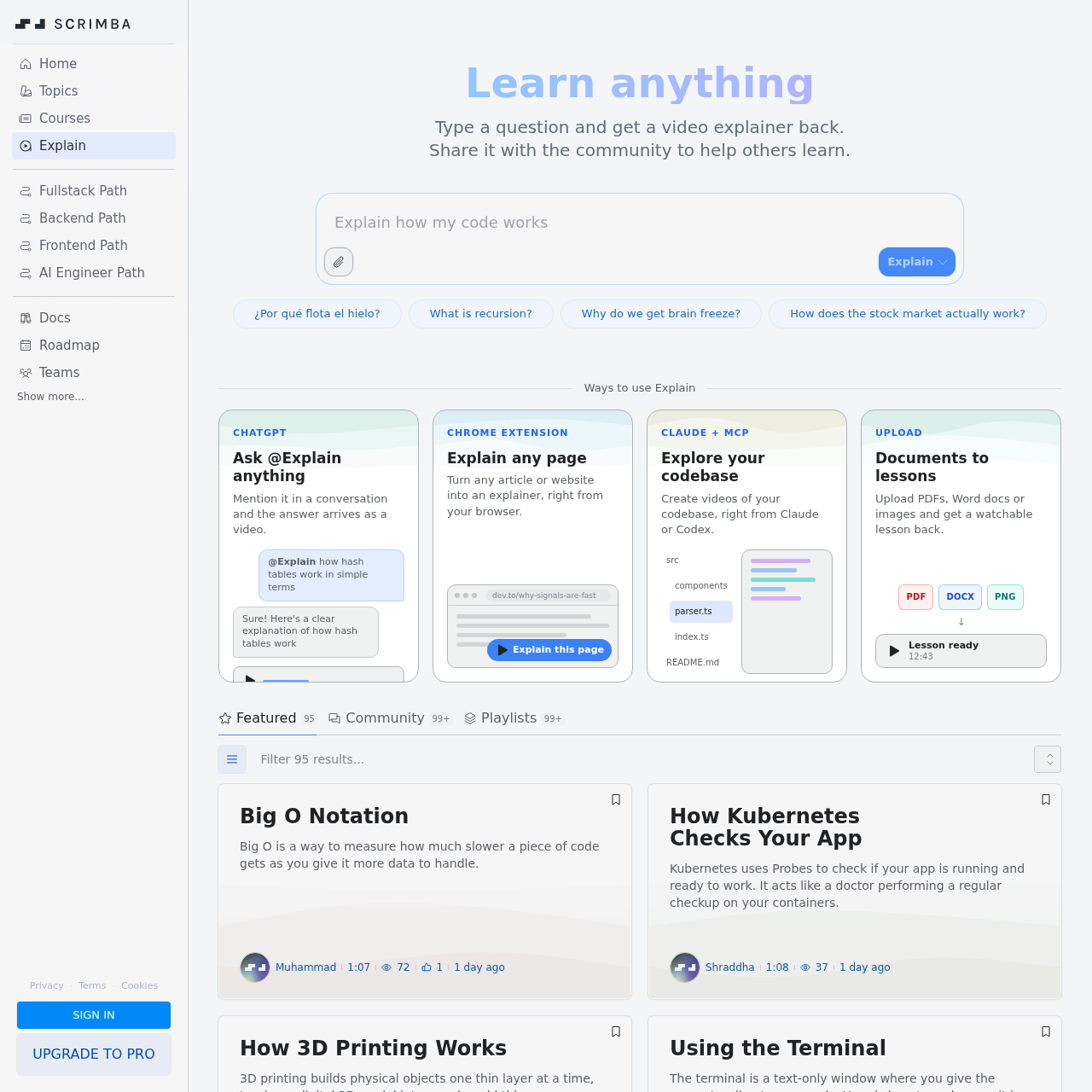
Scrimba Explain is an AI-driven educational tool that transforms text, documents, web pages, and code into concise video lessons.
What the product does and how it is positioned
Scrimba Explain is a specialized AI utility designed to facilitate learning by converting various forms of information into video explainers. It allows users to input specific questions or provide source material to receive a structured visual and auditory explanation.
The tool is integrated into common workflows through browser extensions and AI chat platforms, enabling users to generate educational content from their current web browsing session or development environment.
Source-supported ways to use the product
Converting technical articles or blog posts into video format for easier consumption using the Chrome extension.
Generating video walkthroughs of complex code structures and files to help developers understand a project's architecture.
Transforming static study materials like PDFs or images into interactive video lessons for students or teams.
The documented workflow, where available
The user provides a text prompt, uploads a document, or navigates to a web page they wish to have explained.
The user triggers the tool via the Chrome extension, a ChatGPT mention, or the Claude interface.
The system processes the input material and generates a watchable video explainer for the user to view or share.
Scrimba Explain is designed to operate where users already consume or manage information. Rather than requiring a centralized dashboard for every action, it utilizes a distributed approach through several key integrations.
The Chrome extension allows for immediate conversion of any active browser tab into a lesson. For conversational needs, the ChatGPT integration enables users to summon video explanations mid-chat. For technical users, the Claude and MCP integration focuses on interpreting codebases, turning raw source files into narrated video guides.
Checks to run with your own material and workflow
What was checked and when
Answers based on the source-checked product record
Users can upload PDF documents, Word files (DOCX), and images (PNG) to be converted into video lessons.
You can mention @Explain within a conversation to receive a video explainer as a response to your specific question.
Yes, the Scrimba Explain Chrome extension can turn any article or website into a video explainer directly from the browser.
The tool integrates with Claude and MCP to explore codebases and create video walkthroughs of your source files.
According to the official website, Scrimba Explain is currently in a BETA stage of development and testing.