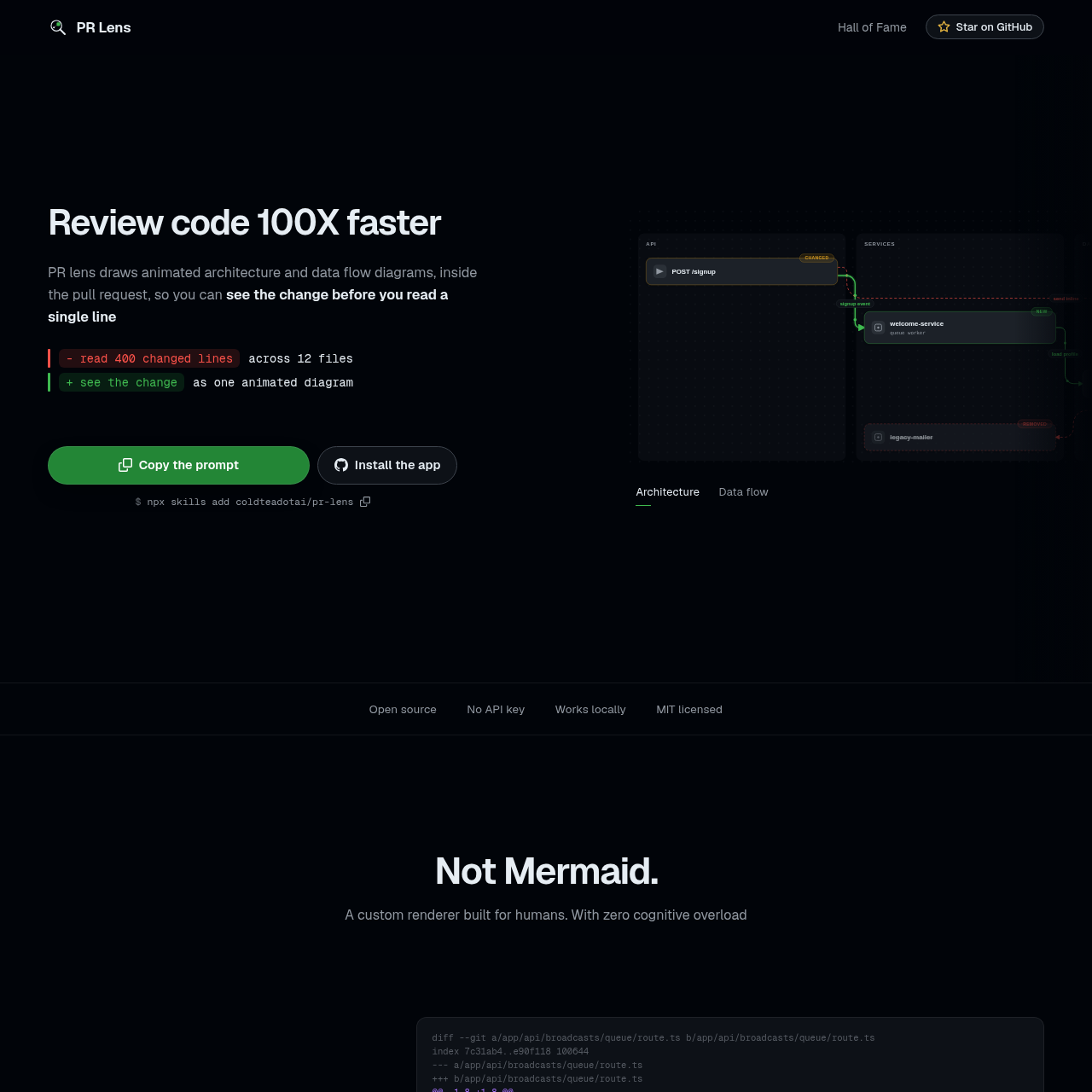
PR Lens by Coldtea.ai provides automated, animated architecture and data flow visualizations for pull requests, helping developers understand code changes at a glance.
Code & ITVisualizes additions, changes, and…Provides drill-down viewsUpdates diagrams automatically on each…Animated Architecture and Data Flow…
Listed on AIToolly
What Is PR Lens by Coldtea.ai? Product Overview
What the product does and how it is positioned
PR Lens is a tool designed to enhance code review by generating visual diagrams directly inside pull requests. It maps out architecture and data flow, allowing developers to see the impact of changes before reading individual lines of code.
The tool utilizes a deterministic rendering engine to create SVG diagrams that remain functional within GitHub comments. By focusing on system-level context rather than just diffs, it aims to reduce cognitive load during the review process.
What Can You Use PR Lens by Coldtea.ai For?
Source-supported ways to use the product
Code Review Assistance
Developers use the tool to visualize system changes and data flow impacts within pull requests to speed up the review process.
Documentation and Knowledge Sharing
The renderer can be used to generate diagrams for blog posts, documentation sites, or local tools to explain code structure.
Deterministic Rendering Engine
The tool employs a custom renderer that transforms a strongly typed schema into SVG output. This process is designed to be deterministic, meaning it produces identical results regardless of the environment, such as a CI runner or a local laptop.
Zero dependencies for the rendering process
Text measurement uses an embedded table instead of a font engine
Animations are implemented using standard SVG animateMotion markup
What to Test Before Choosing PR Lens by Coldtea.ai
Checks to run with your own material and workflow
Confirm that the repository is compatible with the GitHub App installation or CI action requirements.
Review the generated diagrams in the pull request to verify that the architecture and data flow visualizations align with the intended code changes.
Answers based on the source-checked product record
Does PR Lens use Mermaid for its diagrams?+
No, PR Lens is not based on Mermaid. It uses a custom, deterministic renderer built specifically for its own schema to ensure consistent SVG output.
How does the tool handle updates to a pull request?+
The tool automatically updates the diagrams whenever a new push is made to the pull request, supporting the visual representation remains synchronized with the latest code changes.
Can I use PR Lens outside of GitHub pull requests?+
Yes, the renderer is designed to be versatile. It can be used to draw diagrams for blog posts, documentation sites, or other local tools as long as the input follows the required schema.
Does the tool require an API key to function?+
When using the official GitHub App, no user-provided API key is required. If you choose to run the tool via CI, you may supply your own API key for the underlying model.
Are the diagrams interactive?+
The diagrams are rendered as SVGs that support animation. Users can pan, zoom, and pick themes within the canvas provided in the pull request comment.
More Code & IT AI tools
Explore other recently added tools in the same category.