pay.sh
Pay.sh: The Pay-Per-Use API Payment Layer for Autonomous AI Agents and Developers
Pay.sh is a coordination layer enabling AI agents to autonomously pay for APIs. It bridges the gap between human-centric credentials and the agentic economy with no-sign-up, pay-as-you-go access to over 72 indexed services.
2026-05-08
--K
pay.sh Product Information
Pay.sh: The Essential Payment Layer for the Agentic Economy
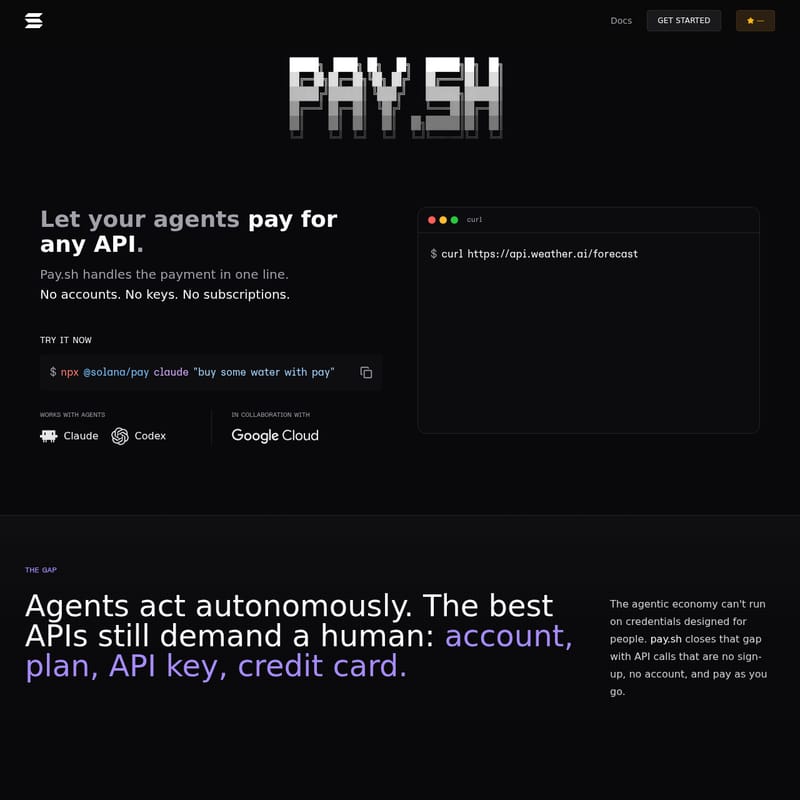
In the rapidly evolving world of artificial intelligence, agents are becoming increasingly autonomous. However, a significant hurdle remains: the infrastructure of the internet is still designed for humans. Most high-quality APIs require a human to create an account, select a subscription plan, manage API keys, and attach a credit card. Pay.sh bridges this gap by providing a coordination layer that allows agents to pay for any API in a single line of code.
With Pay.sh, the agentic economy can finally run without the friction of credentials designed for people. By offering a "no sign-up, no account, and pay-as-you-go" model, Pay.sh empowers developers and API providers to build a future where agents can discover, price, and call services independently.
What’s Pay.sh?
Pay.sh is a revolutionary platform and CLI tool designed to handle API payments for autonomous agents and command-line workflows. It functions as a coordination layer that eliminates the need for traditional accounts and subscriptions. Instead of managing dozens of individual API keys, developers can use Pay.sh to facilitate one-line payments for a wide variety of services.
At its core, Pay.sh addresses "The Gap." While agents can act autonomously, the best APIs still demand human intervention for administrative tasks. Pay.sh closes this gap, allowing APIs to be published in a format that agents can discover and call without a human ever having to create an account first. This creates a compact service list for agents and a direct path to pay-as-you-go demand for providers.
The Three Beats of Pay.sh
- No sign-up: Skip the onboarding friction.
- No account: Eliminate the need for credential management.
- Pay as you go: Only pay for the exact API calls your agent uses.
Key Features of Pay.sh
Pay.sh offers a robust set of features designed for both API consumers (agents/developers) and API providers.
1. One-Line API Payments
Whether you are using a command line or an autonomous agent like Claude or Codex, Pay.sh allows you to pay for any API call with a single command. For example, using the Solana-integrated CLI:
$ npx @solana/pay claude "buy some water with pay".
2. Extensive Service Catalog
Pay.sh currently indexes 72 services across various categories, including:
- AI/ML: Access to Alibaba Cloud OCR, Google Cloud Vision, and Perplexity AI.
- Data & Search: Integration with Wolfram Alpha, Google BigQuery, and Social Intel.
- Messaging: Send SMS via Textbelt or manage agent inboxes with AgentMail.
- Crypto/Finance: Real-time market data through StableCrypto and CoinGecko.
- Compute & Storage: Blockchain RPCs via Quicknode and file hosting via StableUpload.
3. Agent-Friendly Discovery
API providers can publish their services in a format that agents can easily discover. The Pay.sh catalog includes endpoints, pricing (ranging from free tiers to metered micropayments), and status updates, ensuring agents always have the latest information.
4. Developer CLI Tools
For developers, Pay.sh provides a simple four-line setup to integrate paid API calls into any workflow. With tools like pay curl, you can route standard requests through the Pay.sh gateway seamlessly.
How to Use Pay.sh
Getting started with Pay.sh is designed to be as fast as running a single script. Developers can choose to use the CLI or run a local demo to see the coordination layer in action.
CLI Quickstart
To integrate Pay.sh into your development environment, follow these steps:
- Install the CLI: Use Homebrew to install the tool.
brew install pay - Setup: Initialize your environment.
pay setup - Update Catalog: Fetch the latest list of agent skills and API endpoints.
pay skills update - Run a Request: Execute a paid API call using the endpoint found in the catalog.
pay curl [service-url] -d '{"prompt":"summarize this article"}'
The Workflow Process
- Step 01: Pick a service: Search the catalog via Claude, Codex, or the CLI to find the right endpoint.
- Step 02: Run the request: Send a
curlorfetchcall through Pay.sh. The agent will see the quoted cost before the request is finalized. - Step 03: Get the response: The provider returns the data, and the user only pays for the specific call that was used.
Use Cases for Pay.sh
Pay.sh is versatile enough to support a wide range of autonomous tasks. Here are some primary use cases for the Pay.sh ecosystem:
AI-Powered Content Generation and Analysis
Agents can use Pay.sh to call the fal.ai API for image and video generation (FLUX, Stable Diffusion) or Alibaba Cloud OCR to extract structured data from documents. Since these are pay-per-use, there is no need for a monthly subscription to each model provider.
Automated Market Research and Data Enrichment
By using the StableEnrich or Wolfram Alpha endpoints, an agent can perform deep web scraping, person enrichment, and computational fact-checking. A marketing agent could autonomously find influencers via Social Intel and verify their contact details without human oversight.
Agentic Communication
With AgentMail and StablePhone, AI agents can create their own dedicated email inboxes or make outbound phone calls. This is ideal for workflow automation where an agent needs to interact with human-centric systems like support desks or scheduling services.
Real-Estate and Local Search
Agents integrated with RentCast API or Tripadvisor can search property records, analyze market trends, or retrieve restaurant reviews for travel planning—all billed per request through the Pay.sh coordination layer.
FAQ
Q: Which agents work with Pay.sh? A: Pay.sh is designed to work with any agentic workflow, with specific integrations for Claude and Codex.
Q: Do I need to manage multiple API keys? A: No. One of the core benefits of Pay.sh is that it eliminates the need for individual API keys and accounts for the indexed services.
Q: How is pricing handled? A: Pricing is per-use and varies by provider. The Pay.sh catalog lists the price for each endpoint (e.g., $0.001 for Alibaba Cloud services or free tiers for Google Civic Information).
Q: Can I use Pay.sh for blockchain data? A: Yes. Pay.sh partners with providers like Quicknode to offer pay-per-request JSON-RPC endpoints for over 140 blockchain networks.
Q: Is there a way to test it locally? A: Yes, you can run the demo locally by using the command
pay server demoto see how the gateway URLs are exposed.