ChatGPT for Personal Finance
OpenAI Introduces New Personal Finance Experience in ChatGPT with GPT-5.5 Advanced Reasoning
Explore the new personal finance experience in ChatGPT for Pro users. Securely connect 12,000+ financial institutions, access a personalized dashboard, and leverage GPT-5.5 for budgeting, spending insights, and goal planning.
2026-05-18
195737.8K
ChatGPT for Personal Finance Product Information
A New Era of Personal Finance with ChatGPT: Securely Manage Your Money with GPT-5.5
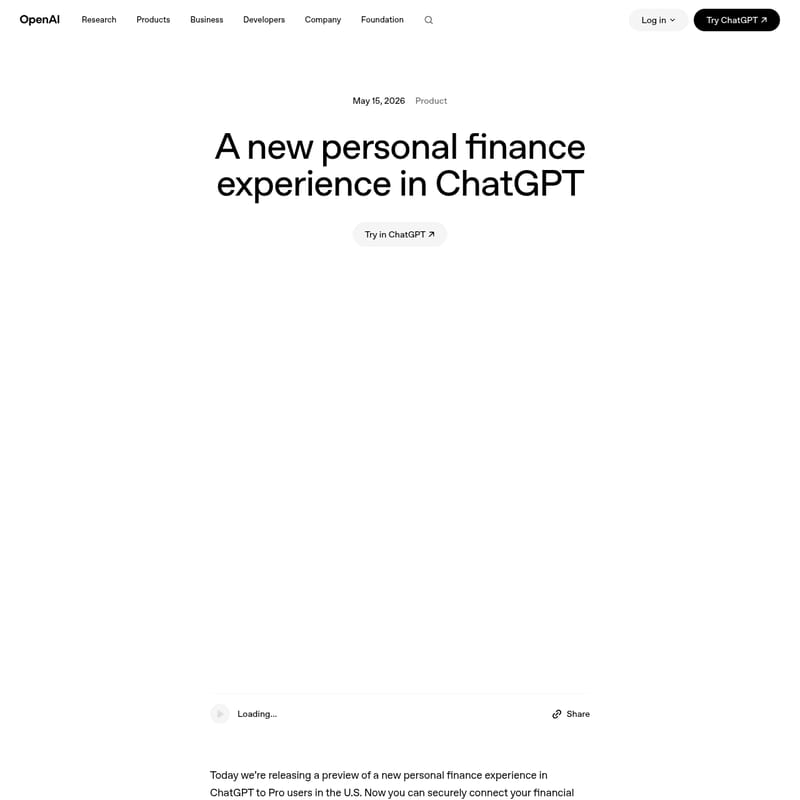
Managing your money effectively is one of the most critical aspects of life, influencing where you live, the decisions you make, and how you plan for the future. However, for many, personal finance management is a fragmented process involving multiple apps, credit cards, loans, and spreadsheets. To solve this, OpenAI has released a preview of a new personal finance experience in ChatGPT.
Currently available to Pro users in the U.S., this experience allows you to securely connect your financial accounts, view a comprehensive dashboard of your spending, and ask ChatGPT complex questions grounded in your specific financial context. Powered by the advanced reasoning capabilities of GPT-5.5 Thinking, ChatGPT now helps you see the full picture of your finances and provides personalized guidance to help you reach your goals.
What’s the Personal Finance Experience in ChatGPT?
The personal finance experience in ChatGPT is a dedicated toolset designed to bring your financial life into one conversation. Rather than treating financial questions in isolation, this feature allows ChatGPT to ground its responses in your actual financial data, including balances, transactions, and investments.
By leveraging the latest GPT-5.5 Thinking model, ChatGPT can reason through complex, context-dependent financial scenarios. Whether you are budgeting for a vacation, planning for a major purchase, or reviewing your monthly subscriptions, the personal finance experience provides a centralized hub to move from answers to action. This preview is currently rolling out to ChatGPT Pro users in the U.S., with plans to expand to Plus users and eventually the broader community.
Key Features of ChatGPT Personal Finance
1. Secure Multi-Account Connectivity
ChatGPT now supports connections to more than 12,000 financial institutions. Through a secure integration with Plaid (and upcoming support for Intuit), users can link their bank accounts, credit cards, and investment portfolios directly to the platform.
2. Comprehensive Financial Dashboard
Once your accounts are synced, you gain access to an up-to-date dashboard. This visual tool provides a clear view of:
- Portfolio performance across various investments.
- Spending patterns categorized by type.
- Subscription tracking to identify recurring costs.
- Upcoming payments and liabilities.
3. GPT-5.5 Thinking Reasoning Model
Personal finance tasks are inherently complex. The experience defaults to GPT-5.5 Thinking, a reasoning model specifically evaluated for accuracy in financial contexts. In internal benchmarks, GPT-5.5 Thinking scored 79/100, while GPT-5.5 Pro reached 82.5/100, significantly outperforming earlier models in handling nuanced financial inquiries.
4. Personalized Financial Memories
ChatGPT can save key details about your financial life into Financial Memories. If you tell ChatGPT you are saving for a car or owe a personal loan, it remembers this context for future conversations. This allows for a more cohesive planning experience that evolves with your life stages.
5. Ecosystem Partner Integration
Through partners like Intuit, ChatGPT aims to help users take direct action. This includes getting credit card recommendations based on approval odds, estimating tax implications for stock sales, or connecting with live tax experts.
How to Use the Personal Finance Experience
Getting started with personal finance in ChatGPT is straightforward. Follow these steps to link your accounts and begin your financial journey:
- Access the Finance Sidebar: Open the ChatGPT sidebar and select the Finances option.
- Connect Your Accounts: Click 'Get started' or simply type "@Finances, connect my accounts" into the chat.
- Authenticate via Plaid: Follow the prompts to securely link your institutions. After authentication, ChatGPT will sync and categorize your data, which typically takes a few minutes.
- Explore Your Dashboard: View your consolidated financial state, including debts, assets, and spending trends.
- Share Context: Enhance the experience by sharing specific goals. For example: "I’m saving up to buy a house in two years."
- Ask Questions: Start a dialogue about your spending or goals to receive context-aware advice.
Use Case: Creating a Practical Savings Plan
To understand the power of a connected financial experience, consider the difference between a standard query and one grounded in data.
Scenario: Saving $500–$750 More Per Month
Without financial data, ChatGPT provides general advice like "reduce takeout" or "automate savings." However, with Finances connected, ChatGPT analyzes your actual cash flow and provides a surgical plan:
ChatGPT Analysis: "At a $110K salary, your biggest flexible spending levers are dining (~$1,620) and shopping (~$1,250)."
The Personalized Plan:
- Dining Cap: Set a limit of $450/month to save approximately $250.
- Shopping Cap: Limit Amazon and Target runs to $300/month to save another $200.
- Transportation Ceiling: Use rideshares only for late nights or bad weather to save $150.
- Automation: Set an auto-transfer of $500 to savings on payday.
By seeing the real numbers, ChatGPT transforms generic tips into a realistic monthly plan that users can actually follow.
Privacy and Security Standards
OpenAI has built the personal finance experience with a privacy-first approach. Your financial data is sensitive, and you remain in full control:
- No Account Access: ChatGPT can see balances and transactions but cannot see full account numbers or move money/make changes to your accounts.
- Data Deletion: If you disconnect your accounts, synced data is deleted from OpenAI's systems within 30 days.
- Memory Management: You can view or delete your Financial Memories at any time from the Finances page.
- Model Training: Your financial conversations follow your existing data control settings, which can be adjusted in the settings menu.
- Multi-Factor Authentication (MFA): Users are encouraged to enable MFA for an extra layer of account protection.
- Temporary Chats: If you use a temporary chat, ChatGPT will not access your connected financial accounts or save history.
FAQ
Q: Is ChatGPT a replacement for a financial advisor? A: No. While ChatGPT can help you stay informed and confident in managing your money, it is not a replacement for professional financial advice.
Q: Who can access the personal finance preview? A: The preview is currently rolling out to ChatGPT Pro users in the U.S. on web and iOS platforms.
Q: Which financial institutions are supported? A: ChatGPT supports over 12,000 financial institutions via Plaid, with Intuit support coming soon.
Q: Can I disconnect my accounts? A: Yes. You can disconnect your accounts at any time via Settings > Apps > Finances. Your data will be removed from OpenAI's systems within 30 days.
Q: What is the benefit of GPT-5.5 in this experience? A: GPT-5.5 Thinking is designed for superior reasoning. It allows ChatGPT to understand the trade-offs in your spending and provide more accurate, high-quality responses to complex financial questions.