OpenClaw-Personal AI Assistant
OpenClaw: The Open-Source AI Personal Assistant that Actually Does Things via WhatsApp and Telegram
OpenClaw is a transformative, open-source personal AI assistant designed to live on your hardware and execute real-world tasks. Unlike traditional LLMs, OpenClaw acts as a digital employee with "eyes and hands," capable of clearing inboxes, managing calendars, and even checking you in for flights through chat apps like WhatsApp, Telegram, and Discord. It offers persistent memory, full system access, and the ability to build its own skills autonomously. By prioritizing user control and privacy, OpenClaw allows you to host your own infrastructure on macOS, Windows, or Linux, integrating with models like Claude and GPT while remaining hackable and extensible.
2026-02-06
4700.0K
OpenClaw-Personal AI Assistant Product Information
OpenClaw: The AI Assistant That Actually Does Things
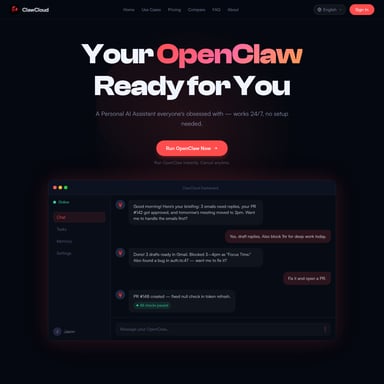
In an era dominated by chat-based AI, OpenClaw emerges as a fundamental shift in how we interact with technology. It is not just another chatbot; it is a proactive personal AI assistant that lives on your computer and executes tasks on your behalf. Whether it is clearing your inbox, sending emails, managing your calendar, or checking you in for flights, OpenClaw handles the busy work from the chat apps you already use, such as WhatsApp, Telegram, and Discord.
What's OpenClaw?
OpenClaw is an open-source personal AI assistant that functions as a "digital employee." Developed by Peter Steinberger (@steipete) and a growing community, it represents the "endgame" of personal automation. Unlike walled-garden AI services, OpenClaw runs on your own hardware—be it a Mac Mini, a Raspberry Pi, or a Linux laptop—ensuring your context and skills stay under your control.
OpenClaw acts as a smart model with "eyes and hands" at a desk. By messaging it like a coworker, you grant it the power to interact with your system, browse the web, and manage your digital life 24/7. It has been described by users as an "iPhone moment" for AI, bridging the gap between imagination and functional execution.
Features of OpenClaw
OpenClaw is packed with powerful capabilities that set it apart from standard LLM interfaces:
- Cross-Platform Integration: Talk to your assistant via WhatsApp, Telegram, Discord, Slack, Signal, or iMessage.
- Persistent Memory: It remembers your preferences and context 24/7, becoming more uniquely yours over time.
- Full System Access: OpenClaw can read/write files, run shell commands, and execute scripts on your macOS, Windows, or Linux machine.
- Browser Control: It can autonomously navigate the web, fill out forms, and extract data from any website.
- Proactive Functionality: Features like heartbeats, cron jobs, and reminders allow it to reach out to you or perform tasks in the background.
- Hackable & Extensible: Users can build custom extensions or "skills" in hours. Remarkably, the AI can even write and hot-reload its own skills.
- Privacy First: Because it is hostable on-premise, your data stays yours. It works with Claude, GPT, or even local models.
How to Use OpenClaw
Setting up OpenClaw is designed to be accessible for everyone, from non-technical beginners to hardcore developers.
Quick Start Installation
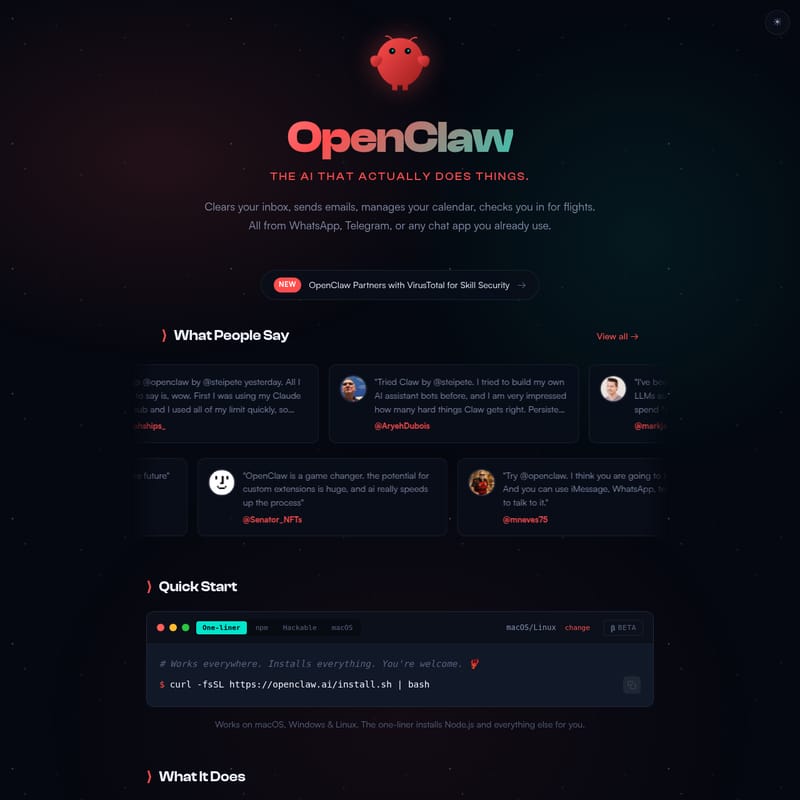
You can get started with a simple one-liner that installs Node.js and all dependencies:
curl -fsSL https://openclaw.ai/install.sh | bash
NPM Installation
If you prefer using package managers:
- Install the package:
npm i -g openclaw - Begin the setup:
openclaw onboard
Hackable/Developer Setup
For those who want to modify the source code:
- Clone the repository:
git clone https://github.com/openclaw/openclaw.git - Install dependencies:
cd openclaw && pnpm install && pnpm run build - Run the onboarding:
pnpm run openclaw onboard
Companion App
For macOS users (version 14+), a Companion App (Beta) is available, providing easy Menubar access to your assistant alongside the CLI.
Use Cases
OpenClaw is versatile enough to serve as a company assistant, a family tool, or a personal productivity powerhouse. Here are real-world examples from the community:
- Travel & Logistics: Use OpenClaw to query flights via multi-provider CLI tools or handle flight check-ins.
- Coding & Development: Kick off Claude Code sessions, run autonomous test loops, capture errors via Sentry webhooks, and open Pull Requests—all from your phone while walking the dog.
- Smart Home & Bio-Optimization: Control air purifiers (like Winix) based on biomarker data from wearables like WHOOP.
- Daily Organization: Manage Todoist tasks, summarize YouTube videos into reusable skills, and receive daily briefings for calendar events and traffic.
- Administrative Automation: Submit health reimbursements, find doctor appointments, and manage insurance disputes.
- Creative Work: Generate custom meditations with TTS (Text-to-Speech) and ambient audio, or build entire websites from a mobile device.
FAQ
Q: Does OpenClaw require a specific AI model? A: No. While many users utilize a Claude Max or CoPilot subscription, OpenClaw is model-agnostic and can work with Anthropic, OpenAI, or local models like MiniMax m2.1.
Q: Is my data safe? A: Yes. OpenClaw is designed to run on your machine, not in a walled garden. Your context, files, and credentials live on your hardware.
Q: Can I use it if I'm not a developer? A: Absolutely. Many "non-technical" users have successfully set up OpenClaw in minutes using the one-liner installer and find the CLI interface addictive and easy to use.
Q: What chat platforms are supported? A: You can interact with your assistant via WhatsApp, Telegram, Discord, Slack, Signal, and iMessage.
Q: Can OpenClaw create its own features? A: Yes! One of its most powerful aspects is its ability to build its own skills and extensions autonomously when you ask it to solve a new problem.