Minions
Minions: The Ultimate Mission Control Kanban Dashboard for Hermes Agent
Minions is a powerful mission control dashboard designed specifically for Hermes Agent users. It provides a centralized Kanban-style interface to manage, supervise, and review autonomous tasks, replacing fragmented terminal sessions with a structured workflow. Featuring heartbeat check-ins, live streaming of agent reasoning, and human-in-the-loop verification, Minions ensures that long-running agent jobs are executed reliably and transparently.
2026-05-10
631004.1K
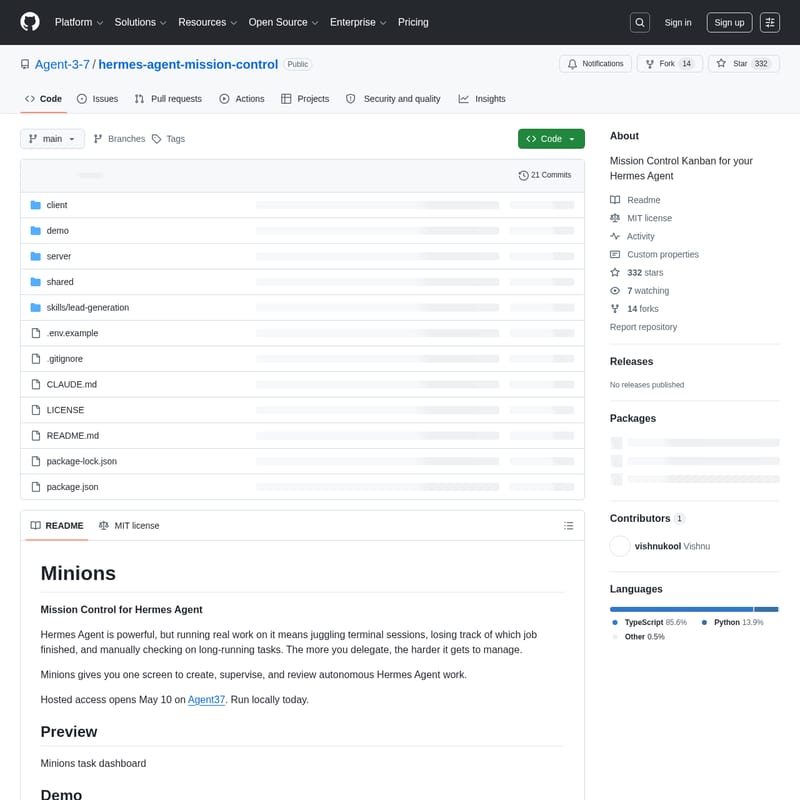
Minions Product Information
Minions: Mission Control for Your Hermes Agent Workflows
In the rapidly evolving world of autonomous AI, the Hermes Agent stands out as a powerful tool for executing complex tasks. However, as power users scale their operations, they often face the challenge of juggling multiple terminal sessions, losing track of completed jobs, and manually monitoring long-running processes. This is where Minions enters the scene. Minions provides a comprehensive mission control center for your Hermes Agent, offering a single, unified screen to create, supervise, and review all autonomous work.
What’s Minions?
Minions is a dedicated management platform designed to turn Hermes Agent sessions into durable, reviewable, and organized work. While the first task you assign to an agent might be simple, managing ten or more tasks simultaneously becomes a matter of operations. Power users don't just ask an agent a single question; they delegate extensive research, coding, sales operations, writing, and recurring workflows.
Without a proper interface, these jobs can become blocked, context can fill up, and background tasks can disappear. Minions solves this by providing a robust mission control environment. It ensures that every task assigned to a Hermes Agent is tracked from inception to completion, giving you the visibility needed to manage a fleet of autonomous agents effectively.
Key Features of Minions
Minions is more than just a task board; it is a sophisticated supervision layer for the Hermes Agent. Below are the core features that make it an essential tool for developers and power users:
1. Advanced Kanban Board
At the heart of Minions is a centralized Kanban board. This interface allows you to see every Hermes Agent task at a glance. Tasks are organized into clear categories: In Progress, Blocked, In Review, and Done. This visual representation eliminates the need to dig through terminal logs to understand the status of your work.
2. Autonomous Execution
With Minions, you can simply describe what you want in a chat interface and walk away. The Hermes Agent autonomously decides how to get the job done, utilizing its reasoning capabilities to navigate complex requirements without constant hand-holding.
3. Heartbeat Check-ins
One of the most innovative features of Minions is the heartbeat check-in system. Every in-progress task receives periodic check-ins where the Hermes Agent session is asked to report its progress. If an agent is stuck, it is prompted to retry with a different approach. Only after genuinely exhausting all alternatives will the agent move the task to the "Needs your help" column, ensuring that your time is only spent on truly blocked work.
4. Live Streaming and Reasoning Transparency
Minions offers real-time visibility into the agent's mind. You can watch tool calls, reasoning processes, and responses in live streams. This transparency is crucial for understanding how the Hermes Agent is approaching a problem and ensuring it stays on the right track.
5. Human-in-the-Loop Verification
Quality control is paramount. Minions implements a strict "human-in-the-loop" policy. When an agent proposes that a task is complete, it moves to the Ready for Review stage. Nothing is marked as "Done" without your explicit sign-off, ensuring the final output meets your standards.
6. Per-Task Model Control
Not all tasks require the same level of intelligence or reasoning. Minions allows you to override the model and reasoning effort on a per-task basis, giving you granular control over your resource usage and agent performance.
7. Local-First and Self-Hosted
For users concerned with privacy and data sovereignty, Minions offers a local-first option. You can self-host the platform using SQLite, meaning your local data stays on your machine with no cloud dependencies or mandatory account creation.
Use Cases for Minions and Hermes Agent
Minions is built for those who push the boundaries of what an autonomous agent can do. Common use cases include:
- Indie Founders: Delegating web research, sales operations, and competitive monitoring to keep the business moving while focusing on core product development.
- Developers: Using the Hermes Agent for coding tasks, data collection, and managing content pipelines.
- Power Users: Managing multiple long-lived sessions across various projects without losing track of progress or context.
- Automation Enthusiasts: Monitoring cron-scheduled Hermes Agent jobs to ensure recurring workflows are running successfully.
How to Use Minions (Quick Start Guide)
Getting started with Minions is straightforward for users already familiar with Node.js and the Hermes Agent ecosystem.
Prerequisites
- Node.js 18+
- An active installation of Hermes Agent
Installation Steps
- Clone the Repository:
git clone https://github.com/Agent-3-7/hermes-agent-mission-control.git - Navigate to the Directory:
cd hermes-agent-mission-control - Install Dependencies:
npm install - Launch the Development Server:
npm run dev - Access the Dashboard:
Open your browser and navigate to
http://localhost:6969.
For those ready for a stable environment, you can run the production build using the command: npm run prod.
How It Works: The Architecture
Minions operates through a seamless integration of modern web technologies and Python-based AI execution:
- Frontend: Built with React and Vite, providing a fast, responsive browser interface.
- Server: An Express server running on port 6969 handles HTTP and Server-Sent Events (SSE) to maintain live communication between the agent and the dashboard.
- Worker: A Python worker manages the communication via JSONL stdin/stdout with the Hermes AI Agent.
Each task in Minions is treated as a persistent Hermes root session. While chat transcripts and session history live within the Hermes session database, Minions stores vital task metadata, status, heartbeat history, and per-task settings in a local SQLite database.
Future Roadmap
The development team behind Minions has an ambitious roadmap to further enhance the capabilities of the Hermes Agent mission control:
- Cron Supervision: Automatically monitor, recover, and report on scheduled agent jobs to ensure zero downtime for recurring tasks.
- Notifications: Integration with Telegram, WhatsApp, and webhooks to alert you the moment a task is blocked or requires review.
- Skills Library: Pluggable templates for common workflows such as lead generation, competitive monitoring, and outbound sequences.
- Workspace File Browser: A built-in browser to view files created by agents on a per-task basis without needing to SSH into the environment.
- OpenClaw Adapter: Expanding compatibility to run Minions against OpenClaw-hosted agents.
FAQ
Can I use Minions with other AI agents?
Currently, Minions is optimized exclusively for Hermes Agent. While an adapter interface exists to support other agents, the initial launch is Hermes-only. Support for OpenClaw is the next priority on the development roadmap.
Is there a hosted version of Minions?
Hosted access is scheduled to open on May 10 through Agent37. However, the platform is designed to be run locally today for immediate use.
What happens if an agent gets stuck?
Minions uses a heartbeat system to check on the agent. If the agent cannot make progress after multiple attempts with different approaches, the task is automatically moved to the Needs your help column on the Kanban board.
Where is my data stored?
If you choose the local-first option, all task metadata and history are stored in a local SQLite database on your machine, ensuring complete privacy.