
Mastra Code
Mastra Code: A Terminal-Based AI Coding Agent for Advanced Software Development and Codebase Management
Mastra Code is a powerful terminal-based AI coding agent built on the Mastra framework. It enables developers to read, search, edit, and execute code directly from their terminal using over 70 AI models. With specialized modes like Build, Plan, and Fast, Mastra Code optimizes workflows for everything from complex architecture analysis to quick edits. It features project-scoped threads, MCP server integration, and extensive customization options, providing a robust environment for day-to-day coding, testing, and Git management.
2026-03-01
309.0K
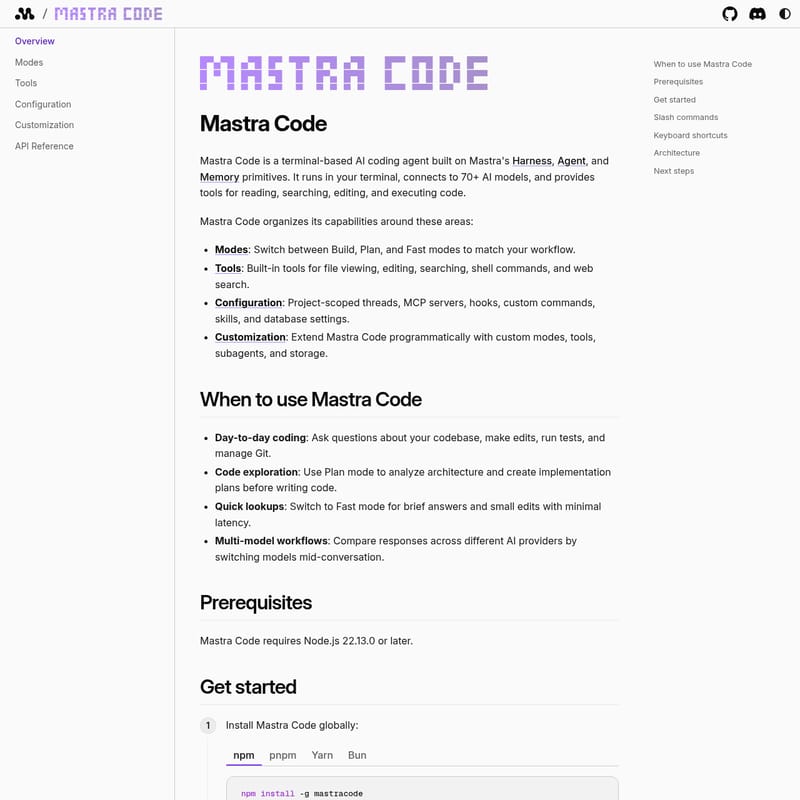
Mastra Code Product Information
Mastra Code: The Terminal-Based AI Coding Agent
Mastra Code is a high-performance, terminal-based AI coding agent designed to streamline the software development lifecycle. Built on the robust Mastra primitives—Harness, Agent, and Memory—this tool integrates directly into your local development environment. Mastra Code connects to over 70 AI models, providing a versatile interface for reading, searching, editing, and executing code through a terminal user interface (TUI).
What's Mastra Code?
Mastra Code is an advanced AI-driven terminal application that transforms how developers interact with their codebases. By utilizing the Mastra Code agent, users can perform complex programming tasks using natural language. It functions as a comprehensive assistant that stays within your terminal, maintaining project-scoped context and leveraging a deep memory system to ensure that every interaction with Mastra Code is relevant to your specific project history.
The Architecture of Mastra Code
The efficiency of Mastra Code is driven by its four-layered architecture:
- TUI: A terminal interface powered by pi-tui components for a seamless user experience.
- Harness: Manages Mastra Code modes, thread persistence, event systems, and state management.
- Mastra Agent: Handles dynamic model selection, tool execution, memory integration, and subagents.
- LibSQL Storage: Ensures thread persistence, tracks message history, monitors token usage, and maintains observational memory.
Features of Mastra Code
Mastra Code is packed with features that empower developers to work faster and smarter:
- Multi-Model Connectivity: Connect Mastra Code to 70+ AI models from various providers.
- Integrated Tooling: Built-in tools for file viewing, editing, searching, shell command execution, and web searches.
- Specialized Workflow Modes: Choose from Build, Plan, or Fast modes to tailor the agent's behavior to your current task.
- Extensible Configuration: Support for MCP servers, hooks, custom commands, skills, and database settings.
- Advanced Customization: Extend Mastra Code programmatically by creating custom modes, tools, and subagents.
- Project Persistence: Uses LibSQL storage to keep track of threads and token usage per project.
How to Use Mastra Code
Getting started with Mastra Code is straightforward and requires minimal setup.
Prerequisites
Before installing Mastra Code, ensure you have Node.js 22.13.0 or later installed on your system.
Installation
You can install Mastra Code globally using your preferred package manager:
- npm:
npm install -g mastracode - pnpm:
pnpm install -g mastracode - Yarn:
yarn global add mastracode - Bun:
bun add -g mastracode
Alternatively, you can run Mastra Code without installation using npx: npx mastracode.
Launching the Agent
- Navigate to your project directory:
cd your-project - Start the agent:
mastracode - Set your API key (e.g.,
export ANTHROPIC_API_KEY=sk-ant-...) or use the/logincommand to authenticate with OpenAI or Anthropic.
Once active, simply type a message. The Mastra Code agent will respond with streaming text and begin assisting with your code.
Keyboard Shortcuts
Manage your Mastra Code session efficiently with these shortcuts:
- Ctrl+C: Interrupt the current operation.
- Ctrl+D: Exit the TUI (when the editor is empty).
- Ctrl+T: Toggle the visibility of thinking blocks.
- Ctrl+E: Expand or collapse all tool outputs.
- Ctrl+F: Send a follow-up message while the Mastra Code agent is still running.
Slash Commands
Mastra Code provides several slash commands for session management:
/new: Start a new conversation thread./threads: List all threads for the current project./models: Select a different AI model./mode: Switch between Build, Plan, and Fast modes./cost: Show token usage for the conversation./diff: Show files modified in the current session./exit: Exit the TUI.
Use Case Scenarios
Mastra Code is designed for a variety of professional development workflows:
- Day-to-Day Coding: Use Mastra Code to ask questions about your codebase, make edits, run tests, and manage Git operations without leaving the terminal.
- Code Exploration: Activate Plan mode in Mastra Code to analyze complex architectures and create implementation plans before writing a single line of code.
- Quick Lookups: Switch Mastra Code to Fast mode for rapid answers to brief questions and minor edits with minimal latency.
- Multi-model Workflows: Leverage the flexibility of Mastra Code to compare responses across different AI providers by switching models in the middle of a conversation.
FAQ
Q: What are the different modes in Mastra Code? A: Mastra Code offers three primary modes: Build (for active development), Plan (for architectural analysis), and Fast (for quick queries and low-latency responses).
Q: How does Mastra Code handle security and paths?
A: You can use the /sandbox command in Mastra Code to add external directories to the allowed path list, ensuring the agent only interacts with authorized files.
Q: Can I customize the appearance of Mastra Code?
A: Yes, you can use the /theme command to switch between auto, dark, or light color themes within the Mastra Code TUI.
Q: How do I track my spending while using Mastra Code?
A: By using the /cost command, Mastra Code will display the token usage for your current conversation thread.
Q: Is it possible to add custom commands to Mastra Code? A: Absolutely. You can define custom slash commands as markdown files within the Mastra Code configuration settings.







