KOOX AI
IMAGE TO VIDEO AI
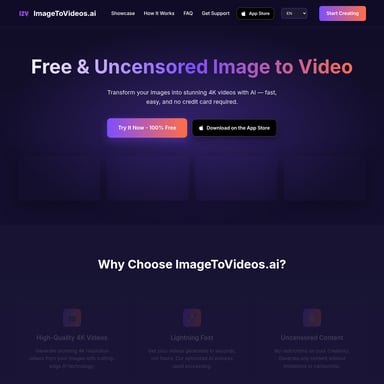
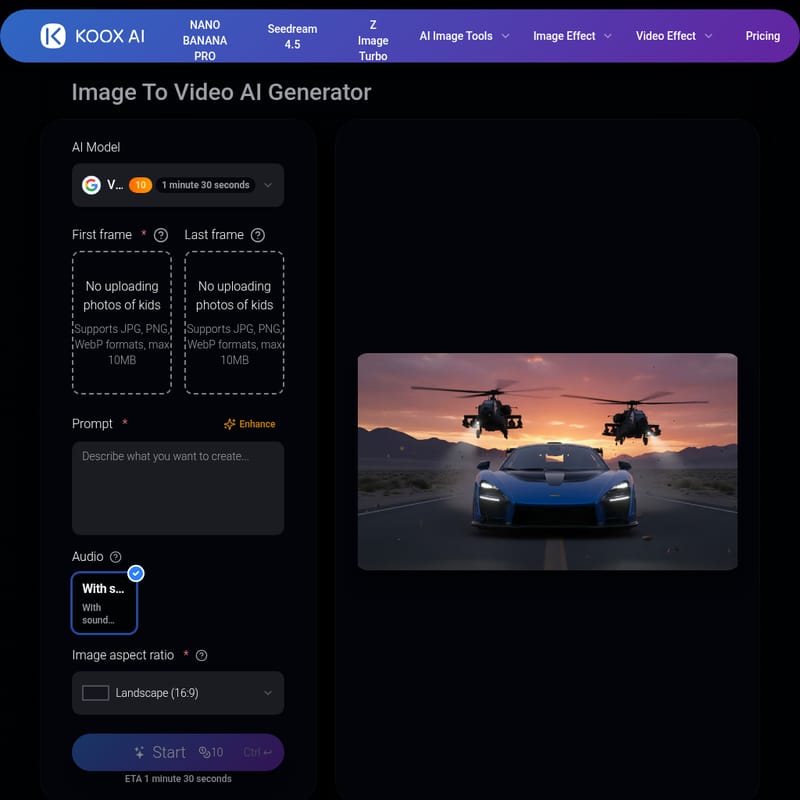
IMAGE TO VIDEO AI is an innovative AI tool that transforms static photos into realistic, physics-based videos with synchronized audio. The platform leverages advanced AI models to animate images with motion, providing users with an easy-to-use, no-editing-required solution for creating dynamic videos from photos. It is ideal for content creators, marketers, and artists who wish to turn their images into engaging video content quickly and efficiently.
2025-12-15
--K
KOOX AI Product Information
IMAGE TO VIDEO AI
What's IMAGE TO VIDEO AI
IMAGE TO VIDEO AI is a cutting-edge tool that allows you to transform any static image into a dynamic video. By using advanced AI models, this tool generates video frames from your photo, applying realistic physics to simulate motion. Whether it's a portrait, landscape, or even a 3D render, the AI understands how objects move in 3D space and applies proper momentum, lighting, and depth to create videos that look natural. The best part? You don't need any editing skills—just upload your image, provide a prompt, and let the AI work its magic.
Features
- Realistic Motion: IMAGE TO VIDEO AI ensures that the motion in the video is physics-based, making everything move just like it would in real life.
- Audio Syncing: The AI generates audio that matches the on-screen action, such as footsteps or wind, creating an immersive experience.
- No Flickering or Morphing: The tool guarantees smooth transitions without morphing or flickering, ensuring consistent results in each frame.
- Multiple AI Models: IMAGE TO VIDEO AI uses various advanced models, including SORA2, Veo 3, and Runway, ensuring the highest quality video generation.
Use Case
IMAGE TO VIDEO AI is ideal for a wide range of users, from influencers and content creators to marketers and product designers. It helps to bring static images to life by adding realistic motion and sound, which can increase user engagement and boost conversions.
- Influencers: Enhance social media engagement by turning static photos into attention-grabbing videos.
- Content Creators: Speed up content creation by generating videos from images in minutes.
- Product Marketers: Animate product photos to showcase them in action, making them more compelling to potential customers.
- Artists & Animators: Test animation ideas and prototypes without committing to full production.
FAQ
Q: What exactly is IMAGE TO VIDEO AI? A: IMAGE TO VIDEO AI is an AI model that converts static images into realistic videos with motion based on physics. It uses text prompts to generate videos where objects move in a lifelike manner.
Q: What makes a good image to video generator? A: A good image-to-video generator needs consistent motion, realistic physics, and accurate adherence to prompts. IMAGE TO VIDEO AI excels in all of these areas, ensuring high-quality results.
Q: How is this AI different from others? A: Unlike most image-to-video tools that use a single model, IMAGE TO VIDEO AI integrates multiple models such as SORA2, Veo 3, and Runway. This approach ensures superior quality, including synchronized audio that matches the video’s motion.
Q: Is IMAGE TO VIDEO AI free? A: Yes, you can get free credits to try IMAGE TO VIDEO AI. After that, you can purchase more credits if needed.
Q: How does the audio generation work in photo to video conversion? A: IMAGE TO VIDEO AI generates synchronized audio that matches the visual motion. For example, if someone is walking in the video, the AI will generate footsteps to sync with the movement.
Q: How many AI models does IMAGE TO VIDEO AI support? A: IMAGE TO VIDEO AI supports multiple advanced models, including Veo 3, SORA2, and Runway, with new models added as breakthroughs occur.
How to Use IMAGE TO VIDEO AI
Turning any photo into a video with IMAGE TO VIDEO AI is incredibly easy. Here’s how you can do it in three simple steps:
- Upload your image: Drop any photo, drawing, or 3D render into the tool.
- Describe the motion: Provide a text prompt describing the type of movement you want in the video.
- Generate and Download: Hit generate and receive your video in seconds.
Why IMAGE TO VIDEO AI Works
IMAGE TO VIDEO AI stands out because it combines advanced AI with realistic video production. The AI doesn’t just add motion—it understands the physics of how things move. This ensures your videos are smooth, natural, and true to life. Furthermore, by adding synchronized audio, IMAGE TO VIDEO AI provides a full video creation experience without needing any manual editing or technical knowledge.