imggpt
AIToolly product video
See imggpt in motion
imggpt: The Ultimate GPT Image Generator and AI Photo Editor Workspace
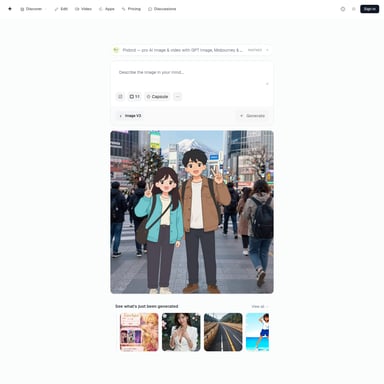
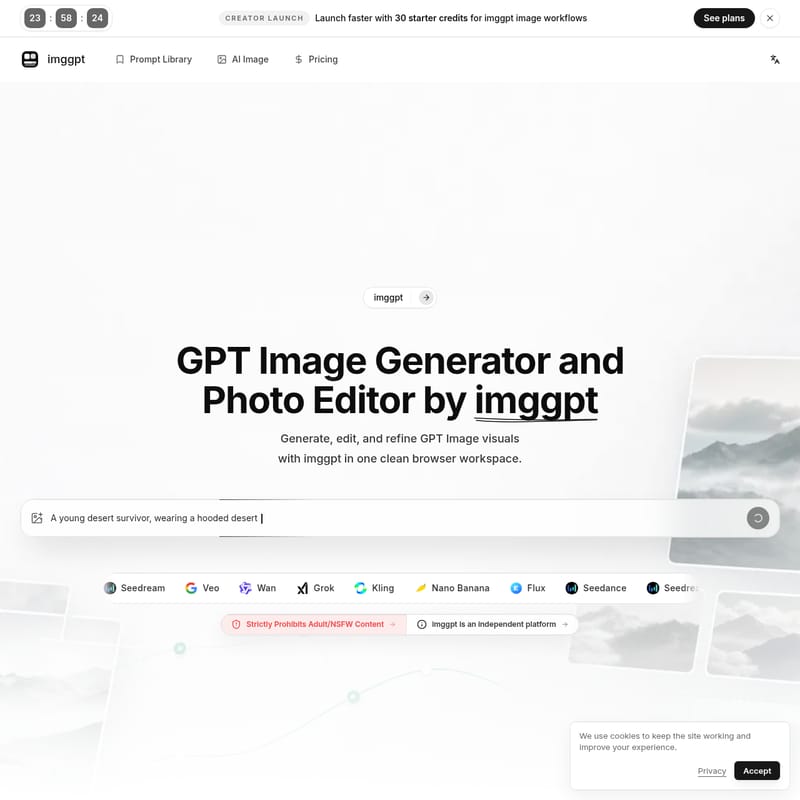
imggpt is a comprehensive browser-based platform designed for seamless GPT Image generation and photo editing. It combines prompt-to-image workflows, reference controls, and AI-driven editing tools to help creators produce high-quality marketing assets and ecommerce visuals without tool hopping.
2026-05-07
--K
imggpt Product Information
imggpt: The All-in-One GPT Image Generator and Professional AI Photo Editor
In the rapidly evolving world of digital content creation, finding a single workspace that handles everything from the initial prompt to the final export is a challenge. imggpt emerges as a powerful solution, serving as a comprehensive GPT Image generator and AI photo editor that operates directly in your browser. This platform is designed to streamline the production of high-quality visuals, allowing teams and individual creators to move from an abstract idea to a usable asset without the friction of switching between multiple tools.
Whether you are building a product campaign, designing social media assets, or refining ecommerce photography, imggpt provides a professional-grade environment. It integrates advanced GPT Image workflows with a suite of editing tools, ensuring that every visual you create is ready for the market.
What's imggpt?
imggpt is an independent, browser-based platform that functions as a practical GPT Image studio. It is built specifically around the recurring tasks that creative teams face every week: generating new concepts, editing existing visuals, comparing variations, and publishing finished assets.
At its core, imggpt is more than just a simple image generator. It is a structured workspace where users can access a variety of top-tier models—including Seedance, Seedream, Veo, Wan, Grok, Kling, Nano Banana, and Flux—to find the best fit for their specific project. A critical aspect of the imggpt platform is its commitment to safety and professionalism; the service strictly prohibits adult/NSFW content, ensuring a clean environment for brands and creators.
Core Features of imggpt
imggpt is packed with specialized tools that cater to every stage of the GPT Image production cycle. Below are the key features that make it a standout choice for creators:
GPT Image Generator
This is the heart of the platform. The GPT Image generator allows you to describe a product shot, a campaign visual, a portrait, or a poster through text prompts. It quickly generates polished GPT Image options, helping you visualize concepts in seconds.
AI Photo Editor
Beyond generation, imggpt offers a robust AI photo editor. This tool allows you to:
- Clean backgrounds and remove distracting elements.
- Retouch details in portraits and product shots.
- Improve selected images through prompt-based editing to ensure they meet delivery standards.
Reference and Image-to-Image Control
Text prompts aren't always enough to capture a specific vision. imggpt includes reference workflows that allow you to guide the GPT Image style, composition, character consistency, and mood using visual references. This is essential for maintaining brand identity across multiple assets.
One-Click Effects and Styles
Experimentation is made easy with consistent creative directions. You can explore editorial treatments, grayscale mockups, product scenes, and poster looks with a single click. These effects allow you to transform a raw GPT Image into a stylized marketing asset instantly.
Ecommerce Image Creation
For online retailers, imggpt is a game-changer. It enables the creation of product mockups, lifestyle scenes, and catalog shots from a single source asset. This feature helps ecommerce operators move from a simple product image to a full-scale ad campaign rapidly.
Prompt Library and Model Selection
To ensure you get the best possible results, imggpt features a Prompt Library and access to a wide variety of models like Flux, Kling, and Grok. This allows you to choose the model that fits the specific output requirements instead of rebuilding your brief in a different tool.
How to Use imggpt: A Repeatable Production Loop
imggpt is designed for a simple, repeatable flow that takes you from an initial idea to a finished GPT Image. Follow these four steps to maximize your productivity:
- Describe the Goal: Start by setting the subject, format, audience, and style. Define the final use case before you begin generating to ensure the AI understands the context.
- Add Visual Direction: To maintain consistency, upload or reuse reference images. This helps control the pose, palette, and product details, which is vital for campaign consistency.
- Generate and Edit: Use the GPT Image generator to create variations. Once you have a winner, use the AI photo editor to remove distractions, refine backgrounds, and tighten the visual details.
- Publish the Asset: Once the image is refined, it is ready for delivery. Use your finished visuals across ecommerce pages, social posts, blogs, presentations, and product launches.
Use Cases for imggpt
Because of its versatile feature set, imggpt is utilized by various professionals to solve different creative challenges:
- Brand Designers: Nina Park uses imggpt's reference workflows to keep characters and campaign assets consistent, preventing the "visual drift" that often happens with random one-off looks.
- Ecommerce Operators: Daniel Wu leverages the platform to turn source product images into lifestyle scenes and ad concepts much faster than traditional methods.
- Creative Leads: Maya Ortiz finds value in having one place to generate concepts and test different model directions before cleaning up the strongest output for final review.
- Content Strategists: Aisha Rahman uses the tool to turn rough content ideas into social-ready visuals and high-quality blog covers with minimal manual production.
- Agency Founders: Leo Martins describes it as a "practical browser studio" that eliminates the need to switch tabs between prompting, generating, and editing.
FAQ: Frequently Asked Questions
What is imggpt? imggpt is an all-in-one browser-based platform that combines a GPT Image generator with professional AI photo editing tools. It is designed to help teams generate, edit, and publish visual assets in one workspace.
Can I create GPT Image visuals with imggpt? Yes. imggpt allows you to generate high-quality GPT Image visuals from text prompts, making it ideal for product shots, portraits, and creative concepts.
Can I edit photos with imggpt? Absolutely. The platform includes a dedicated AI photo editor capable of removing objects, cleaning backgrounds, and retouching details to improve the quality of your images.
Who is imggpt for? It is built for creators, marketing teams, ecommerce operators, brand designers, and content strategists who need a reliable, repeatable workflow for image production.
Can imggpt create consistent characters or product sets? Yes. By using the Reference and Image-to-Image Control workflows, you can guide the style and composition to ensure consistency across a series of images.
Can I use imggpt for marketing assets? Yes, imggpt is specifically designed to create export-ready assets for ads, social media posts, presentations, and product launches.
Conclusion
By integrating the GPT Image generator and AI photo editor into a single, cohesive workflow, imggpt removes the technical barriers that often slow down creative production. Whether you are starting with the Creator Launch plan and its 30 starter credits or managing a full-scale marketing team, imggpt provides the tools necessary to generate, refine, and publish professional-grade visuals with ease.