
Context Gateway
Context Gateway by Compresr-ai: Instant History Compaction and Context Optimization for AI Agents
Context Gateway is an innovative agentic proxy developed by YC-backed Compresr-ai, designed to optimize LLM prompt compression and history management. By sitting between AI agents like Claude Code or Cursor and the LLM API, it performs background context optimization and instant history compaction. This ensures that users never experience delays when conversations reach context limits, as the gateway pre-computes summaries to maintain seamless performance across various AI workflows and IDE integrations.
2026-03-08
615200.0K
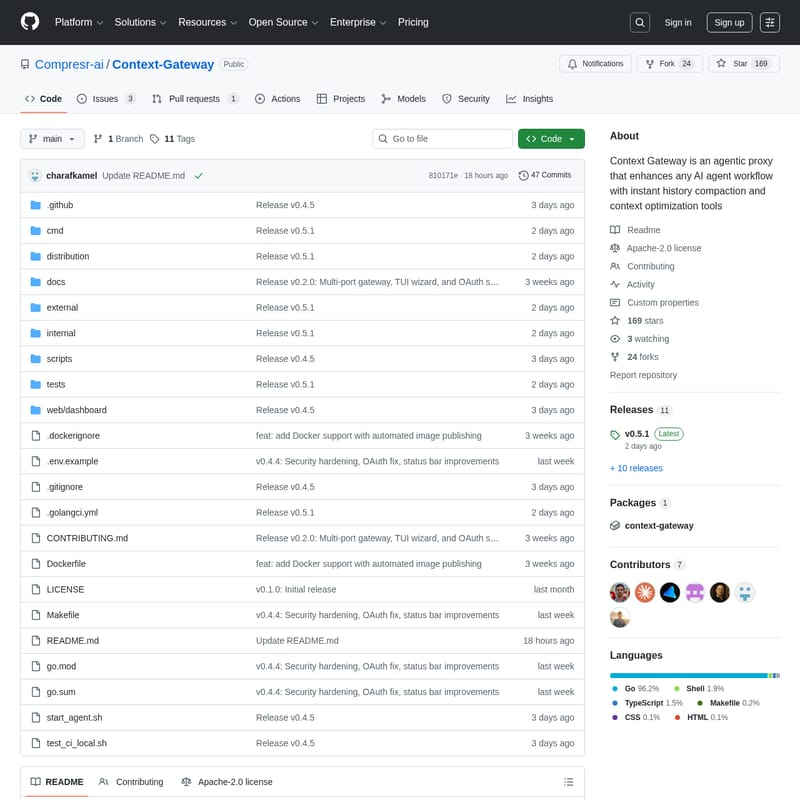
Context Gateway Product Information
Context Gateway: High-Performance Context Optimization for AI Agents
In the rapidly evolving world of artificial intelligence, managing long conversations with Large Language Models (LLMs) often leads to performance bottlenecks and high latency. Context Gateway, developed by the YC-backed company Compresr-ai, is a specialized agentic proxy designed to solve these challenges through advanced context optimization and instant history compaction.
What's Context Gateway?
Context Gateway is an open-source tool that sits strategically between your AI agent—such as Claude Code or Cursor—and the LLM API. Its primary mission is to manage the context window effectively. When a conversation becomes excessively long, the Context Gateway compresses the history in the background.
Unlike traditional methods that might force a user to wait for a summary to be generated, Context Gateway ensures you never wait for compaction. It is an agentic proxy that enhances any AI agent workflow, allowing for seamless transitions even as the data volume grows. By utilizing the Context Gateway, developers and AI users can maintain high-speed interactions regardless of the session length.
Features of Context Gateway
Context Gateway is packed with features designed to streamline context optimization and improve the efficiency of AI-driven development. Below are the core functionalities:
- Instant History Compaction: Compaction happens instantly because summaries are pre-computed in the background. This eliminates the "waiting phase" typically seen when hitting context limits.
- TUI Wizard: An interactive Terminal User Interface (TUI) wizard guides users through the setup process, making it easy to select agents and configure settings.
- Agentic Proxy Architecture: It functions as a middle layer that monitors and optimizes prompts before they reach the LLM API.
- Customizable Thresholds: Users can set a trigger threshold for compression (the default is 75%), giving them control over when context optimization occurs.
- Multi-Agent Support: Out-of-the-box integration for popular tools like Claude Code, Cursor, and OpenClaw.
- Transparency: Detailed logs are kept in
history_compaction.jsonl, allowing users to audit what information is being compressed and how. - Notifications: Optional integration with Slack to keep you updated on the status of your gateway and compaction events.
- Security Hardening: Recent updates (v0.4.4) include security hardening and OAuth support for safer operation.
Use Case Scenarios
Context Gateway is highly versatile and fits into various professional AI workflows:
1. Large-Scale Software Development
When using IDE integrations like Cursor or Claude Code, codebases and chat histories can quickly exceed token limits. Context Gateway ensures the developer's flow is never interrupted by manually managing context or waiting for the LLM to "remember" the previous state.
2. Open-Source AI Tooling
For those using OpenClaw or custom-built agents, Context Gateway provides a standardized way to handle history compaction without rebuilding the logic into every new tool.
3. High-Intensity Research and Debugging
Long debugging sessions often involve sending large chunks of logs and code back and forth. Context Gateway optimizes these prompts, ensuring that only the most relevant context is retained, saving both time and API costs.
How to Use Context Gateway
Setting up the Context Gateway is straightforward, thanks to the automated installation scripts and the interactive TUI.
Installation
To install the gateway binary, run the following command in your terminal:
curl -fsSL https://compresr.ai/api/install | sh
Configuration via TUI Wizard
Once installed, launch the interactive wizard by typing:
context-gateway
The TUI wizard will guide you through several essential steps:
- Choose an Agent: Select from
claude_code,cursor,openclaw, orcustom. - Configure Models: Define your summarizer model and provide the necessary API key.
- Set Thresholds: Adjust the compression trigger threshold (default 75%).
- Enable Notifications: Set up Slack notifications if required.
FAQ
What agents are currently supported?
Context Gateway officially supports Claude Code, Cursor, and OpenClaw. It also features a custom configuration option for users who want to bring their own AI agent setup.
Does history compaction slow down my conversation?
No. One of the primary benefits of Context Gateway is that history compaction happens in the background. Because the summary is pre-computed, the compaction appears instant to the user.
How can I verify what is being compressed?
Transparency is a core feature. You can check the local logs at logs/history_compaction.jsonl to see exactly how the context optimization is being handled and what information is being summarized.
Is Context Gateway open source?
Yes, the project is available under the Apache-2.0 license and is hosted on GitHub by Compresr-ai. Contributions from the community are welcomed via their Discord and pull requests.







